
Manual / Screen Orientation
Screen Orientation
Once a device goes on the rifle it stops being held the way it was designed to be held. Two settings deal with that. On Apple Watch, Mount Rotation turns the whole app to match a rail mount and corrects the sensors along with it. On the phone, iPhone or Android, the landscape menu rail moves to whichever edge your hand can reach.
Mount Rotation
Apple Watch only. Off, 90°, 180° or 270°, sensors included. Pro.
Menu side
Any phone, landscape only. Left for right-handed, right for left-handed. Free.
Re-zero after any change
New mount, new rotation, new calibration. Zero the level again.
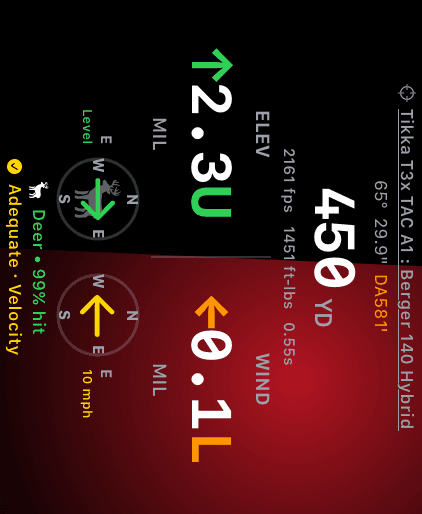
Live Fire at 90°. The entire page turns, holds, chips, glow and all.
Apple Watch · Pro
Rotate the app, not the mount
A watch clamped to a rail almost never ends up upright. Rather than fight the mount, turn the app: on the watch, swipe to SETTINGS and open Mount Rotation under the Wrist Dope Pro heading.
Four choices: Off, 90°, 180°, 270°, clockwise. Turn the crown through them and the picker rotates its own preview as you go, so you can hold the rifle up and stop on the one that reads right. The whole app rotates when you tap Done, not on every detent.
Every screen follows, including the ones that open on top: the level settings, the gun and load editors, the pickers. Taps land where you see the controls, not where they used to be.
Mount Rotation is part of the one-time Wrist Dope Pro upgrade. Without Pro the row reads Off and stays there, even if a rotation was set during a trial.
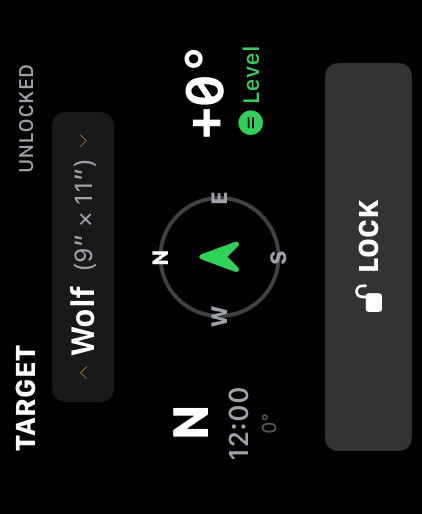
Target at 270°. The compass still points north and the angle still reads from the bore.
Apple Watch
The sensors turn with the screen
This is not a display trick. A rotated watch has its top edge pointing somewhere other than down the barrel and its face pointing somewhere other than up, so the raw sensor readings would all be off by the rotation. Wrist Dope corrects them before anything reads them:
- Cant: the level knows which way is really sideways.
- Bearing: the compass reports where the barrel points, not where the watch's top edge points, so pointing and locking a target or a wind direction stays true. The Coriolis azimuth rides the same corrected number.
- Shot angle: the up/down angle is measured against the barrel line instead of the watch's pitch axis.
Re-zero after any change. Rotating the app, moving the clamp, or switching mounts all change how the watch sits relative to the bore. Go back to the LEVEL page and tap ZERO LEVEL again.
iPhone
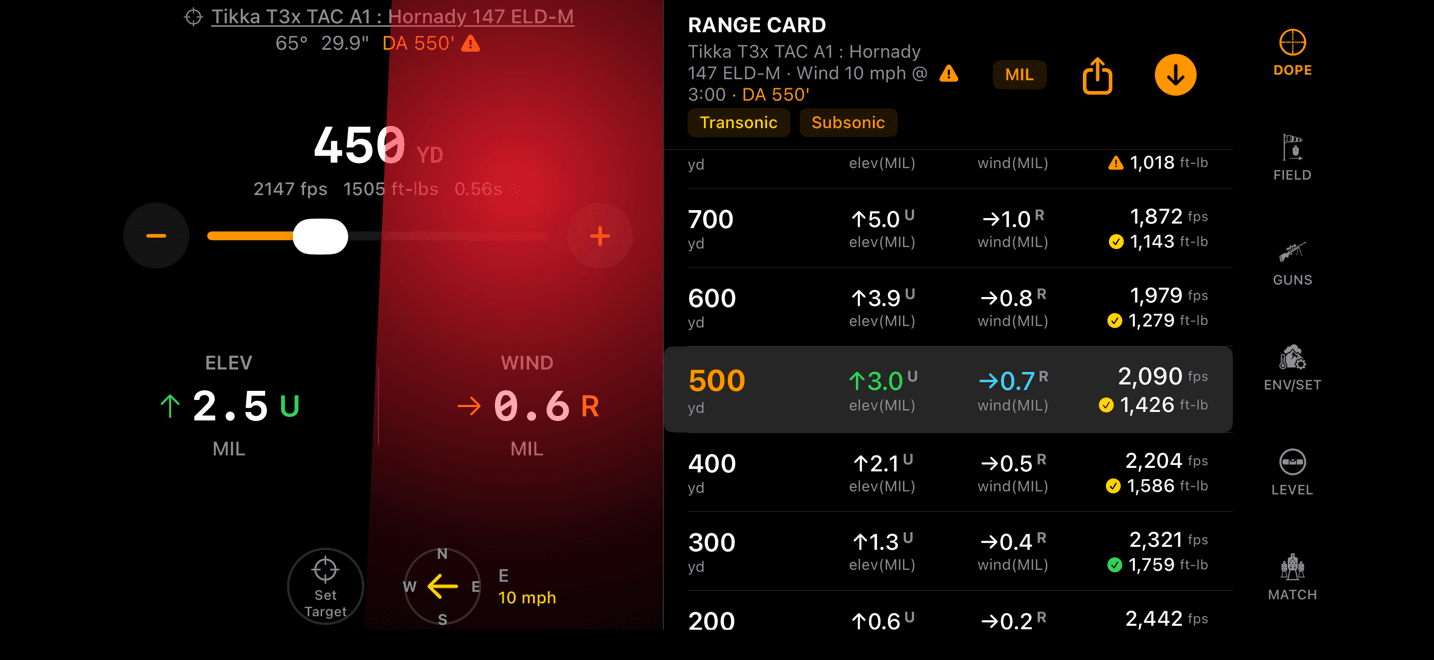
Landscape puts the menu on a side rail
Turn the phone sideways and the page menu leaves the bottom of the screen and becomes a vertical rail down one edge. On a rifle-mounted phone, height is the dimension you cannot spare. A bottom bar eats the room the holds and the range card need.
The rail defaults to the left. A right-handed shooter mounts the phone with its right edge toward the rifle, which leaves the left edge as the one your hand can reach without coming off the gun.
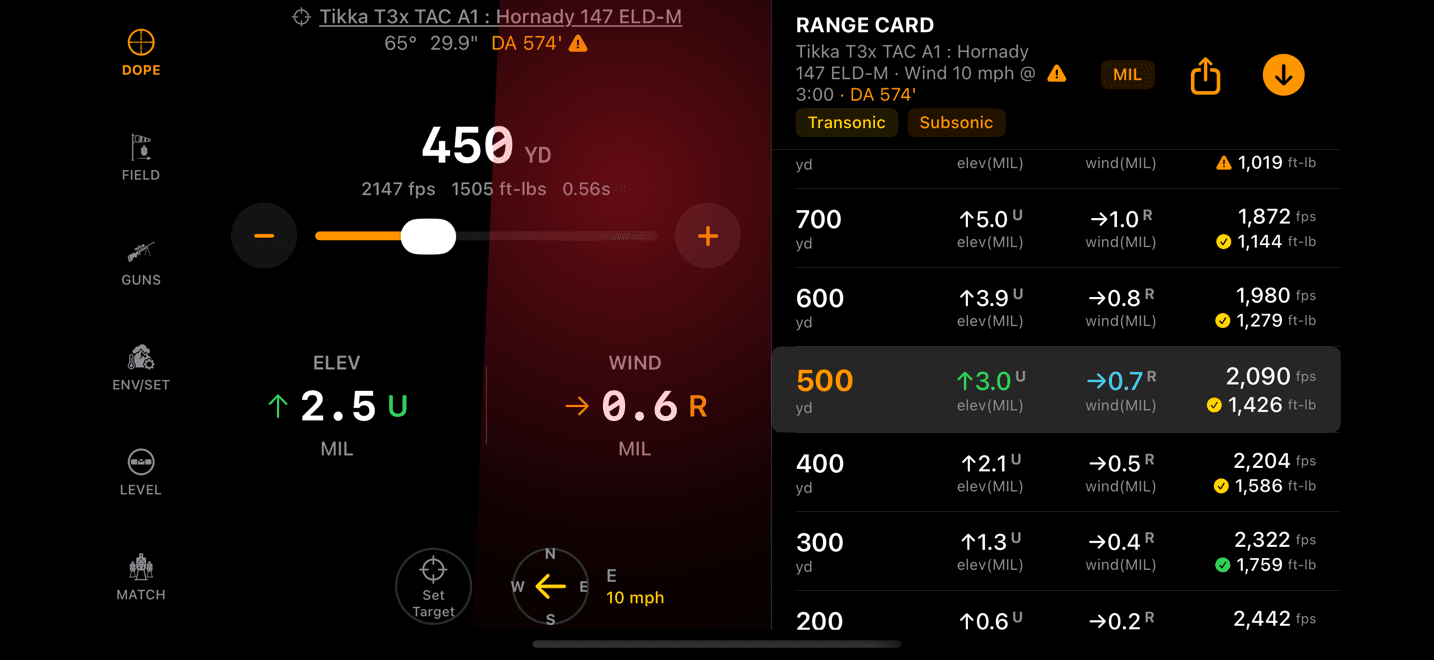
Landscape, rail on the left. The default, and the reachable side for a right-handed shooter.
iPhone
Flip it for a left-handed shooter
Shoot left-handed and the geometry mirrors, so the setting does too. On iPhone, go to ENV/SET, scroll to the SETTINGS block and open Landscape Menu Side. Two choices:
Left · right-handed, the default.Right · left-handed
It applies immediately, it costs nothing, and it only shows itself in landscape. Hold the phone upright and the menu goes back to the bottom of the screen either way.
The same screen with the rail moved to the right edge.
Where orientation stops and the level starts
These two settings only decide which way the screen faces and which edge the menu lives on. They do not tell the app how your rifle is held. That job belongs to the level calibration: one tap with the rifle held level teaches the app where the bore sits relative to the device, and that is what makes the cant readout and the rifle-mounted shot angle honest.
The order matters. Set the mount, set the rotation, then zero the level, and zero it again any time the first two change. Scope Level covers the calibration, the cant glow and rifle-mounted mode in full.
For the watchOS side of a rifle-mounted watch (wake duration, wrist raise, always on, the passcode trade), see Watch Settings for the Rifle.
Rotation not sticking?
- The row reads Off and won't change. Mount Rotation is Pro. Selecting an angle without it opens the unlock card instead of writing the setting, and a rotation stored during a trial stops applying when the trial ends.
- The picker previewed but the app didn't turn. The preview is local to the picker on purpose. Tap
Doneand the whole app re-lays out at the new angle. - The level reads a cant that isn't there. The calibration is tied to the pose the device was in when you zeroed it. Rotate or remount, then re-zero.
- No side rail on the iPhone. The rail is a landscape layout. In portrait the menu sits along the bottom, which is correct.
- Looking for Mount Rotation on iPhone. There isn't one. iOS rotates the app itself; the phone-side control is the menu side.
Android phone
Landscape puts the menu on a side rail
Turn the phone sideways and the page bar leaves the bottom of the screen and becomes a rail down one edge. On a rifle-mounted phone, height is the dimension you cannot spare, and a bottom bar eats the room the holds and the range card need.
The rail defaults to the left. A right-handed shooter mounts the phone with its right edge toward the rifle, which leaves the left edge as the one your hand can reach without coming off the gun.
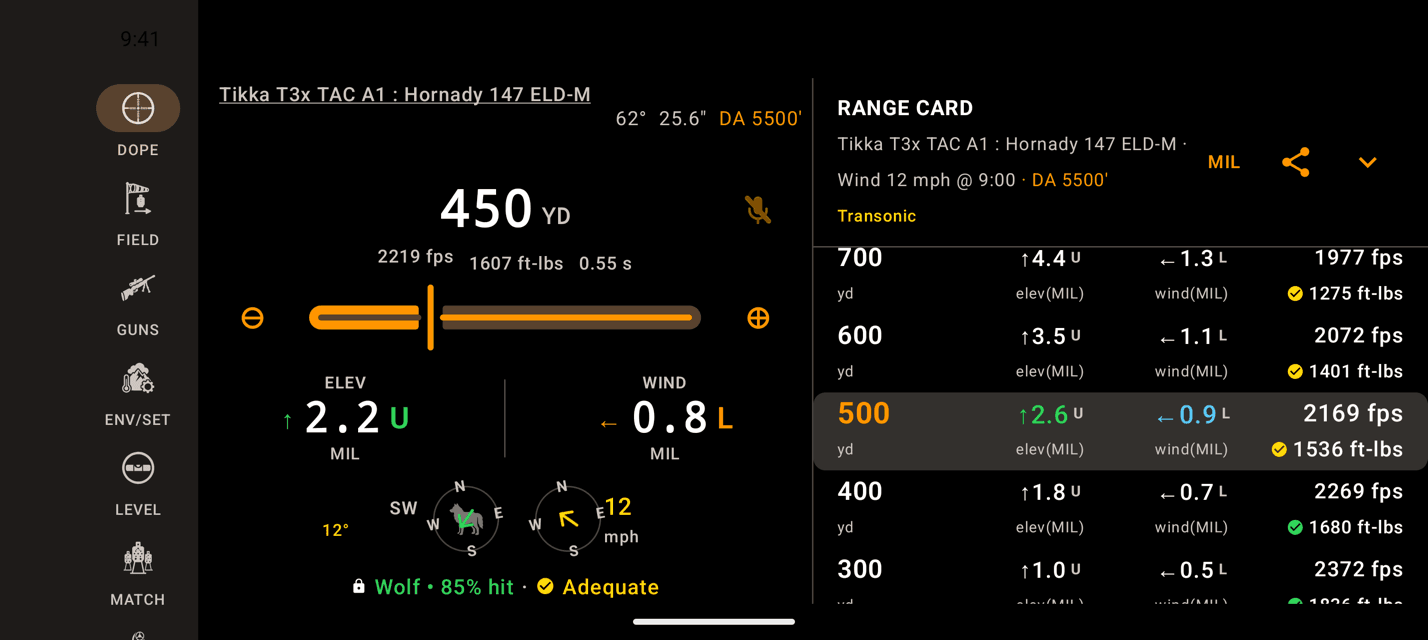
Landscape, rail on the left. The default, and the reachable side for a right-handed shooter.
Android phone
Flip it for a left-handed shooter
On ENV/SET, scroll to SETTINGS and open Landscape Menu Side. Two choices:
Left · right-handed, the default.Right · left-handed
It applies right away, it is free, and it only shows itself in landscape. It stays on this phone and does not follow you to the watch.
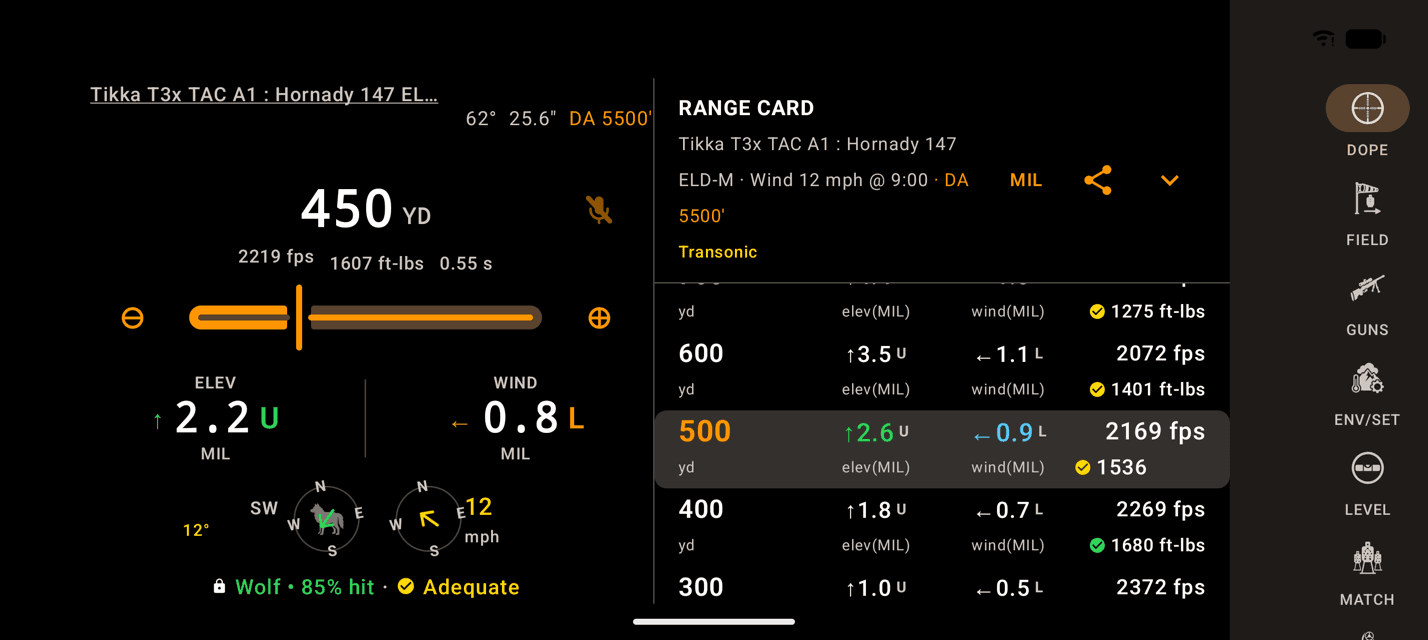
The same screen with the rail moved to the right edge.
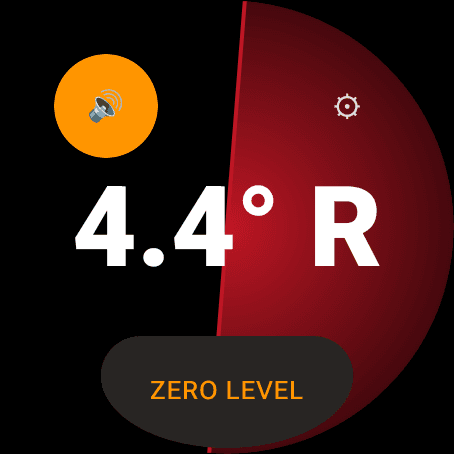
The watch app always draws upright. Zero the level after every mount change.
Wear OS
No Mount Rotation on the watch
Mount Rotation is an Apple Watch setting. Wear OS does not have it, by design, so the watch app always draws upright: mount the watch the way you want to read it.
Whatever the mount, zero the level after you change it. The calibration is tied to how the device sits on the rifle, and it is what makes the cant readout and the rifle-mounted shot angle honest. Scope Level covers it in full.
Rail or level not doing what you expect?
- No side rail on the phone. The rail is a landscape layout. In portrait the menu sits along the bottom, which is correct.
- Looking for Mount Rotation on the watch. There is none on Wear OS. Mount the watch so it reads upright.
- The level reads a cant that isn't there. The calibration is tied to the pose the device was in when you zeroed it. Remount, then zero the level again.
Related: Scope Level covers the calibration and rifle-mounted mode, and the watch settings guide covers the Wear OS settings that keep a rifle-mounted screen awake.
Still stuck? support@wristdope.com