
Manual / Scope Level
Scope Level
A canted rifle throws long shots wide, and a rifle-mounted watch can't tell you your shot angle from its own tilt. Scope Level answers both. It is a full-screen anti-cant level on the watch and the phone, free, with beeps that quicken as the cant grows. One calibration tap, and two Pro switches, take it the rest of the way: the level glows behind your firing solution, and your shot angle starts coming from the bore instead of the bracket.
The level is free
Live cant, Zero Level, beeps and tuning on both devices. No upgrade.
Zero it first
Nothing downstream works until the level is calibrated. One tap, rifle held level.
Two Pro switches
The glow behind your dope, and rifle-mounted shot angle. A free 7-day trial is offered.
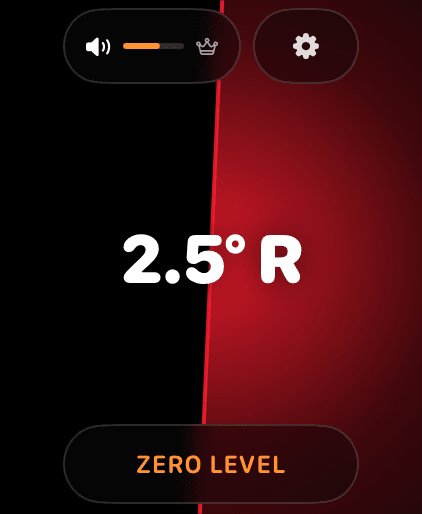
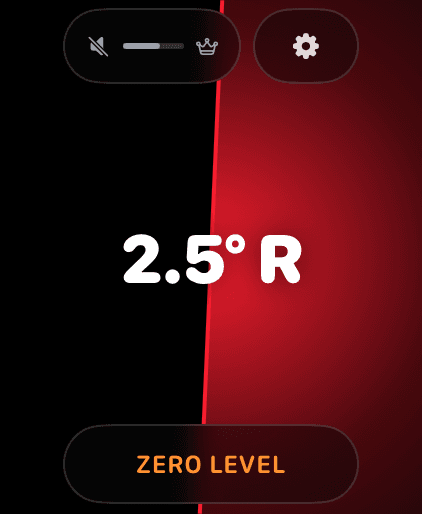
The LEVEL page: live cant readout, ZERO LEVEL below, sound pill and settings gear above.
Step 1
Zero the level
Swipe to the LEVEL page, the full-screen level with the big cant readout (2.5° R means 2.5° of right cant). Then:
- Mount the device where it will ride during fire: wrist, or clamped to the rifle.
- Hold the rifle truly level. Check it against a scope-mounted bubble level or a plumb line.
- Tap
ZERO LEVEL. A success tap confirms the calibration captured.
That one tap is the whole calibration, and it does more than square the display. It teaches the app where your bore points relative to the device, which is what makes rifle-mounted mode possible further down this page.
The zero is saved and survives restarts. To review or clear it, the gear settings show the stored offset with a Reset to 0 button. Re-zero whenever you change how the device is mounted.
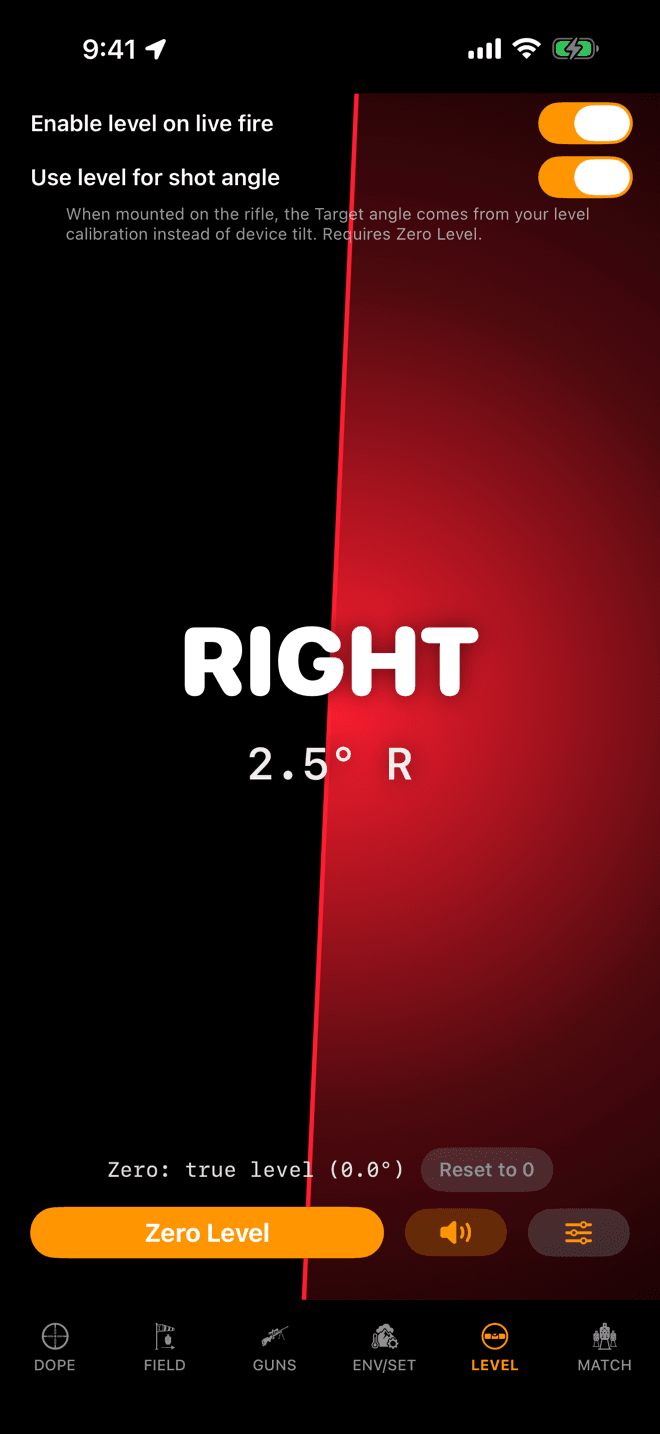
The iPhone LEVEL page. Same calibration, same readout, both switches in reach.
Step 2
The same level on iPhone
Scope Level is not a watch-only feature. The LEVEL tab on iPhone is the same level: the same cant readout, the same Zero Level button, the same stored offset and Reset to 0. Use whichever device is on the rifle.
The level itself, the calibration, the beeps and the tuning are free. Nothing on this page so far costs anything.
Each device carries its own calibration, because each one is mounted differently. Zeroing the watch does not zero the phone.
Muted: crossed-out speaker, dimmed bar. Tap the pill to unmute; the crown sets volume.
Step 3
Mute, unmute, and volume
The level beeps as you cant, faster the further off you are, so you can level the rifle without leaving the glass. Sound control lives in the pill at the top-left of the LEVEL page:
- Tap the pill to mute. The speaker icon crosses out and the volume bar dims.
- Tap again to unmute.
- Turn the Digital Crown on the LEVEL page to adjust volume. The bar in the pill tracks it live.
Prefer a different beep? The Sound section in the gear settings auditions each timbre as you tap it. Two more pickers there set how strict level is (Precision) and the cant at which the beeps and blink reach full speed (Max angle).
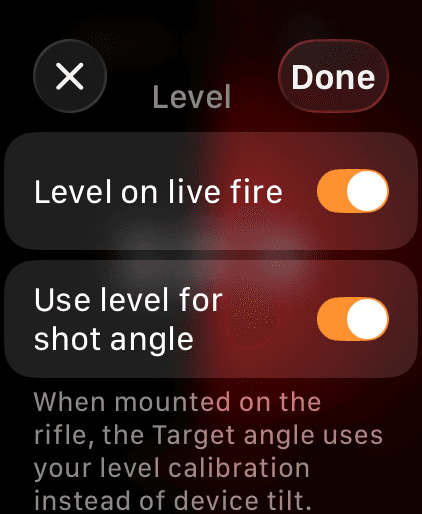
Gear → Level on live fire. This switch puts the glow behind your solution.
Step 4 · Pro
Put the level behind your dope
On the watch's Level page, tap the gear in the top-right corner and switch on Level on live fire. On iPhone the switch sits on the LEVEL page itself, as Enable level on live fire. The glow then renders behind Live Fire and the Match stage card on both devices, and behind the Range Card on the watch. The same switch turns it off whenever you want those screens plain black.
This switch is the mounted-rifle master. Flipping it on also switches on Use level for shot angle, and flipping it off switches that back off, because turning the glow on almost always means the device just went on the rifle. Either one stays adjustable on its own afterwards.
Both switches are part of the one-time Wrist Dope Pro upgrade. Not on Pro yet? Tapping a switch shows the unlock card, and a free 7-day trial starts right on the watch.
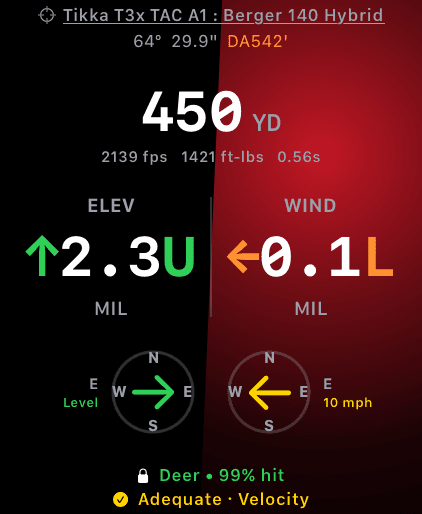
Live Fire with the overlay on: the red right-side glow says level the rifle left.
Step 5
Read the glow behind your dope
Swipe back to Live Fire. The level now renders behind your solution:
- Steady green: you're level. Send it.
- Red glow on the right: rifle is canted right.
- Blue glow on the left: rifle is canted left.
- The glow pulses faster the further you are from level.
How strict “level” is, and the cant where the pulse maxes out, are the Precision and Max angle pickers in the gear settings. The green itself can be a glow, a ring, bars or nothing at all, which is the next step.
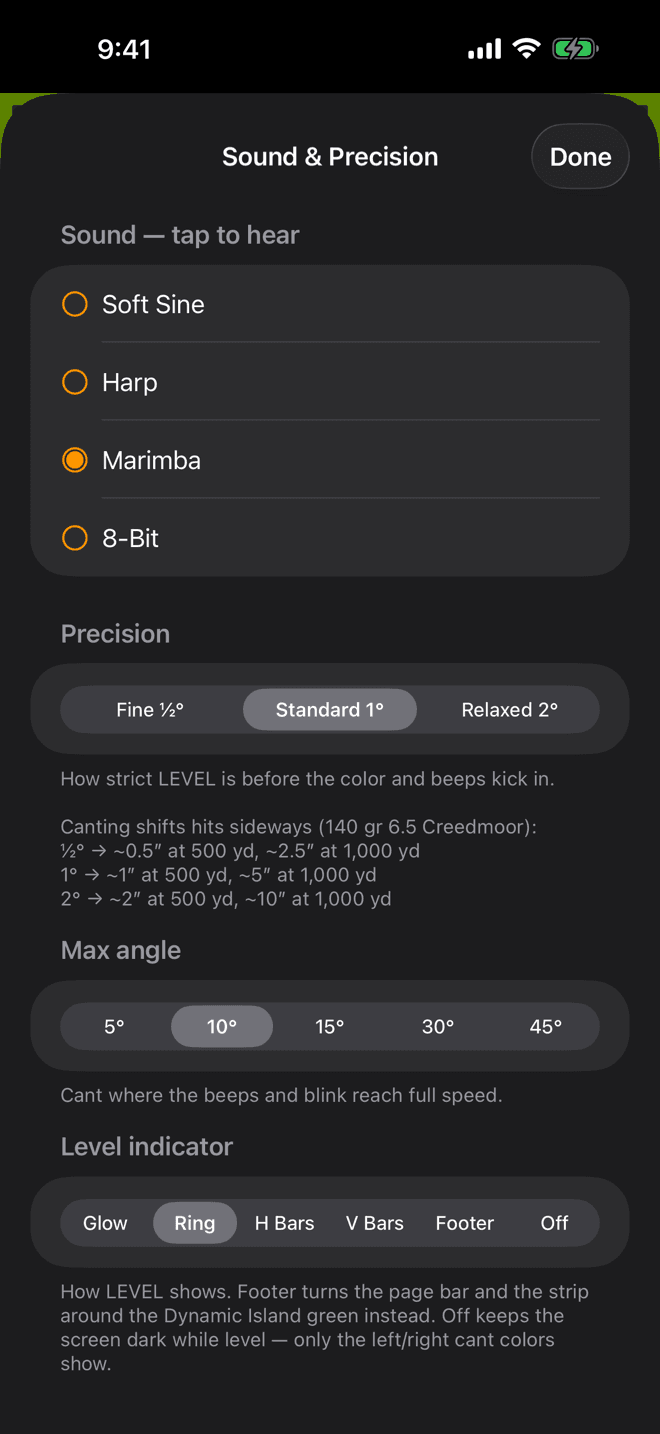
LEVEL page, the sliders button, Sound & Precision. Level indicator is at the bottom.
Step 6
Pick how LEVEL shows
You choose how the level state is drawn. On iPhone: the LEVEL page, the sliders button at the bottom right, then Level indicator at the bottom of Sound & Precision. On the watch: the gear on the Level tab, then the Level indicator row.
- Glow, the default: a centred green glow.
- Ring: a green ring along the screen edge.
- H Bars: green bars along the top and bottom.
- V Bars: green bars along the left and right.
- Footer, iPhone only: the page bar and the strip around the Dynamic Island turn green, and the pane stays dark.
- Off: nothing while level. Only the cant colours show.
Only the level state changes; cant always shows red or blue. The style applies on the LEVEL page and behind Live Fire and the Match stage card, and each device keeps its own.
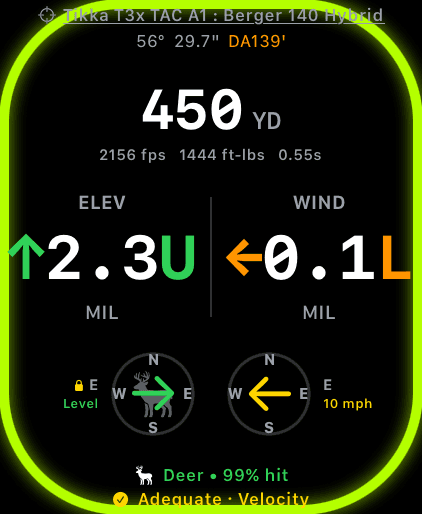
Ring on the watch: the green sits at the edge and the middle stays clear for your holds.
Step 7
Ring, bars, or nothing at all
The watch offers every style but Footer, because it has no page bar. Ring and the two bar styles put the green at the edges and leave the middle of the screen to your holds.
There is no brightness setting for the glow. When the watch drops to its always-on display, the glow dims and stops pulsing on its own.
With the stage timer up, every style still shows beside the timer ring. While the timer is armed or running the cant beeps go quiet, so they never step on a timer mark. The colours stay.
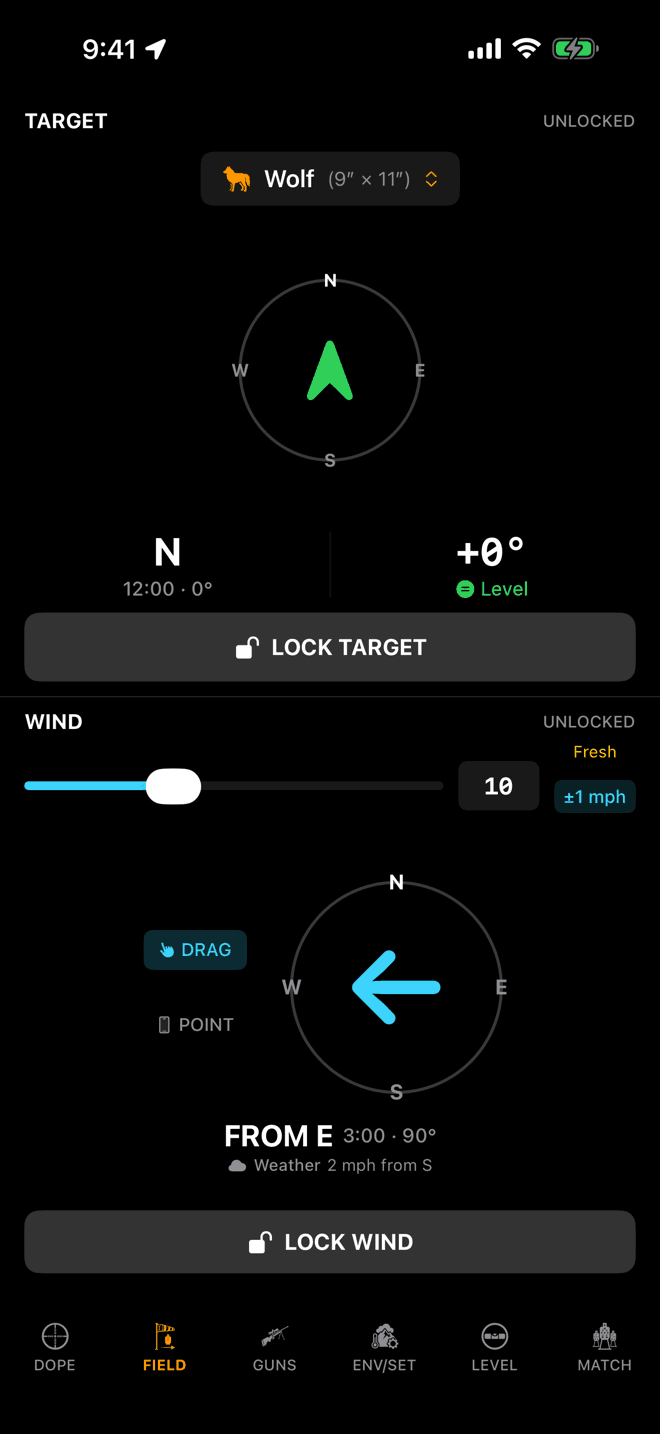
The Target angle on FIELD. Rifle-mounted mode re-sources this number from your level calibration.
Step 8 · Pro
Rifle-mounted mode and the target angle
The switch labelled Use level for shot angle is rifle-mounted mode. It exists because of one plain problem: a device clamped to a rail cannot use its own tilt as your shot angle.
Handheld, the app reads shot angle from device pitch: you point the phone or the watch face down the target line and its nose-up angle is the angle of the shot. Clamp that same device to the side of a handguard and the reading is meaningless. The screen is no longer facing the shooter, the top edge is no longer pointing at the target, and the tilt it measures is the tilt of a mount, not the elevation of a bore.
Rifle-mounted mode fixes it with the calibration you already did. When you tapped ZERO LEVEL with the rifle held level, the app captured the direction of gravity in that pose, which pins down where the bore axis sits in the device's own frame, whatever angle the mount holds it at. With that reference stored, every later reading is measured against your zero pose instead of against the device: how far the bore has risen or fallen from level, plus for right or minus for left of it.
What changes on screen is the Target angle: the +0° readout on FIELD (iPhone) and on the Target page (watch), the number that gets frozen into the solution when you tap LOCK TARGET. Voice commands take the same number. With the mode off, that readout is raw device tilt. With it on and the level calibrated, it is your bore inclination.
It needs the zero. Turn the switch on without calibrating and nothing announces itself. The Target angle quietly stays on raw device tilt. Same if Pro lapses. Zero the level first, then flip the switch.
Pro
When the rifle moves
With Use level for shot angle on, the level zeroed and Pro active, a rifle-mounted device follows the rifle while the target is unlocked: the bearing and the shot angle move with the bore, and the holds rotate with the cant. Lock the target to freeze the call. Live Aim on the Rifle covers the rules and the tags.
What the shot angle actually changes
Gravity only pulls the bullet perpendicular to the horizon, so an inclined shot drops less than a level shot of the same distance. Feed the app the angle and it trims your come-up; feed it a wrong angle and it trims the wrong amount. That is the whole reason this switch exists.
A worked example, solved with the app's own engine: .308 Winchester, 175 gr, G7 BC 0.243, 2650 fps, 1.5 in sight height, 100 yd zero, standard atmosphere:
| Shot | Come-up | If the angle never reaches the solver |
|---|---|---|
| 300 yd, level | 4.81 MOA | none |
| 300 yd, 15° uphill | 4.64 MOA | 0.5 in high |
| 500 yd, 30° uphill | 10.16 MOA | 8.2 in high |
| 700 yd, 30° uphill | 17.86 MOA | 20.3 in high |
Read the last column as the cost of a wrong angle. Close in and near flat it rounds to nothing. Steep and far it is a clean miss on a torso. Downhill costs exactly the same as uphill. The correction depends on the size of the angle, not its sign.
The long version, including the double-correction trap when your rangefinder already corrected the range, is in Do you aim high or low shooting uphill and downhill?
When something isn't showing up
- Zero Level was never set. Both Pro behaviors stay dormant until the level is calibrated: no glow on Live Fire, and the Target angle silently stays on raw device tilt. Go to the LEVEL page and tap
ZERO LEVELwith the rifle held level. This is the most common cause of both. - The switch is off. On the watch, LEVEL page → gear →
Level on live firefor the glow,Use level for shot anglefor the angle. On iPhone both switches sit on the LEVEL page itself. They are separate after the first flip. - Pro isn't active. Both are Pro features; if a trial has ended, the glow stops rendering and the angle falls back to device tilt even with the switches still on. Tap either switch to check your status on the unlock card.
- You zeroed on the wrong device. Calibration is per device. If the phone is on the rifle, zero the phone.
- Footer is missing on the watch. The watch has no page bar, so it never offers Footer. Pick Ring or one of the bars instead.
- The watch didn't follow the iPhone's style. The indicator style is per device. Set it on each.
- You're level. At true level the screen turns green in the style you picked (or stays dark on Off), which is subtler than the red and blue cant warnings. Cant the rifle a few degrees to confirm it's alive.
Rifle-mounted tip: the watch screen sleeps on its own schedule. In Watch Settings → Display & Brightness, set Wake Duration to 70 seconds; then under Settings → General, set Return to Clock to After 1 hour so the level stays visible without a wrist-raise. The watch settings guide covers both, and what they cost you.
The anti-cant glow rides behind the Match stage card too, on the same switch. See Match Mode.
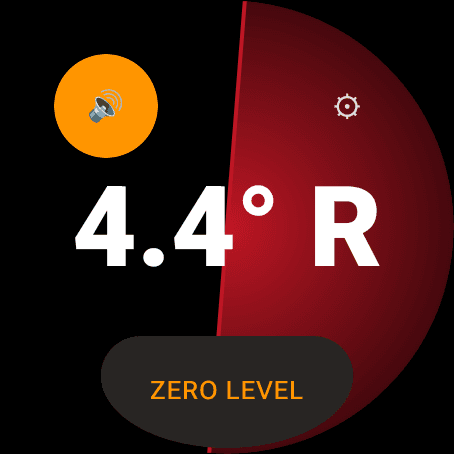
The watch's Level page: the cant readout, the sound pill, the gear, and ZERO LEVEL.
Step 1
Zero the level
Swipe to the Level page on the watch, or LEVEL on the phone: the full-screen level with the big cant readout. Then:
- Mount the device where it will ride during fire, on the wrist or clamped to the rifle.
- Hold the rifle truly level. Check it against a scope-mounted bubble or a plumb line.
- Tap
ZERO LEVELon the watch, orZero Levelon the phone. It buzzes only when a reading was actually captured.
That one tap teaches the app where your bore points relative to the device, which is what rifle-mounted mode needs further down. The zero survives restarts. On the watch, Reset to 0 is under Zero in the gear sheet.
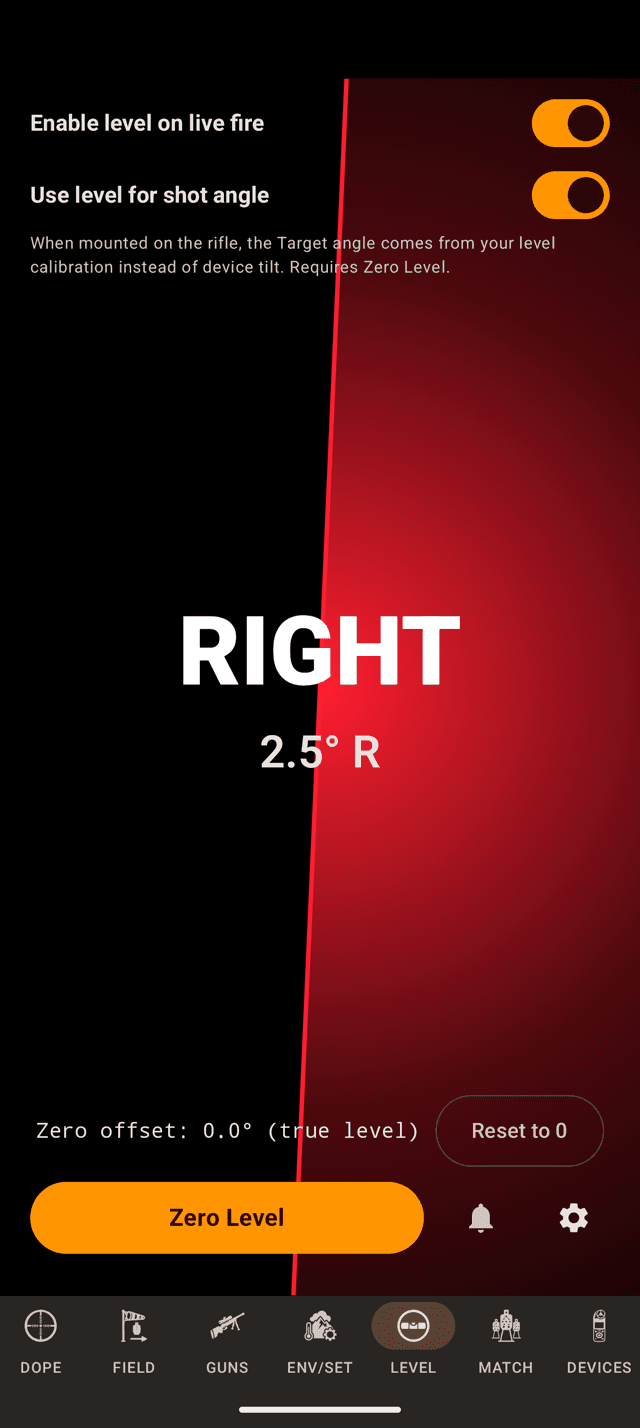
The phone's LEVEL page. On Android the two Pro switches sit right at the top.
Step 2
The same level on the phone
The LEVEL page on the phone is the same level: the same readout, the same zero, the stored offset with Reset to 0 beside it. The two Pro switches sit at the top of the page, and the gear opens Sound & Precision.
The level, the zero, the beeps and the tuning are free, and the page holds the screen on while it is open. Each device carries its own zero, so zeroing the watch does not zero the phone.
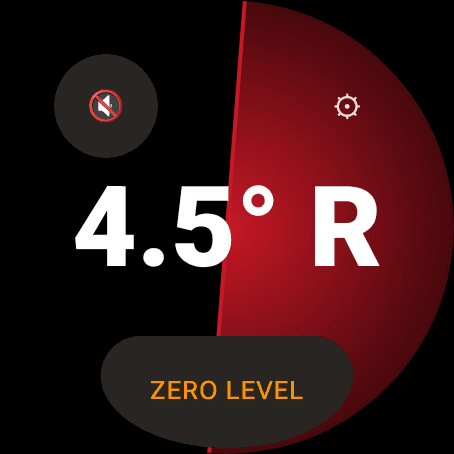
Muted: a crossed speaker. The watch keeps its volume in the gear sheet.
Step 3
Mute, unmute, and volume
The level beeps as you cant, faster the further off you are, so you can level the rifle without leaving the glass.
- Watch: tap the pill to mute or unmute. Volume is a slider in the gear sheet, beside the
Audible cueswitch; the bezel or crown does not set it here. - Phone: the bell mutes and unmutes, and the phone's own volume keys set the volume.
The tuning is the same on both. Sound plays each timbre as you tap it: Soft Sine, Harp, Marimba or 8-Bit. Precision sets how strict level is: Fine ½°, Standard 1° or Relaxed 2°. Max angle is the cant where the beeps and blink reach full speed: 5° to 45°.
While a stage timer is armed or running, the cant beeps go quiet so they never step on a timer mark. The colours stay.
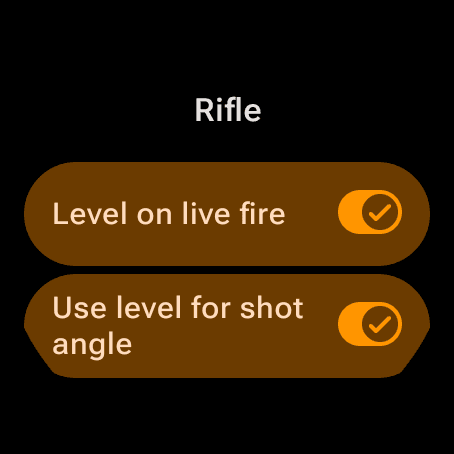
The watch's gear sheet, Rifle section. Both switches on.
Step 4 · Pro
Put the level behind your dope
On the watch, open the gear and switch on Level on live fire under Rifle. On the phone it is Enable level on live fire at the top of LEVEL. The level then shows behind Live Fire and the Match stage card on both devices, behind the Range Card on the watch, and behind the hunter capture on the phone.
It is the mounted-rifle master switch. Turning it on also turns on Use level for shot angle, and turning it off turns that off, because the glow going on almost always means the device just went on the rifle. Each stays adjustable on its own afterwards.
Both switches are part of the one-time Pro upgrade. Without it they read off, and tapping one opens the upgrade offer. The watch can start the free trial itself.
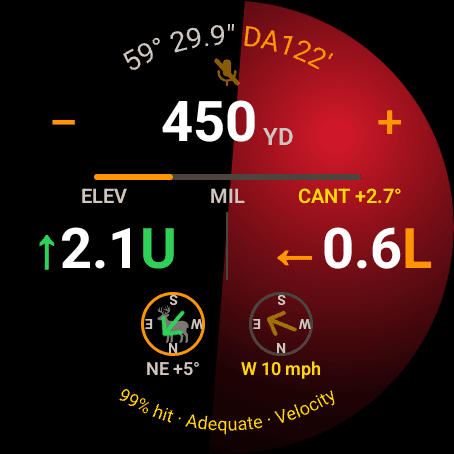
Live Fire with the level on: red on the right, so level the rifle left.
Step 5
Read the level behind your dope
- Green: you are level. Send it.
- Red on the right: the rifle is canted right.
- Blue on the left: the rifle is canted left.
The colour pulses faster the further you are from level. With Use level for shot angle on, a yellow CANT tag gives the number too. On the watch's dimmed always-on face, Live Fire switches the glow off and keeps the range and holds.
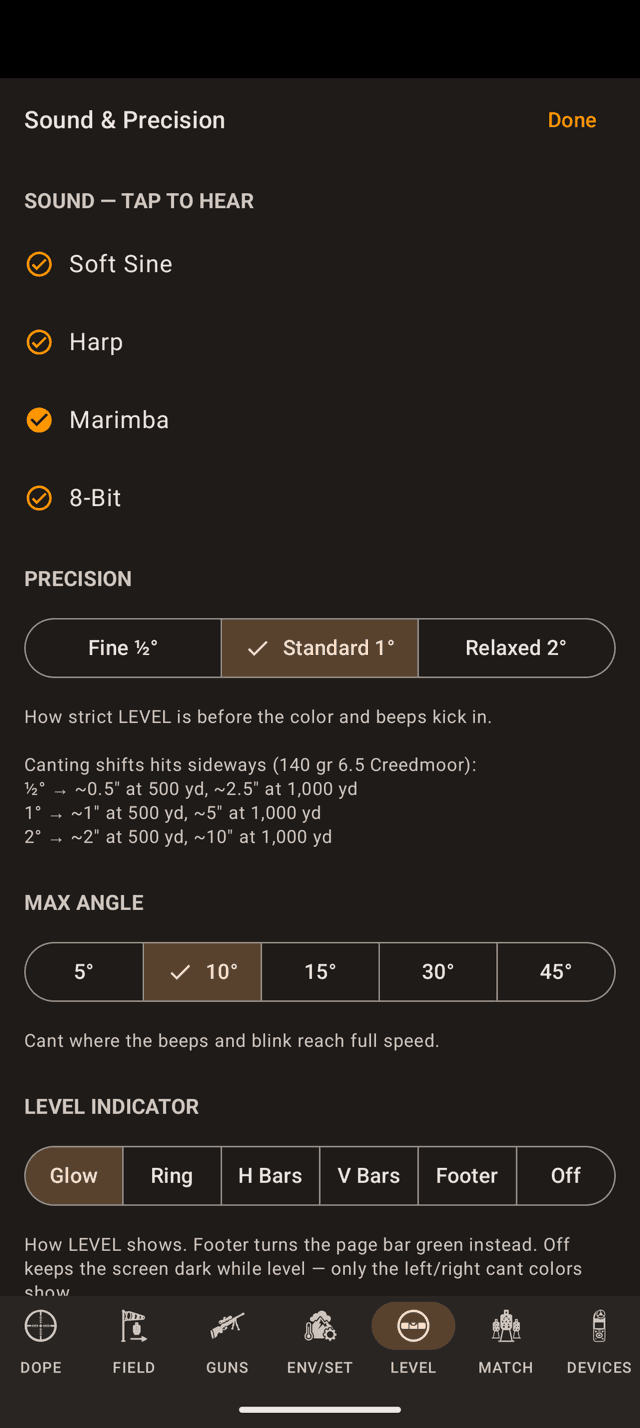
Sound & Precision on the phone. Level indicator is the last section.
Step 6
Pick how LEVEL shows
On the phone, Level indicator is the last section of Sound & Precision. On the watch, it is in the gear sheet.
- Glow, the default: a centred green glow.
- Ring: a green ring along the screen edge.
- H Bars: green bars along the top and bottom.
- V Bars: green bars along the left and right.
- Footer, phone only: the page bar at the bottom turns green and the pane stays dark.
- Off: nothing while level. Only the cant colours show.
Only the level state changes; cant always shows red or blue. Each device keeps its own style.
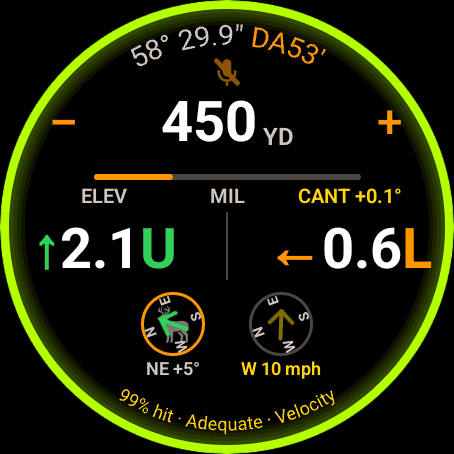
Ring on the watch: the green sits at the edge, the holds keep the middle.
Step 7
Ring, bars, or nothing at all
The watch offers every style but Footer, because it has no page bar. Ring and the two bar styles put the green at the edges and leave the middle of the screen to your holds.
On the phone, Footer lights only the page bar. iPhone also lights the strip around its Dynamic Island; Android phones have nothing there to light.
There is no brightness setting for the glow. Every style still shows while the stage timer ring is up.
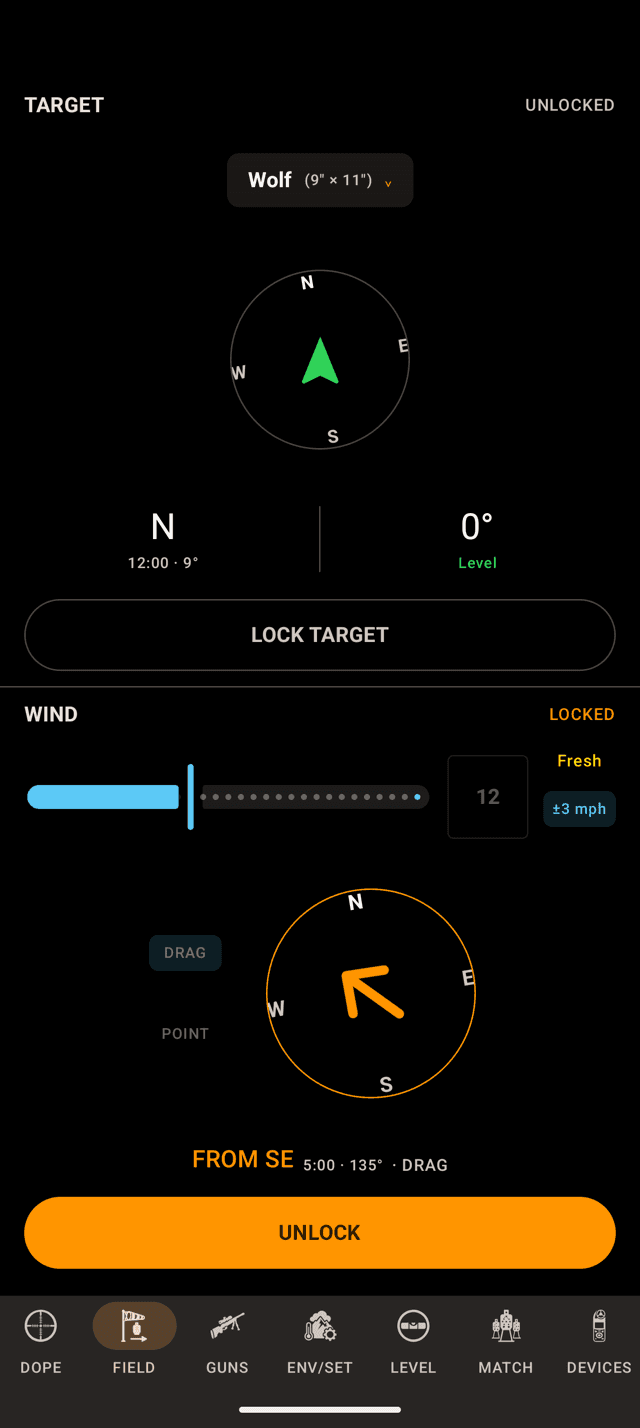
The target angle on FIELD. Rifle-mounted mode takes it from the level calibration.
Step 8 · Pro
Rifle-mounted mode and the target angle
Use level for shot angle is rifle-mounted mode. A device clamped to a rail cannot use its own tilt as your shot angle, so this switch measures from the zero pose instead: how far the bore has risen or fallen from level.
What changes on screen is the target angle on FIELD (phone) and on the Target page (watch), the number that gets frozen into the solution when you lock the target. Voice takes the same number.
It needs the zero. With no zero, or once Pro lapses, the angle quietly stays on raw device tilt. Zero the level first, then flip the switch.
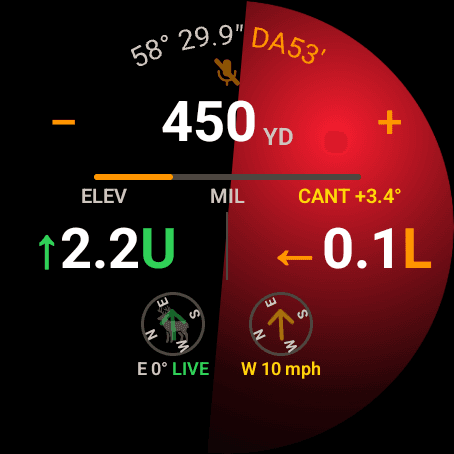
Target unlocked on a rifle-mounted watch: LIVE beside the bearing, CANT beside the holds.
Step 9 · Pro
When the rifle moves
With Use level for shot angle on, the level zeroed and Pro active, a rifle-mounted device follows the rifle while the target is unlocked: the bearing and the shot angle move with the bore, and the holds rotate with the cant. Lock the target to freeze the call. Live Aim on the Rifle covers the rules and the tags.
In the shot, the green LIVE beside the bearing says the target direction is following the rifle, and the yellow CANT tag shows the roll.
What the shot angle actually changes
Gravity only pulls the bullet perpendicular to the horizon, so an inclined shot drops less than a level shot of the same distance. Feed the app the angle and it trims your come-up; feed it a wrong angle and it trims the wrong amount. That is the whole reason this switch exists.
A worked example, solved with the app's own engine: .308 Winchester, 175 gr, G7 BC 0.243, 2650 fps, 1.5 in sight height, 100 yd zero, standard atmosphere:
| Shot | Come-up | If the angle never reaches the solver |
|---|---|---|
| 300 yd, level | 4.81 MOA | none |
| 300 yd, 15° uphill | 4.64 MOA | 0.5 in high |
| 500 yd, 30° uphill | 10.16 MOA | 8.2 in high |
| 700 yd, 30° uphill | 17.86 MOA | 20.3 in high |
Read the last column as the cost of a wrong angle. Close in and near flat it rounds to nothing. Steep and far it is a clean miss on a torso. Downhill costs exactly the same as uphill. The correction depends on the size of the angle, not its sign.
The long version, including the double-correction trap when your rangefinder already corrected the range, is in Do you aim high or low shooting uphill and downhill?
When something isn't showing up
- Zero Level was never set. Both Pro behaviours stay dormant until the level is calibrated: no level on Live Fire, and the target angle stays on raw tilt. Go to the Level page and zero it with the rifle held level.
- The switch is off. Phone: the two switches at the top of LEVEL. Watch:
Riflein the level's gear sheet. - Pro isn't active. Both are part of the one-time Pro upgrade. Without it they read off.
- No colour on Live Fire, but the switch is on. Check the indicator style. On Off the screen stays dark while level, and on the phone Footer lights only the page bar.
- No beeps. The cue is muted,
Audible cueis off in the watch's gear sheet, or the volume is down. A running stage timer also mutes them. - You zeroed the wrong device, or re-mounted it. Calibration is per device and per mount. Zero the one on the rifle, and zero it again after any mount change.
- The watch didn't follow the phone's style. The indicator style is per device. Set it on each.
Rifle-mounted tip: the watch dims and goes back to the watch face on its own schedule. Keep Screen On in Wrist Dope's watch Settings holds Live Fire lit, and the watch settings guide covers it and the Wear OS settings around it.
The level shows behind the Match stage card too, on the same switch. See Match Mode.
Still stuck? support@wristdope.com