
Manual / Pro and Purchases
Pro and Purchases
Wrist Dope solves without paying a thing and holds three rifle-and-load combinations. The one-time Pro upgrade unlocks everything else, and you can run every Pro feature free for seven days before you decide.
7-day trial
Every Pro feature, no card needed. It runs once, and phone and watch share it.
One purchase
Pro is a one-time upgrade. Nothing renews.
Phone or watch
Start, buy and restore on either. The other device follows.
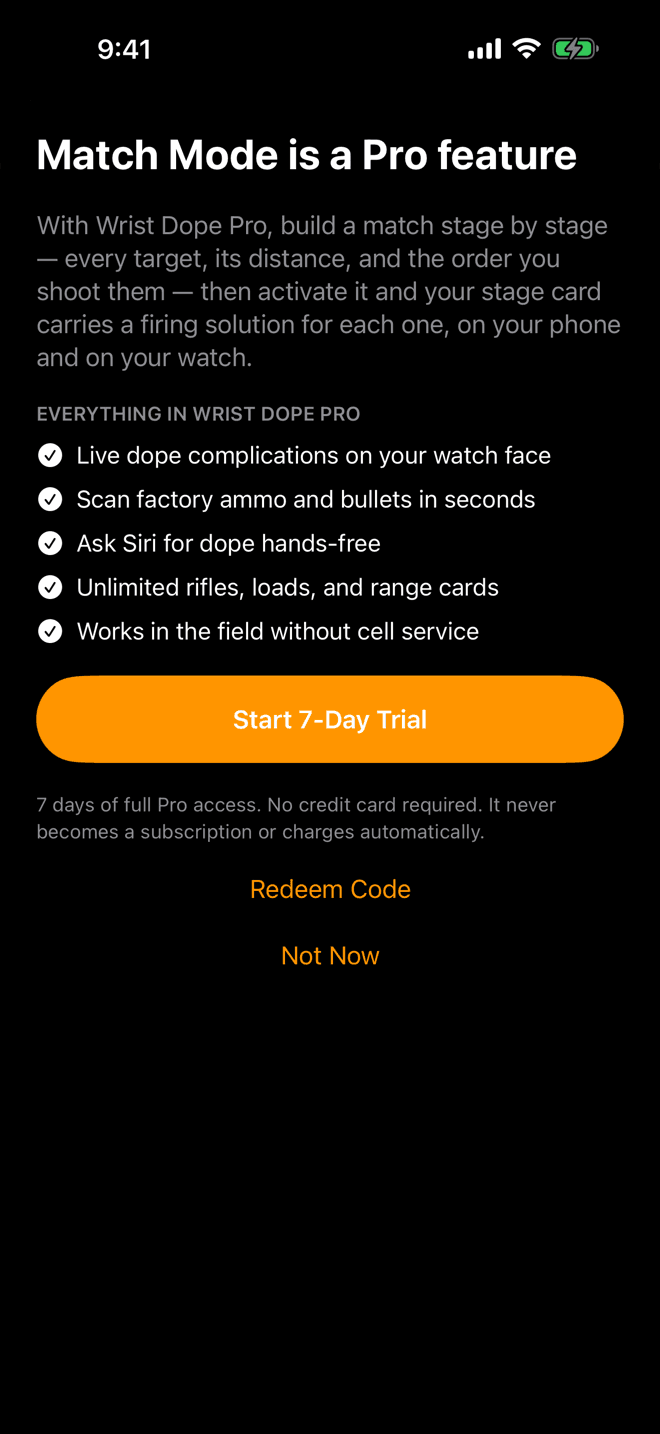
Tap something Pro and this is what you get. The title names what you tapped.
Step 1
Start the trial from any Pro feature
Tap anything that needs Pro and Wrist Dope tells you so, by name: “Match Mode is a Pro feature.” If you have never had a trial, the button is Start 7-Day Trial.
The trial gives you seven days of every Pro feature with no credit card, and it never turns into a charge on its own. Not Now closes the sheet and leaves you where you were.
Once a trial has ended, the same sheet offers the purchase instead, with Restore Purchases and Redeem Code under it.
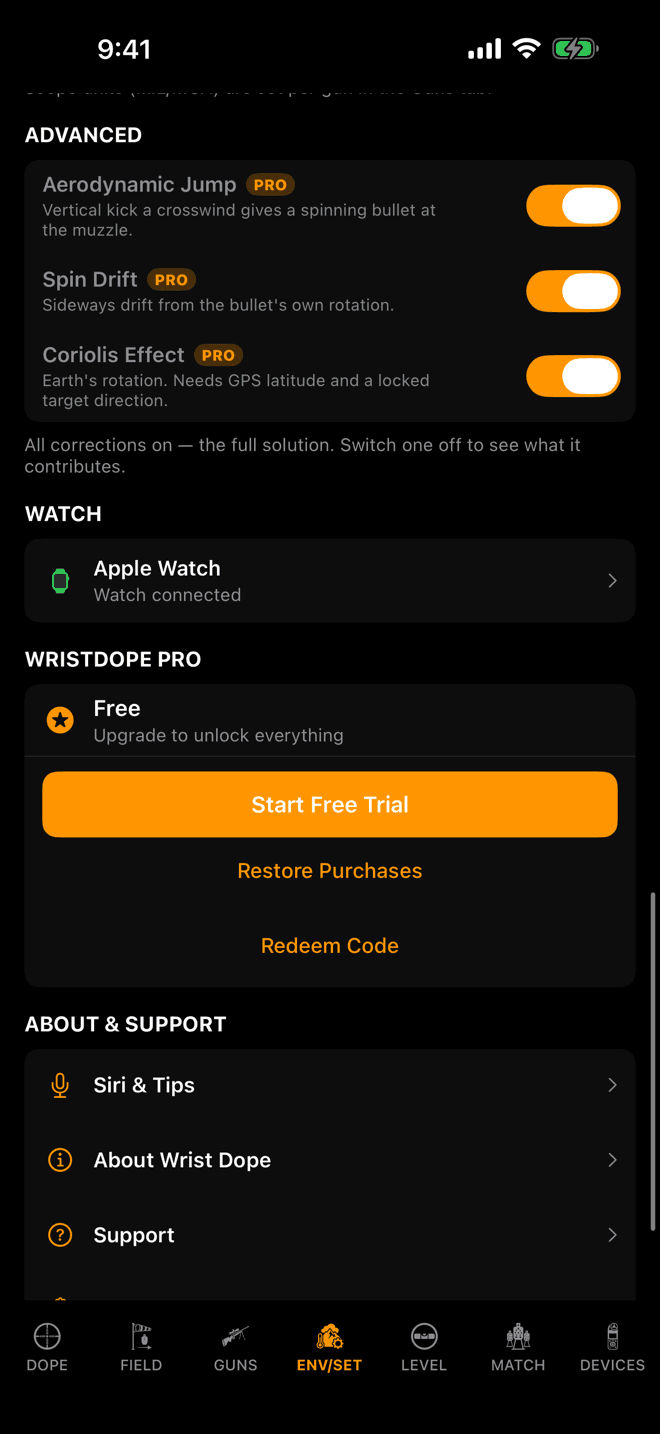
ENV/SET, near the bottom. What it offers depends on where you stand.
Step 2
The Pro section in Settings
On ENV/SET, scroll to the Pro section. The status row says where you stand: Free, Pro Trial with the days left, Trial ended, or Wrist Dope Pro with Active.
Under it: Start Free Trial if you never had one, Upgrade to Pro during or after the trial, then Restore Purchases and Redeem Code. With Pro active the section is just the status.
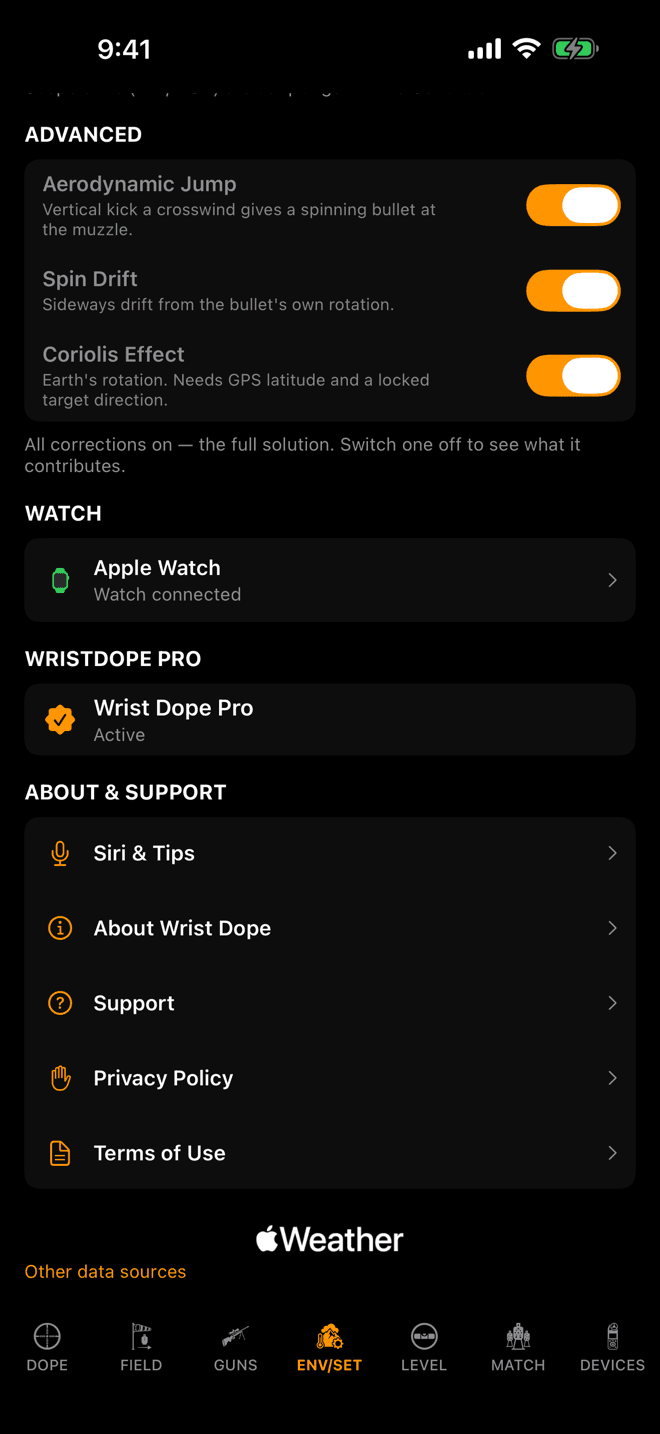
With Pro active there is nothing left to do here.
Step 3
Restore, and redeem a code
New phone, or reinstalled the app? Tap Restore Purchases. It finds a purchase made on the same Apple Account and turns Pro back on. If there is none it says so: no previous purchase found.
Got an offer code? Redeem Code opens Apple’s code sheet. Pro turns on by itself once Apple accepts the code. Codes are redeemed on the phone; the watch has no code entry.
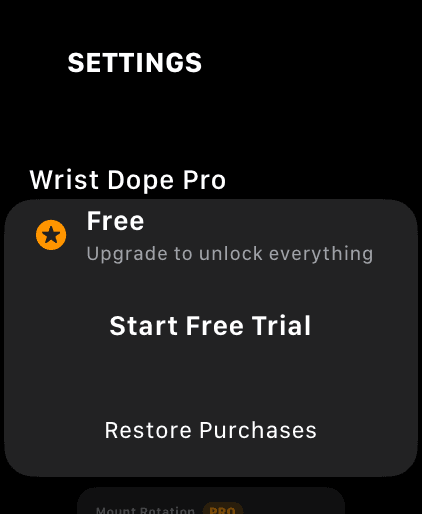
The top of the watch’s Settings. The trial starts right here.
Step 4
Start it on the watch
The watch doesn’t need the phone for any of this. Its Settings open with a Wrist Dope Pro section: Start Free Trial starts the trial on the spot, and Restore Purchases brings back a purchase.
Tap a Pro control on the watch without Pro and you get the same offer, sized for the wrist, with the trial button right on it.
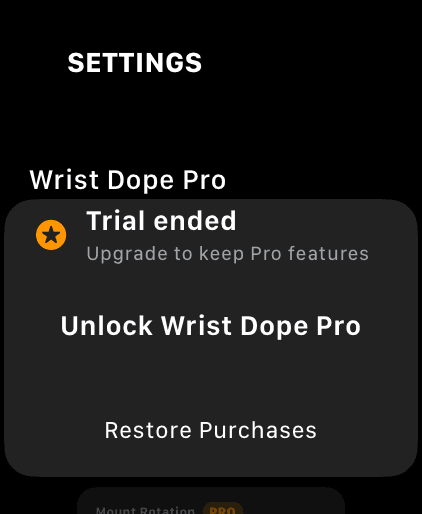
Trial over. Unlock Wrist Dope Pro opens the purchase on the watch.
Step 5
Buy it on the watch
After the trial the watch section says Trial ended and offers Unlock Wrist Dope Pro. That opens the purchase right on the watch, the same one-time upgrade as on the phone, with Restore Purchases under it.
Buying on the watch needs a connection. If it can’t reach the App Store it says so and offers to retry, or you can buy on the iPhone. With Ask to Buy, it waits for approval and unlocks by itself once approved.
Buy on either device and the other unlocks too: the purchase crosses the watch connection, and a watch away from the phone keeps it.
What Pro unlocks
Free Wrist Dope solves, shows Live Fire and the range card, and holds three rifle-and-load combinations. The one-time Pro upgrade adds:
- Unlimited rifles, loads and range cards.
- Automatic environment: live temperature, pressure, humidity and density altitude from the device and Apple Weather.
- Ammo box scanning, which builds the gun and load for you.
- Range card exports, to send to a buddy or print for the data book.
- Live dope on the watch face (complications and widgets).
- Siri: ask for your hold hands-free and hear it back.
- The level on Live Fire: the cant glow, the left and right cue, and rifle-mounted shot angle. The Level page itself is free.
- Match Mode, with the stage timer and hunter stages.
- Field trueing.
- Wind meters. Scanning for one is free, connecting it is Pro.
- Advanced settings: switching spin drift, aerodynamic jump and Coriolis on or off.
- Importing a backup of your guns and loads.
When the trial ends
Nothing is deleted. Pro features lock again, and if you built more than three rifle-and-load combinations during the trial, three stay usable: the active one, then the ones you edited most recently. The rest are kept, shown locked, and come back the moment you buy Pro.
The trial runs once. It is tied to the device’s secure storage, so deleting and reinstalling the app doesn’t start a new one, and the phone and the watch share one trial: whichever started first sets the clock.
Pro not showing up?
- You bought it on the phone and the watch is still locked. Open Wrist Dope on both with the watch nearby so they sync, or tap
Restore Purchaseson the watch. - Pro disappeared after a reinstall or on a new phone. Tap
Restore Purchasesin Settings. It has to be the same Apple Account you bought with. - Restore says no previous purchase was found. That Apple Account never bought Pro. A trial is not a purchase, so it can’t be restored.
- There is no trial button. You already had your trial on this device or account. The offer shows the purchase instead.
- The purchase on the watch won’t go through. The watch needs a connection to reach the App Store. Retry, or buy on the iPhone.
- A code won’t redeem on the watch. Codes go in on the phone: Settings,
Redeem Code.
Related: Calypso Wind Meters: the Calypso meter key needs a purchased Pro upgrade, not the trial. Settings for everything else on ENV/SET.
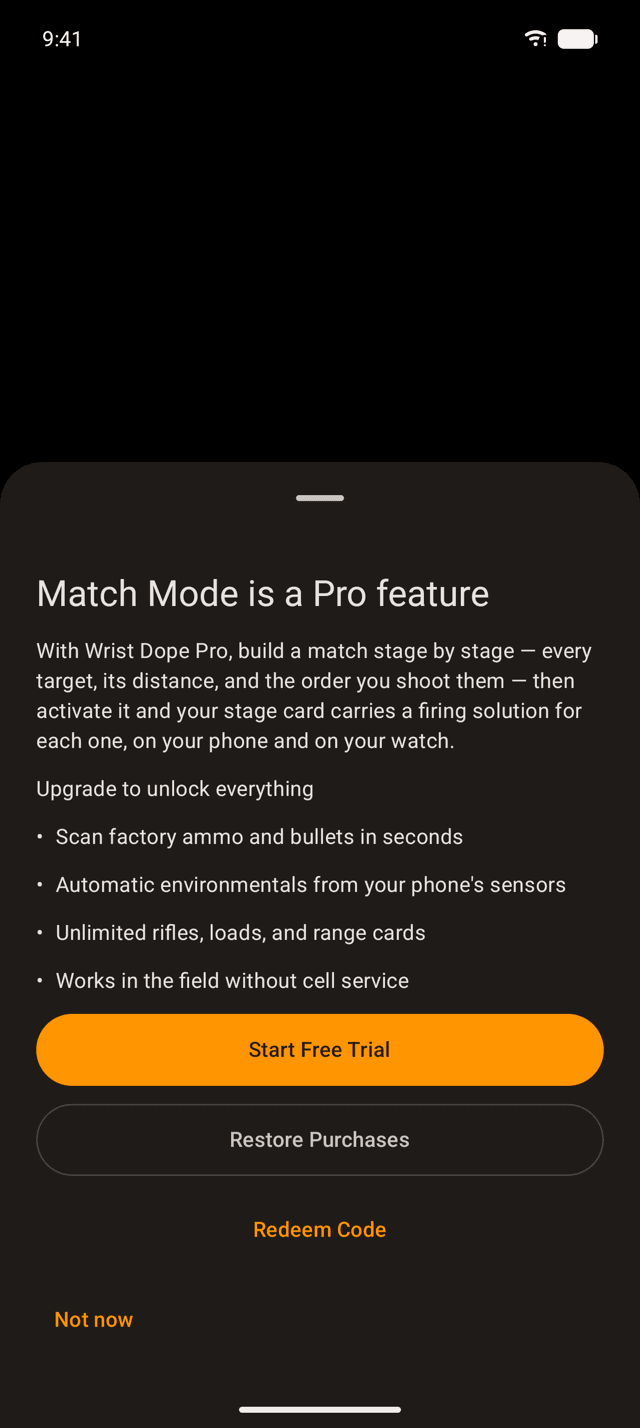
Tap something Pro and the sheet names it. Start Free Trial needs no payment.
Step 1
Start the trial from any Pro feature
Tap anything that needs Pro and a sheet tells you so by name: “Match Mode is a Pro feature.” If you have never had a trial, the button is Start Free Trial: seven days of every Pro feature, with no payment.
Under it are Restore Purchases and Redeem Code. Not now closes the sheet. Once the trial has ended, the same sheet offers Unlock Wrist Dope Pro through Google Play instead.
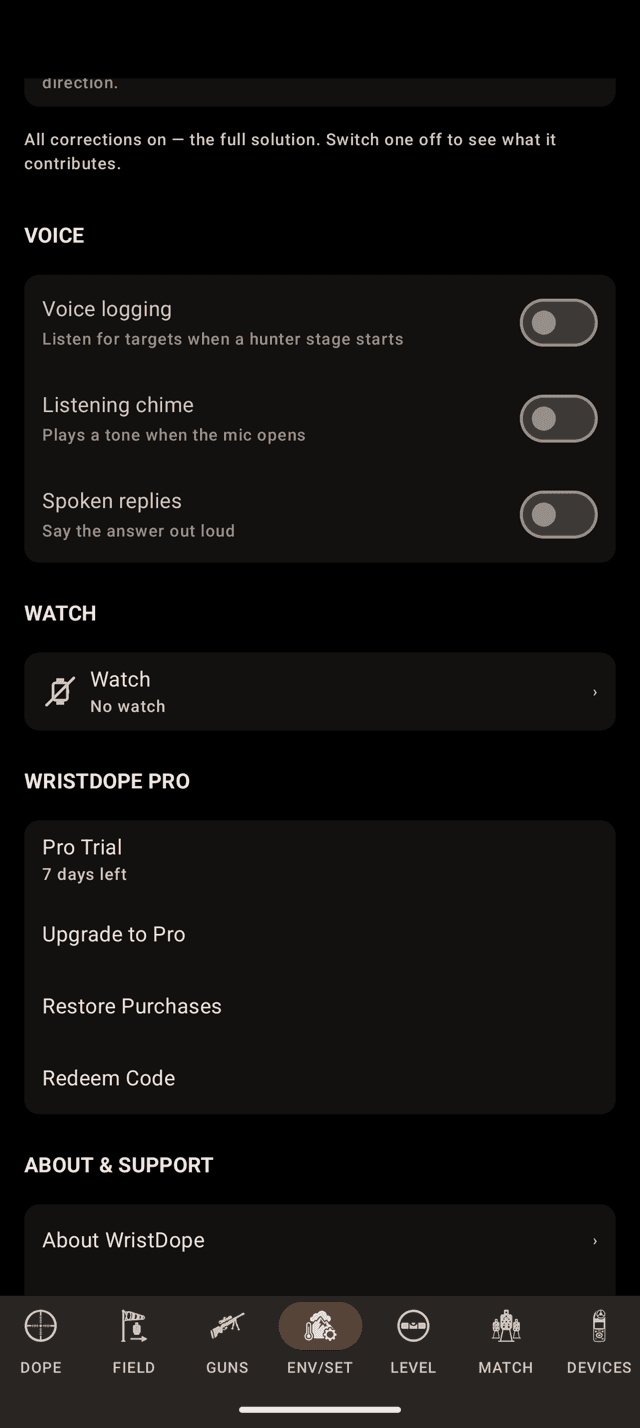
ENV/SET during a trial: the days left, and the purchase whenever you want it.
Step 2
The Pro section in Settings
On ENV/SET, scroll to the Pro section. The status row reads Free, Pro Trial with the days left, Trial ended, or Wrist Dope Pro with Active.
Under it: Start Free Trial if you never had one, Upgrade to Pro during or after the trial, then Restore Purchases and Redeem Code. The purchase goes through Google Play.
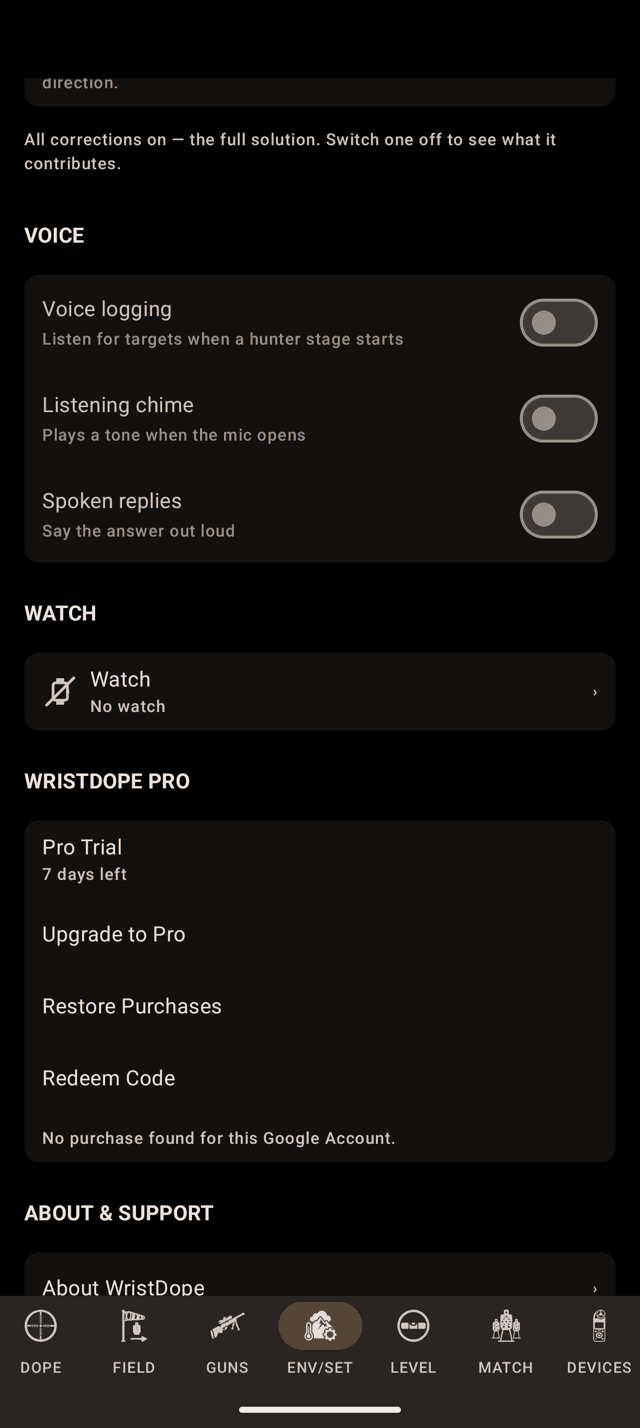
Restore with nothing to find says so, by account.
Step 3
Restore, and redeem a code
Restore Purchases brings Pro back on a new phone or after a reinstall, from the Google Account you bought it with. With nothing to restore it says No purchase found for this Google Account.
Redeem Code opens Google Play’s code page for a promo code.
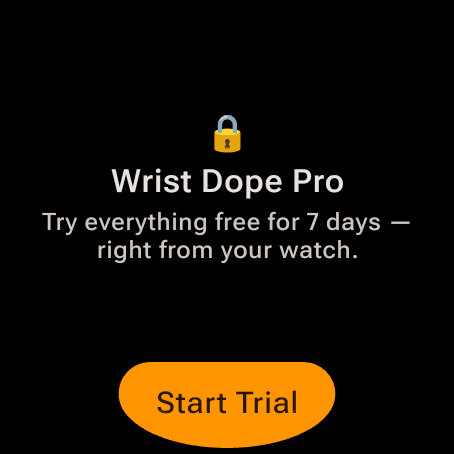
The watch offer for a free user. The trial starts right there.
Step 4
Start it on the watch
The watch doesn’t need the phone for this. Tap a Pro control on the watch, or the Pro row at the top of its Settings, and a free user gets Start Trial right on the wrist.
During the trial the watch has nothing to sell you: its Pro card just says you already have Pro access. To buy mid-trial, use Upgrade to Pro on the phone.
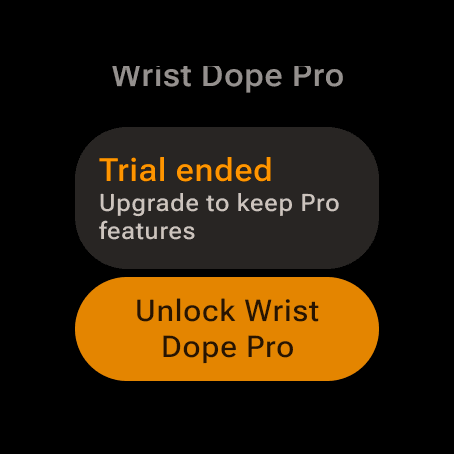
Trial over. Unlock Wrist Dope Pro opens the purchase on the watch.
Step 5
Buy it on the watch
After the trial the watch offers Unlock Wrist Dope Pro. That is a Google Play purchase on the watch itself, the same one-time upgrade as on the phone, with Restore Purchases on the same card.
It needs a connection. If the watch can’t reach Play it says so, with Retry, or buy on the phone. A purchase waiting on a parent’s approval unlocks by itself once it is approved.
Buy on either device and the other unlocks once they sync, and a watch away from the phone keeps it.
What Pro unlocks
Free on Android: the watch app, Live Fire, the range card and three rifle-and-load combinations. The one-time Pro upgrade adds:
- Unlimited rifles, loads and range cards.
- Automatic environment from the phone’s sensors and an online forecast.
- Ammo box scanning.
- Range card exports.
- Live dope on the watch: the widget, the tile and the complications.
- The level on Live Fire: the cant glow, the audible cue and rifle-mounted shot angle.
- Match Mode, with the stage timer and hunter stages.
- Voice: Live Fire voice mode and hunter voice logging.
- Field trueing.
- Wind meters. Scanning is free, connecting is Pro.
- Advanced settings: spin drift, aerodynamic jump and Coriolis on or off.
- Importing a backup of your guns and loads.
When the trial ends
Nothing is deleted. Pro features lock again, and if you built more than three rifle-and-load combinations during the trial, three stay usable: the active one, then the ones you edited most recently. The rest are kept, shown locked, and come back the moment you buy Pro.
The phone and the watch share one trial: whichever started it first sets the clock.
Pro not showing up?
- You bought it on the phone and the watch is still locked. Open Wrist Dope on the watch with the phone connected so the purchase crosses over.
- Restore finds nothing. Google Play is signed in to a different Google Account from the one you bought with.
- It says it needs a connection. Google Play couldn’t reach the store: you’re offline, or Play is missing or signed out.
- Pro went away after a refund. A refund revokes it on the device you bought on, and the watch drops it too.
Related: Settings for everything else on ENV/SET.
Still stuck? support@wristdope.com