
Manual / Stage Timer
Stage Timer
The stage card already has your holds. Now it runs the clock too. Put a par on the stage, arm it, and start it with a single press, or let it hear the range officer’s beep and start itself.
A ring around the edge of the screen drains as the par runs down and changes color as you run out of time, so you know where you stand without reading a number.
Pro
Part of the one-time Pro upgrade, with Match Mode.
A par
The stage needs a par time. Set it in the match or straight from the timer.
Watch, phone or both
Run it on either. With both along they run as one clock.
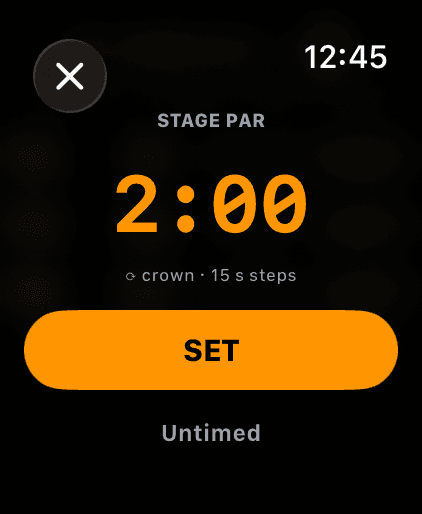
The watch par picker. The crown moves it in 15 second steps.
Step 1
Give the stage a par
The timer counts down the stage’s par, so the stage needs one. Set it when you build the match (Match Mode), or on the spot.
On the watch, tap ••• on the stage card, then Par. Turn the crown to the par and tap SET. Untimed clears it. On the phone, the stopwatch button on the MATCH page has Par: 2:00, or Set par… when the stage has none.
The watch needs its Match page switched on: Settings, Match Mode, Match Page. The timer and the Match page are part of the one-time Pro upgrade.
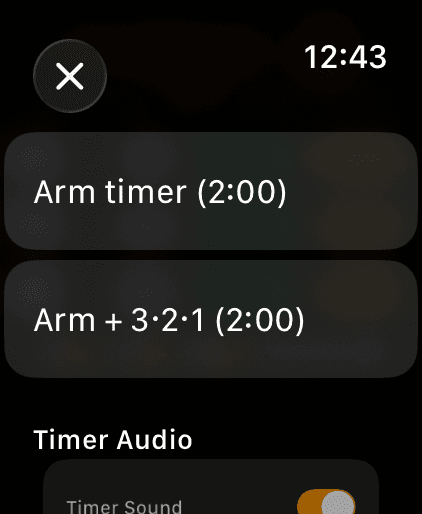
The ••• sheet on the watch stage card. Arming is the top row.
Step 2
Arm it
Tap ••• and Arm timer (2:00). The card shows the par with ARMED · tap to start and the ring pulses. On the phone it is the stopwatch button, Arm timer (2:00).
Practicing alone, with nobody to give you a start? Arm + 3·2·1 on the watch, or Practice: 3·2·1 then go on the phone, counts you in after the tap so you can get behind the rifle.
An armed timer stays with you through the match. Move to the next stage and it re-arms for that stage’s par. Switching to another match disarms it. Disarm timer in the same menu stands it down.
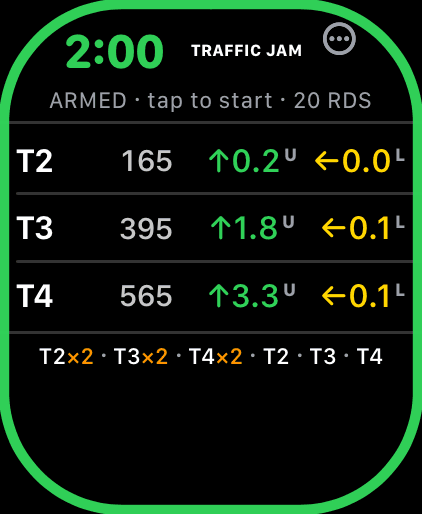
Armed. The whole screen is the start button.
Step 3
Start it with one press
When the RO says go, tap anywhere on the card. The whole screen is the button, so you are not hunting for a small target with the beep already sounding. On the phone the armed card is one big green START.
Or don’t tap at all. With Start on beep on, the timer starts itself on the range timer’s beep.
Once it runs, the watch only stops from the clock at the top of the card, a smaller target, so a stray touch can’t stop your run. On the phone tap the clock.
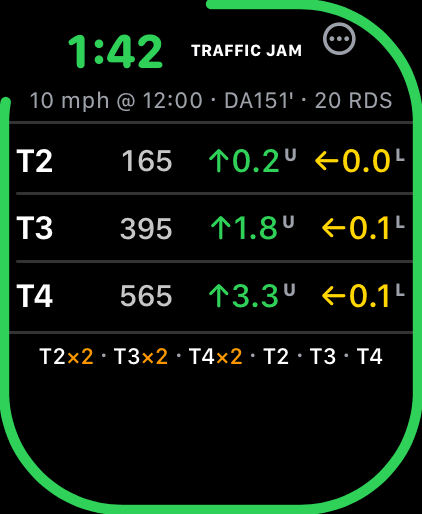
Running. The ring drains around the edge of the screen.
Step 4
Read the ring
The ring drains around the edge of the screen as the par runs down, and its color tells you where you are without reading a number:
- Green while more than half the par is left.
- Amber from the halfway mark.
- Orange in the last 30 seconds, on pars longer than a minute.
- Red in the last 10 seconds, then a solid red ring at TIME.
The ring shows over every page, on both devices, so a glance at Live Fire still tells you the time. On the watch the timer keeps the app running and its cues firing through display sleep. On the phone the screen stays awake while the timer is in use.
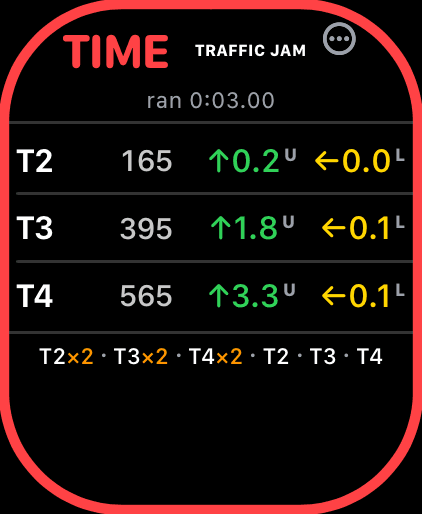
Par expired: TIME, the run time to the hundredth, a solid red ring.
Step 5
TIME
At the end of the par the card says TIME in red and the ring goes solid red. Stop early and it says STOPPED. Either way the run time sits under it to the hundredth, the way NRL22 score sheets want it.
TIME stays up for 10 seconds, STOPPED for 5, then the card goes back to the stage. Tap it to clear it sooner.
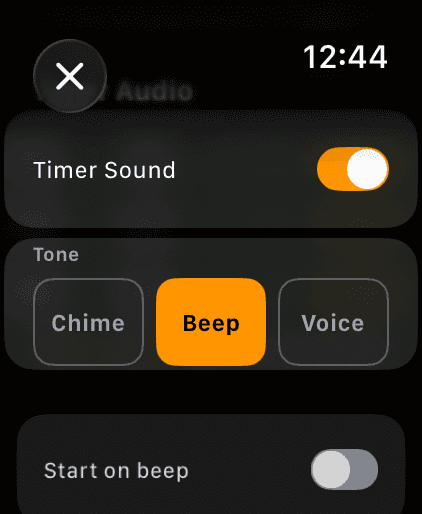
Sound and tone, right in the ••• sheet. Beep is the default.
Step 6
Pick the sound
The timer marks the start, half time, 30 seconds left (on pars over a minute), 10 seconds left, a rising 3, 2, 1 in the last three seconds, and TIME. Half time is a buzz with no sound, and the 3, 2, 1 is sound with no buzz.
Two tone sets: Chime, musical, and the range beep, the sound a competitor’s ear already knows. The watch calls it Beep, the phone Range beep, and it is the default. Picking one plays it so you hear the choice.
The tone you pick follows you to the other device. Timer Sound on or off is per device. The settings live in two places: the ••• sheet for right now, and Settings for good (watch: Match Mode; phone: ENV/SET, SETTINGS). The phone plays timer sounds with the ringer on silent.
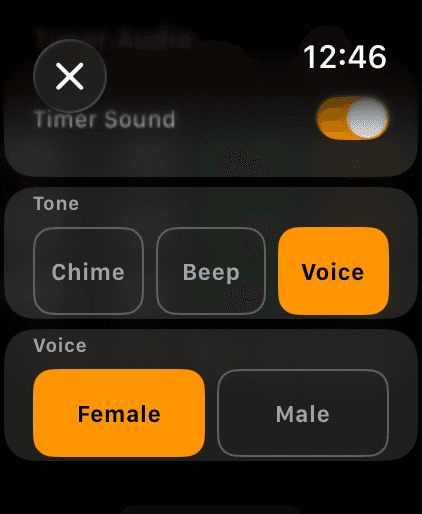
Voice, with a Female or Male speaker.
Step 7
Or let it talk you down
The third tone set is Voice. It calls the time out loud: 3, 2 and 1 minutes left, 30, 20 and 10 seconds, then 5, 4, 3, 2, 1 and “Time.” The start stays the range beep.
Pick who says it: Female or Male on the watch, Female voice or Male voice on the phone. The clips ship inside the app and play with no signal. The voice is set per device.
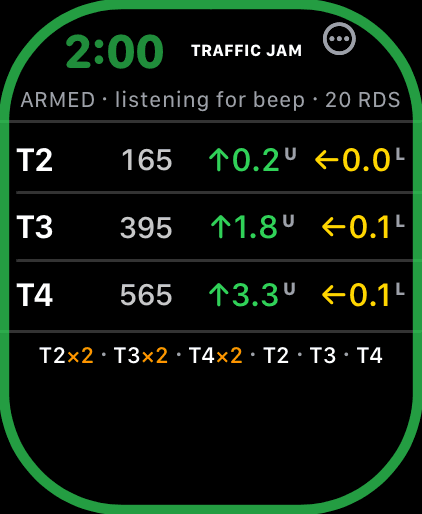
Armed and listening. The run starts at the beep.
Step 8
Start on the RO’s beep
Turn on Start on beep: on the watch it is in the ••• sheet, on the phone in the stopwatch menu. Arm the timer and the card reads ARMED · listening for beep. When the range timer beeps, your clock starts at the beep itself, not when the app noticed it.
It knows two timers and listens for both at once: the PACT (a 2327 Hz tone) and the Shooters Global SG Timer (around 2700 Hz). There is nothing to choose. Gunshots, steel and talk next to you don’t set it off.
The mic opens only while the timer is armed and closes the moment the run starts. The sound is analyzed on the device and nothing is recorded. Each device uses its own mic, so the setting is per device.
Missed it? Tap start anyway. While the mic is listening, a tap counts as a missed beep and the run is back-dated 5 seconds. An arm left listening for 10 minutes closes the mic, and the timer stays armed for a tap start.
On the iPhone, Wrist Dope has to be on screen to hear the beep. The armed MATCH page keeps the screen awake, so leave it there.
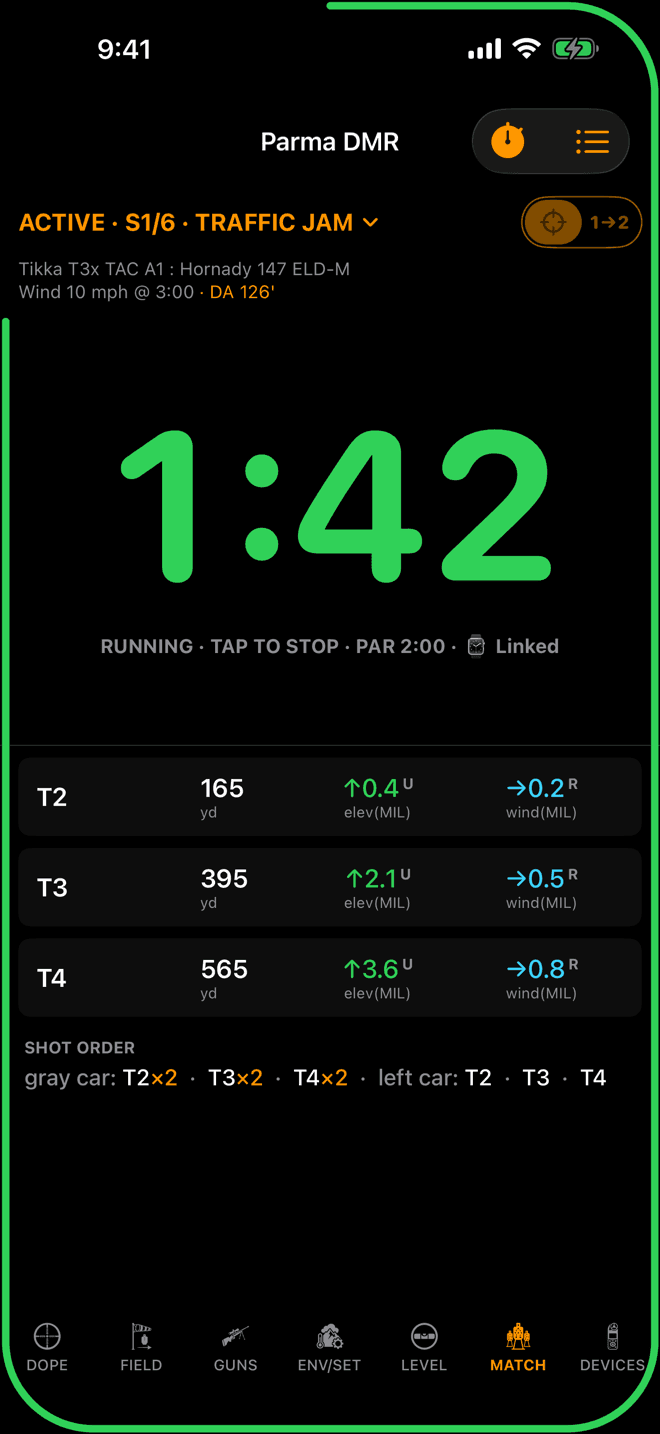
The phone timer, linked to the watch.
Step 9
The phone runs the same clock
The iPhone MATCH page has the same timer: the stopwatch button arms it, the green tile starts it, the ring runs around the phone’s screen. On a rifle-mounted phone it is your whole timer.
With the watch along, the two are one clock. Arm, start, stop or disarm on either and the other follows, with the same start time, so both read the same. Log a target on the phone mid-stage and it lands on the watch.
The chip after the par says how the link is doing: ⌚ Linked, ⌚ Not connected (each runs on its own), or Queued, which means the watch app is asleep and catches up at the right time when you raise your wrist.
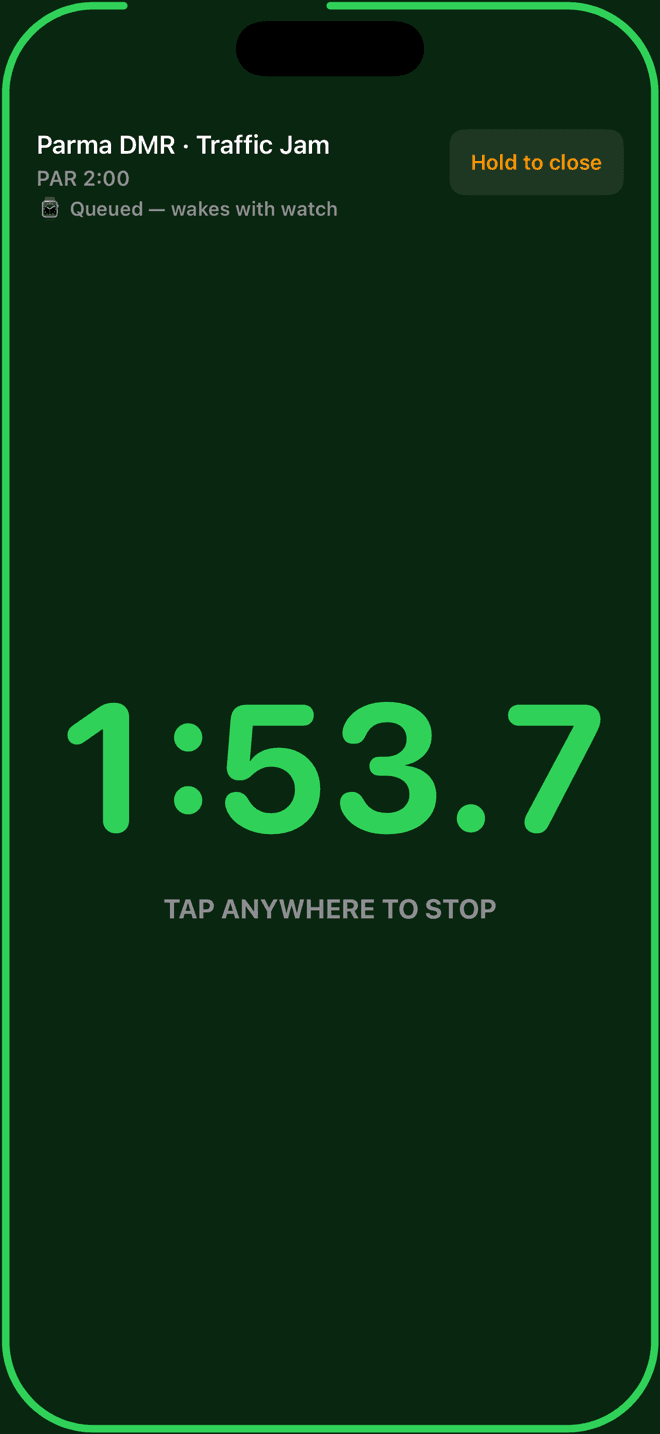
RO mode: the whole screen is one button.
Step 10
Hand the phone to your RO
The stopwatch menu has RO mode, for a squad-mate or the RO running the clock on your phone. It goes full screen with the stage and par at the top. One tap starts, one tap stops, and the next tap readies it for the next shooter.
It is the same linked timer, so your watch runs with it. RO mode plays the loud range beep through the ringer switch whatever your sound setting, skips the buzz, and keeps the result up until the RO resets it. Start on beep is off here, because this phone is the start.
Hold to close leaves it. A tap won’t, so nobody closes it by accident mid-stage.
Rifle-mounted phone
Landscape splits the card
Turn the phone sideways and the MATCH page splits in two: the clock and its status on one half, the targets and holds on the other. The page bar moves to a rail on the side, and Settings, Landscape Menu Side, puts it left or right.
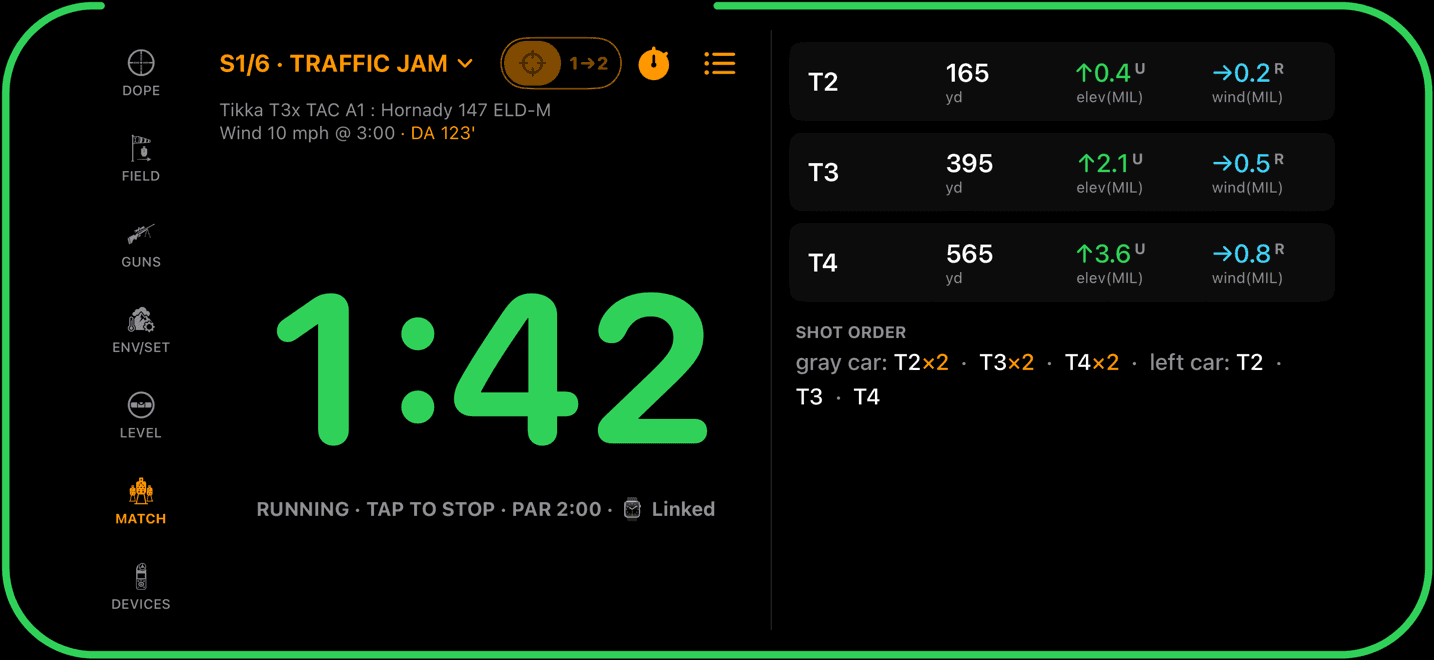

Clock on one half, targets on the other. The page bar becomes a side rail.
What follows you, and what stays put
Arming, the start time, stopping, disarming and the tone set follow you between the phone and the watch. Timer Sound on or off, the voice and Start on beep stay on the device you set them on.
A running clock survives a relaunch. Swipe the app away mid-stage and it comes back at the right time, or at TIME if the par ran out while it was closed. The match itself keeps the par and never the timer.
Timer not doing what you expected?
- Start on beep never fired on the phone. Wrist Dope was not on screen, the arm sat for more than 10 minutes and the mic closed, or the microphone is off for Wrist Dope (the menu row then reads
Start on beep (mic off in Settings)). Nothing else warns you, so watch for the listening line on the armed card. - It ignores your range timer. It listens for the PACT and the Shooters Global SG Timer. Other timers beep at other pitches and won’t start it. Tap start instead.
- You missed the beep. Tap start. While it is listening, a tap is taken as a missed beep and the run is back-dated 5 seconds.
- There is no Match page on the watch. Turn on
Match Pagein the watch’s Settings, under Match Mode. It also needs Pro. - Arm timer is missing. The stage has no par. Set one with
Paron the watch orSet par…on the phone. - The phone says Queued. The watch app is asleep. Raise your wrist and it catches up. Not connected means there is no link right now, and each device keeps its own clock.
- The tone changed on its own. The tone set follows you between phone and watch, so a change on one changes the other. Sound on or off and the voice do not.
- RO mode won’t close. Press and hold
Hold to close. A tap does nothing there on purpose.
Related: Match Mode to build the match and its stages, Hunter Stages for NRL Hunter blind stages on the clock, and Scope Level: the level glows with the ring, and its beeps stay quiet while the timer runs.
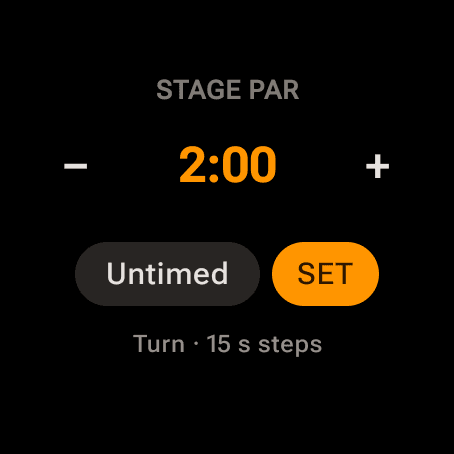
The watch par picker. Turn the bezel or crown in 15 second steps.
Step 1
Give the stage a par
Set the par when you build the match (Match Mode) or right on the watch: ••• on the stage card, then Par. Turn the bezel or crown, or tap − and +, and tap SET. On the phone, the stopwatch menu on MATCH has Par: 2:00, minutes and seconds in 15 second steps.
Untimed is different on Android: an untimed stage still runs, as a stopwatch that counts up instead of down.
The watch needs its Match page on: Settings, Match Mode, Match Page. The timer and the Match page are part of the one-time Pro upgrade.
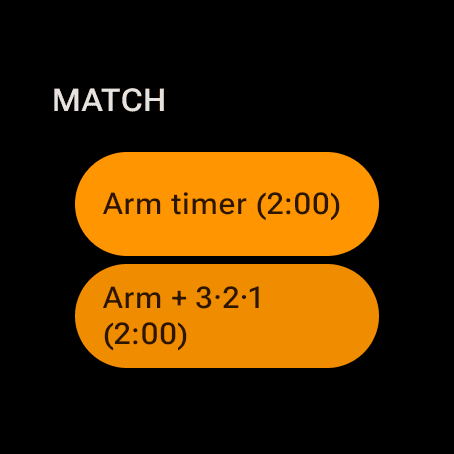
The top of the ••• sheet on the watch stage card.
Step 2
Arm it
Tap •••, then Arm timer (2:00). The card reads ARMED · tap to start and a dim green ring sits around the face. On the phone, the stopwatch menu does the same.
Practicing alone? Arm + 3·2·1 on the watch, or Practice: 3·2·1 then go on the phone, counts you in out loud after the tap.
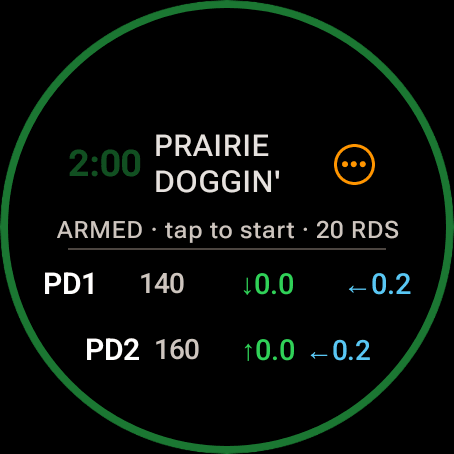
Armed. Tap anywhere to start.
Step 3
Start it with one press
Tap anywhere on the armed card. On the phone the armed card is one big green START. Or turn on Start on beep and let the range timer start it.
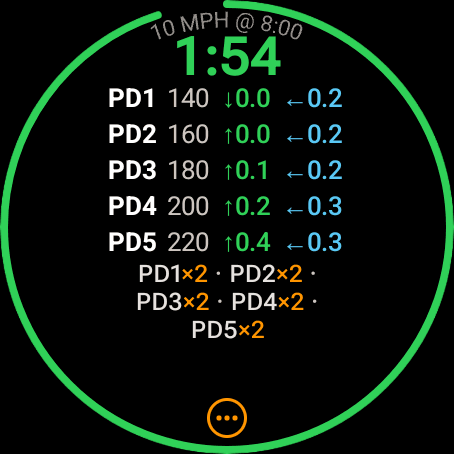
Running. The ring shrinks around the rim.
Step 4
Read the ring
The ring around the rim shrinks as the par runs down and changes color:
- Green while more than half the par is left.
- Amber from the halfway mark.
- Orange in the last 30 seconds, on pars longer than a minute.
- Red in the last 10 seconds, then a solid red ring at TIME.
The watch buzzes too: a tap at half time, two at 30 seconds left and three at 10. The phone draws the same ring around its whole screen.
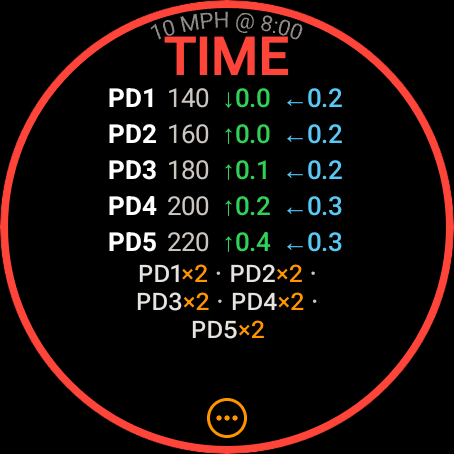
Par expired: TIME and a solid red ring.
Step 5
TIME
At the end of the par the card says TIME in red inside a full red ring. Stop early and the card shows your run time to the hundredth instead.
TIME stays up for 10 seconds and a stopped time for 5, then the card goes back to the stage.
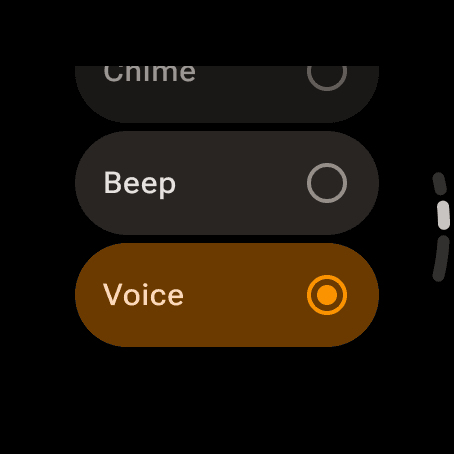
The Tone rows in the watch’s ••• sheet.
Step 6
Pick the sound
The ••• sheet has Timer Sound and a Tone section: Chime, Beep or Voice. On the phone, the stopwatch menu’s Tone: Range beep row opens Timer sound and the same three, where the beep is called Range beep. The range beep is the default.
The tone set is the one timer setting that follows you between the phone and the watch. Timer sound on or off is per device.
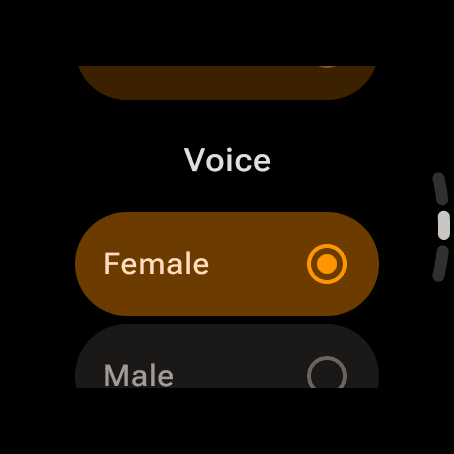
Voice appears once the tone is Voice.
Step 7
Or let it talk you down
Pick Voice and the timer calls the time out loud. A Voice section then offers Female or Male (Female voice and Male voice on the phone). Female is the default, and the voice is set per device.
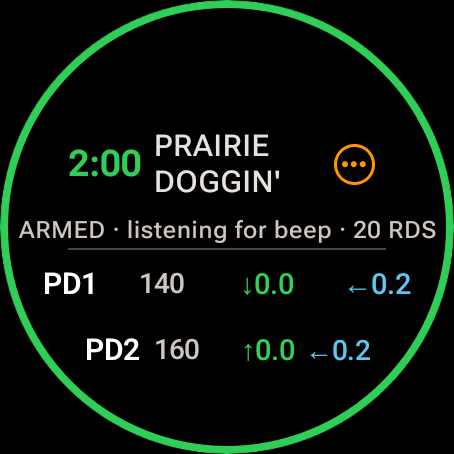
Armed and listening. The run starts at the beep.
Step 8
Start on the RO’s beep
Turn on Start on beep in the watch’s ••• sheet or the phone’s stopwatch menu. Arm, and the card reads ARMED · listening for beep. The run starts at the beep itself and the phone shows the lag, like BEEP START −0.14 s.
It listens for both supported timers at once, the PACT (2327 Hz) and the Shooters Global (2700 Hz). The mic is open only while the timer is armed, the listening is on the device, and nothing is recorded. Each device uses its own mic, so the setting is per device, and the app asks for microphone access the first time.
Missed the beep? Tap start. While it is listening a tap is taken as a missed beep and the run is back-dated 5 seconds: MISSED BEEP −5 s. After 10 minutes armed the mic closes, and the phone only listens while Wrist Dope is open in front of you.
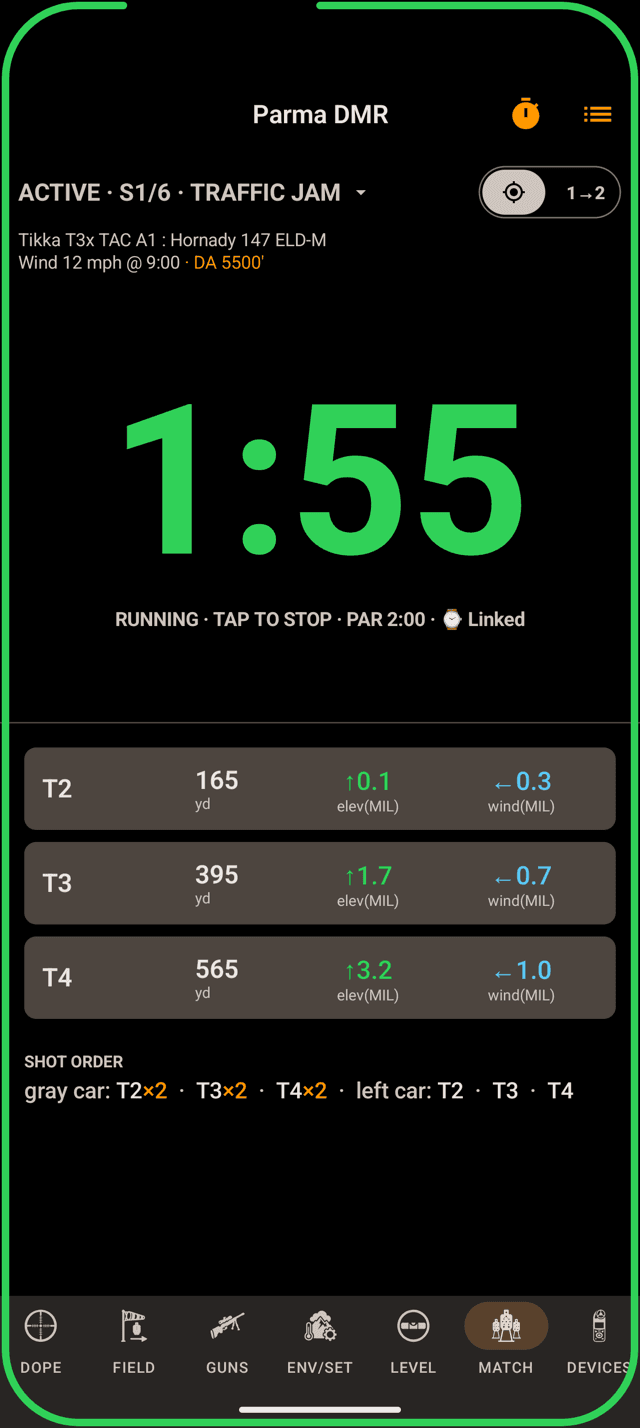
The phone timer, linked to the watch.
Step 9
The phone runs the same clock
The MATCH page on the phone has the same timer, with the ring around the whole screen. With the watch along they are one clock: arm, start, stop or disarm on either and the other follows with the same start time.
The chip says ⌚ Linked or ⌚ Not connected. Not connected means each device runs its own clock. Android has no queued state: the link is either up or not.
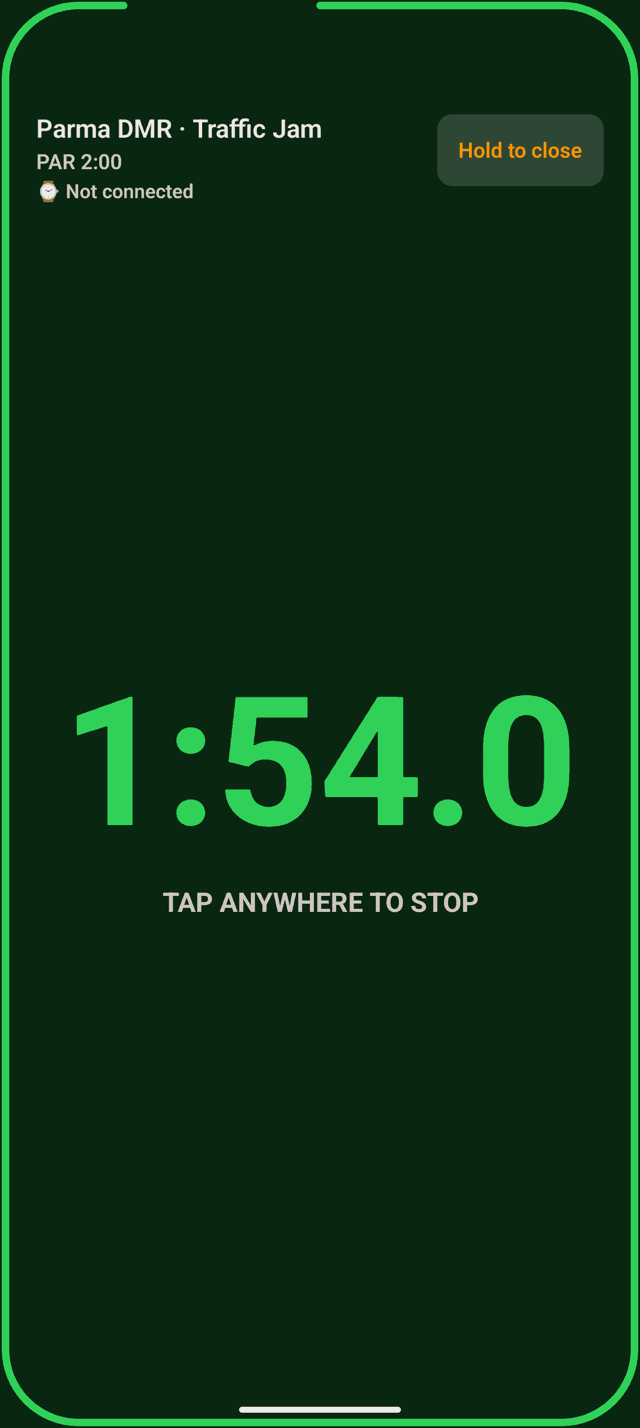
RO mode: one tap starts, one tap stops.
Step 10
Hand the phone to your RO
The stopwatch menu’s RO mode turns the phone into a full-screen timer for whoever runs your clock. The whole screen is one button. It is the same linked timer, plays the loud range beep whatever your sound setting, skips the buzz, and holds the result until the RO resets it.
Hold to close leaves it. A tap won’t, and the Back gesture does nothing there either.
Timer not doing what you expected?
- Start on beep never fired. It is off on this device (each device has its own switch), the microphone permission is off, the timer was not armed, or the phone was not showing Wrist Dope. After 10 minutes armed the mic closes too.
- The watch didn’t start with the phone. The chip says
⌚ Not connected. Check the watch is connected to the phone and that Wrist Dope is installed on it. - No sound.
Timer soundis off on this device, or the volume is down. - There is no Female or Male choice. Pick
Voiceas the tone first. - You missed the beep. Tap start. The run back-dates 5 seconds and says
MISSED BEEP −5 s. - There is no Match page on the watch. Turn on
Match Pagein the watch’s Settings, under Match Mode. It needs Pro.
Related: Match Mode to build the match, Hunter Stages for NRL Hunter blind stages, and Scope Level: the level’s beeps stay quiet while the timer is armed or running.
Still stuck? support@wristdope.com