
Manual / Voice Control
Voice Control
The target steps out to a new distance. The wind switches. Getting a fresh hold should not cost you your position. Ask out loud and Wrist Dope answers. On iPhone and Apple Watch that is Siri, with the app closed and your head still on the glass. On Android it is a voice mode inside the app: hold Live Fire, talk, and the holds re-solve on the screen.
No setup
Nothing to record or train. Android asks once for the microphone.
Pro
Voice is part of the one-time Pro upgrade.
Either device
Watch and phone each answer from their own load and conditions.
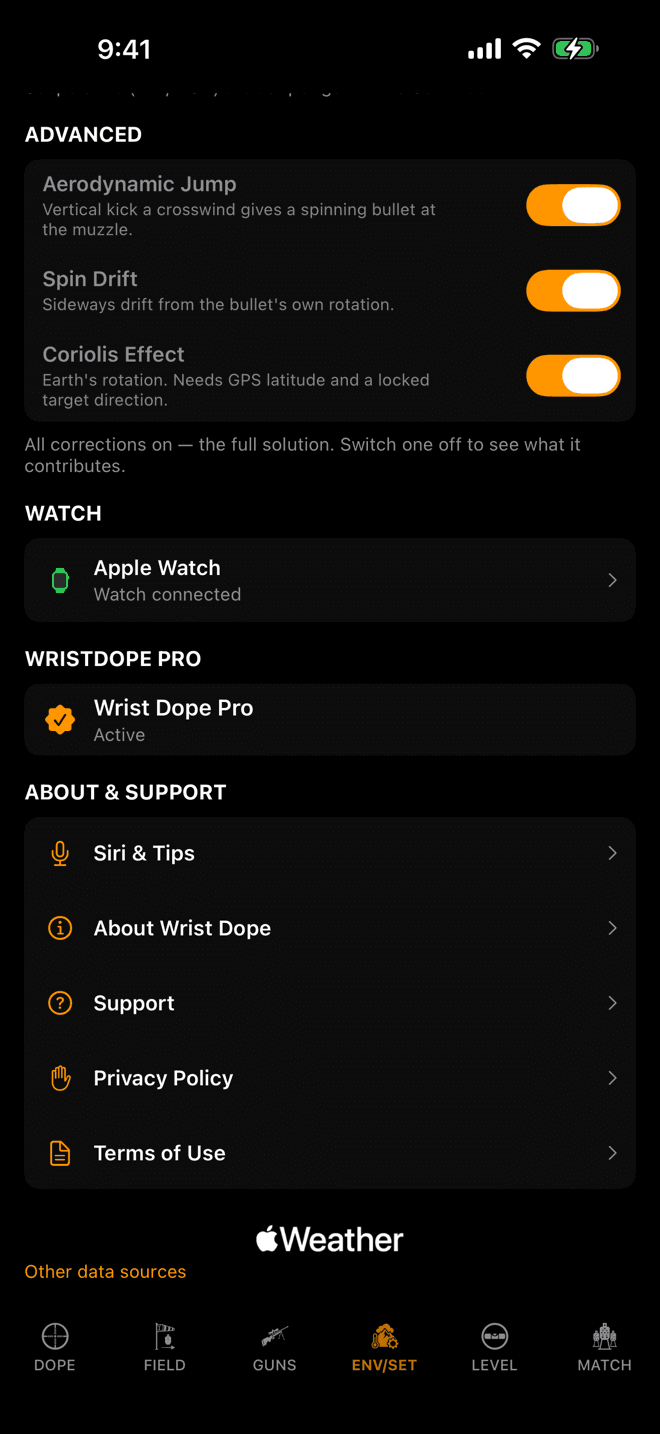
ENV/SET, then About & Support. Siri & Tips is the command list, in the app, offline.
Step 1
There is nothing to set up
The app registers its own phrases with Siri when it installs. You do not open Shortcuts, you do not record anything, and you do not train a phrase. Install Wrist Dope and the commands below already work.
Every phrase names the app, and the app registers a second name for itself: Dope. Either one fills the app-name slot in the phrases below, so you can drop the “Wrist” when you are talking fast.
Voice is part of the one-time Pro upgrade. On a free or expired tier Siri says so and opens the app on the offer rather than answering with a number.
Want a single word? Add a shortcut from any Wrist Dope action in the Shortcuts app and rename it. Siri then runs it by that name alone.
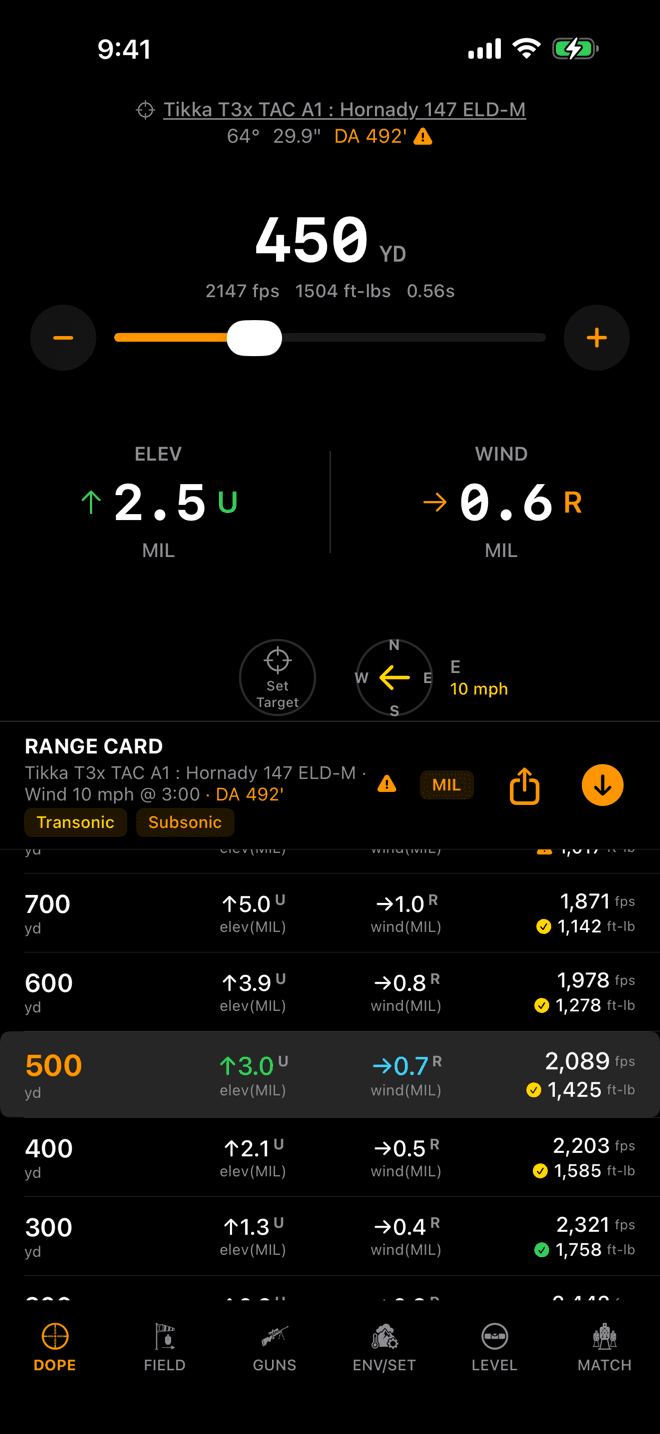
Ask for 450 and the app is already on 450 when you next raise it.
Step 2
Ask for a hold
In one breath, when you know the range:
- “Hey Siri, Wrist Dope, dope for 450”
- “Hey Siri, Wrist Dope, holds for 450”
- “Hey Siri, dope for 450 with Wrist Dope”
- “Hey Siri, holds for 450 with Wrist Dope”
The one-breath ranges are a preset ladder: 100 to 1200, every 25. That is a Siri constraint, not ours: a spoken value only matches inside a registered phrase when the app can enumerate every option. A trailing unit is accepted and converted, so a yards shooter who says 250 meters gets 273 yards back.
In two steps, for any number at all:
- “Hey Siri, Wrist Dope, dope”
- “Hey Siri, what’s my dope in Wrist Dope”
- “Hey Siri, get holds with Wrist Dope”
- “Hey Siri, ask Wrist Dope for holds”
Siri answers For what range? and takes whatever you say next: 437, 250 yards, 1,000 yards. Say something with no number in it and Siri tells you so instead of guessing.
Asking at a range also dials Live Fire to it. Say “dope for 575”, raise the device, and the screen is already on 575. Complications and widgets refresh from the same answer, with the app never opened.
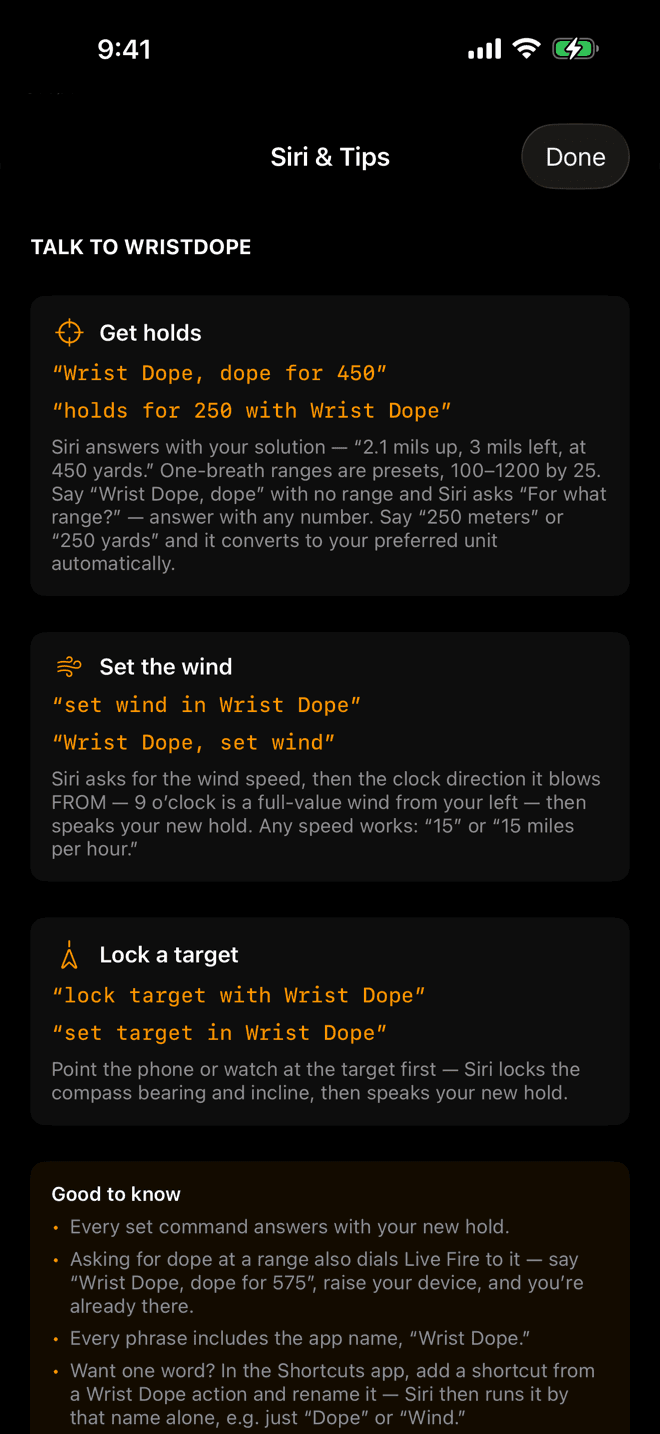
The same list, in the app: ENV/SET, About & Support, Siri & Tips.
Step 3
What comes back
Holds first, range last, in the active gun's angular unit and your distance unit:
“2.5 mils up, 0.6 mils right, at 450 yards.”
MIL rounds to a tenth and MOA to a quarter, which is turret-click granularity, not solver precision. The windage is only spoken when you have a usable wind set; with both holds rounding to zero you get Dead on at 200 yards.
Siri solves on the last conditions the app saved, never a live sensor read. That is what keeps the answer fast and keeps a voice command from ever raising a permission prompt. On a fresh install, before the app has run, that means standard atmosphere and no wind.
When it cannot answer honestly it says so rather than inventing a number, the same rule as the — on the hit percentage. With no load active: “No active load is set up.” With a load that will not zero: “The active load can’t be zeroed.” Past the range where the solver has an answer: “The active load has no solution at that range.”
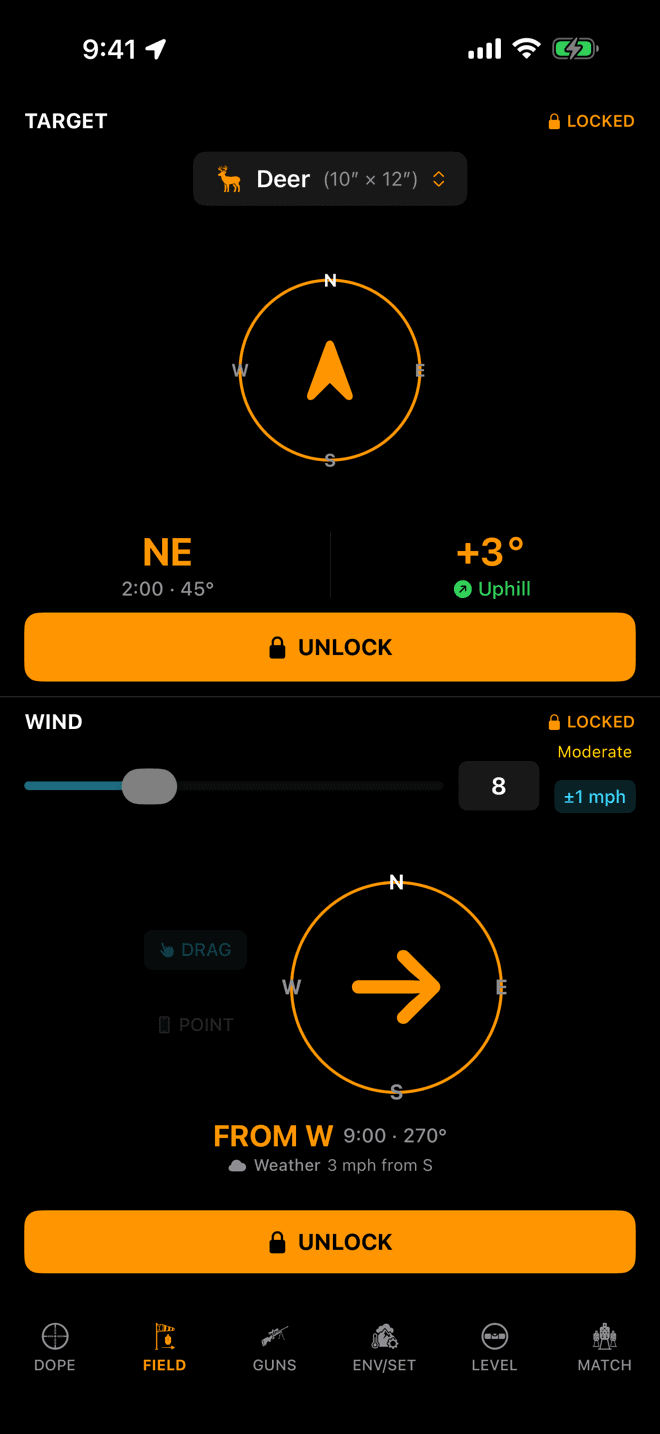
A voice call lands here as a locked call, exactly like one you tapped in.
Step 4
Set the wind and lock the target
Two commands write to the field, and each one answers with the recomputed hold so you hear the consequence in the same breath.
The wind. Siri asks for the speed, then the clock it blows from:
- “Hey Siri, set wind in Wrist Dope”
- “Hey Siri, set the wind in Wrist Dope”
- “Hey Siri, call the wind in Wrist Dope”
- “Hey Siri, Wrist Dope, set wind”
Answer the speed with 15 or 15 miles per hour, then the direction with a clock position. The clock is the wind from your line of fire, the same convention the range card uses, so 9 o’clock is a full-value wind off your left. Back comes “Wind set: 15 miles per hour from 9 o’clock. New hold: …” With no target locked, the clock is measured off the way you are facing instead.
The target. Point the device down your line of fire first, then speak:
- “Hey Siri, set target in Wrist Dope”
- “Hey Siri, mark target in Wrist Dope”
- “Hey Siri, lock target with Wrist Dope”
- “Hey Siri, Wrist Dope, set target”
It captures the compass bearing and the incline at the instant you speak and echoes them back as a sanity check (“Target locked: bearing 250, 3 degrees up”), then the new hold. If it cannot get a heading it writes nothing and says so.
What voice writes, the app adopts. Open Wrist Dope after a spoken call and the Field page shows it locked, orange, already solving.
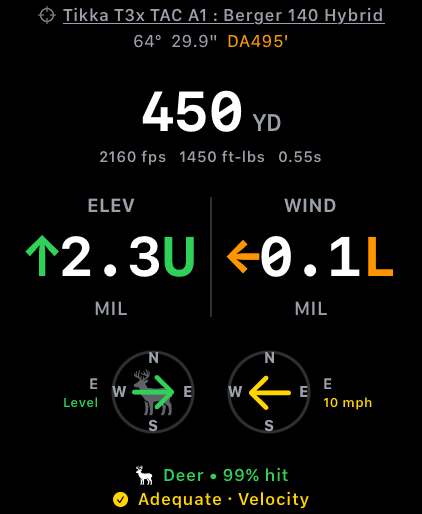
No phone in the loop. The watch answers from its own load and its own conditions.
Step 5
The same phrases on the watch
Every phrase above works on Apple Watch, word for word. Raise the wrist and speak, or use whatever raise-to-speak setting you already have. Nothing launches, and the iPhone does not need to be nearby.
Each device answers for itself. The watch solves on the load that is active on the watch, with the conditions the watch last saw, so a watch you have been shooting with and a phone left in the truck can honestly give different answers.
A Pro-gated command differs slightly here. The iPhone brings the app forward on the offer; the watch stays a spoken answer and tells you how to unlock by hand.
How Siri handles it
Voice on Apple hardware is Siri, not a screen in the app. That is the whole point of it: the phrases are handled by the system, so they work with the app closed, from the lock screen, from the watch face, with nothing raised and nothing tapped.
- Four commands: dope at a range, dope with a prompted range, set the wind, lock the target.
- Single turn. Siri answers and is done. There is no session to start and none to end.
- One-breath ranges are a preset ladder of 100 to 1200 by 25. Any other number goes through the two-step form.
- One wind command. It asks for the speed and the clock together; there is no speed-only or direction-only phrase.
- The commands are also Shortcuts actions, so you can rename one to a single word or put it in an automation.
Siri isn't answering with a hold?
- Siri said it is a Pro feature. Voice is part of the one-time Pro upgrade. On iPhone the app comes forward on the offer; on the watch you get the spoken line and unlock it by hand.
- The range wasn't on the ladder. One-breath ranges are 100 to 1200 in 25s. Ask for 437 that way and Siri has nothing to match. Say “Wrist Dope, dope” and give the number at the prompt instead.
- You left the app name out. Every phrase carries it: “Wrist Dope” or the short “Dope”. If you want a bare word, make a Shortcut and rename it.
- No load is active. Siri says so plainly. Open the app, tap a load on the Guns page, and ask again.
- The wind hold is missing from the answer. That is not a fault. Windage is spoken only when a usable wind is set; set one by voice or on the Field page and it comes back.
- “I can’t tell which way you’re facing.” Setting the target needs a compass heading, and voice commands never raise a permission prompt. Open Wrist Dope once, grant location, and the command works from then on.
Related: Target and wind covers the two calls voice writes, and why locking is the commit. Environment and units explains the conditions a spoken answer is solved against.
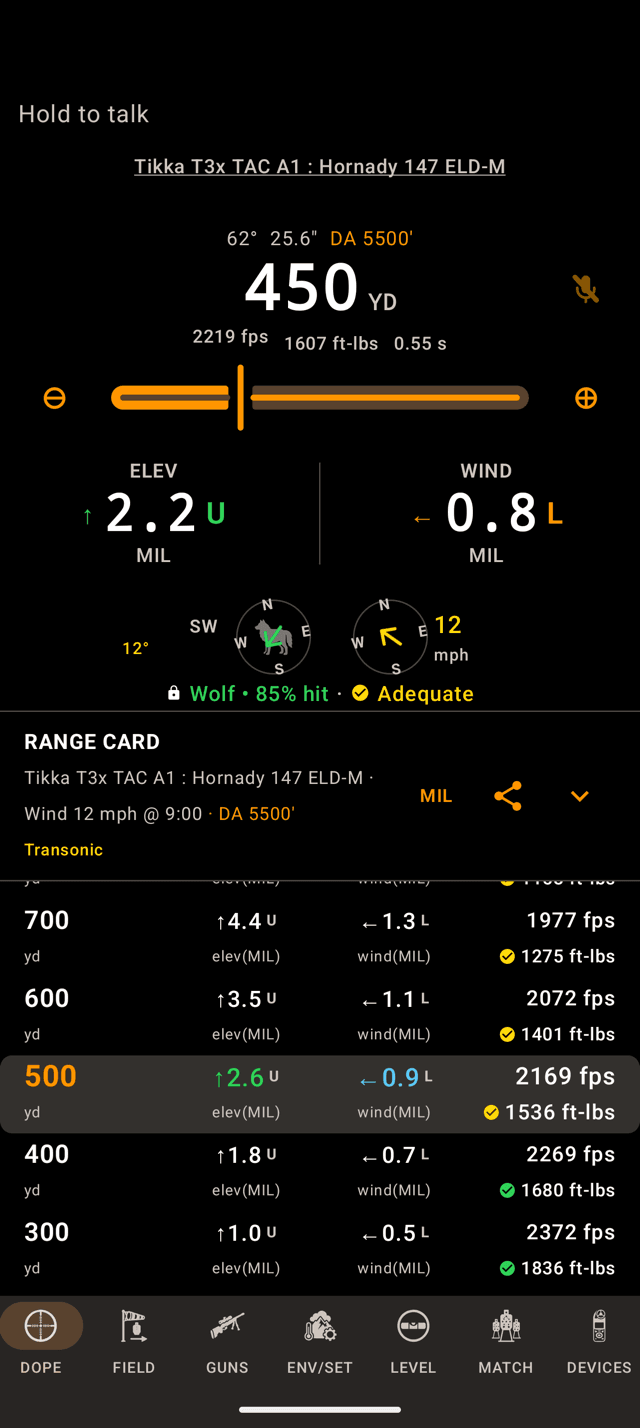
A short tap only shows Hold to talk. Press and hold to start.
Step 1
Hold Live Fire to start
Voice on Android is a mode inside Wrist Dope, not an assistant. It does not answer to “Hey Google”, and it only listens while Live Fire is on screen with the mode on.
On the phone, press and hold anywhere on the Live Fire pane, or on the microphone beside the range. On the watch, press and hold anywhere on Live Fire. It buzzes and the mic lights up.
A short tap never opens the mic. It shows Hold to talk instead, so a phone that bumps a bag strap is not listening to the line.
The first hold asks for the microphone. Wrist Dope records nothing and keeps nothing; the speech recognition service on your phone or watch turns what you say into text. Voice is part of the one-time Pro upgrade, and on the free tier the hold opens the upgrade offer instead of the mic.
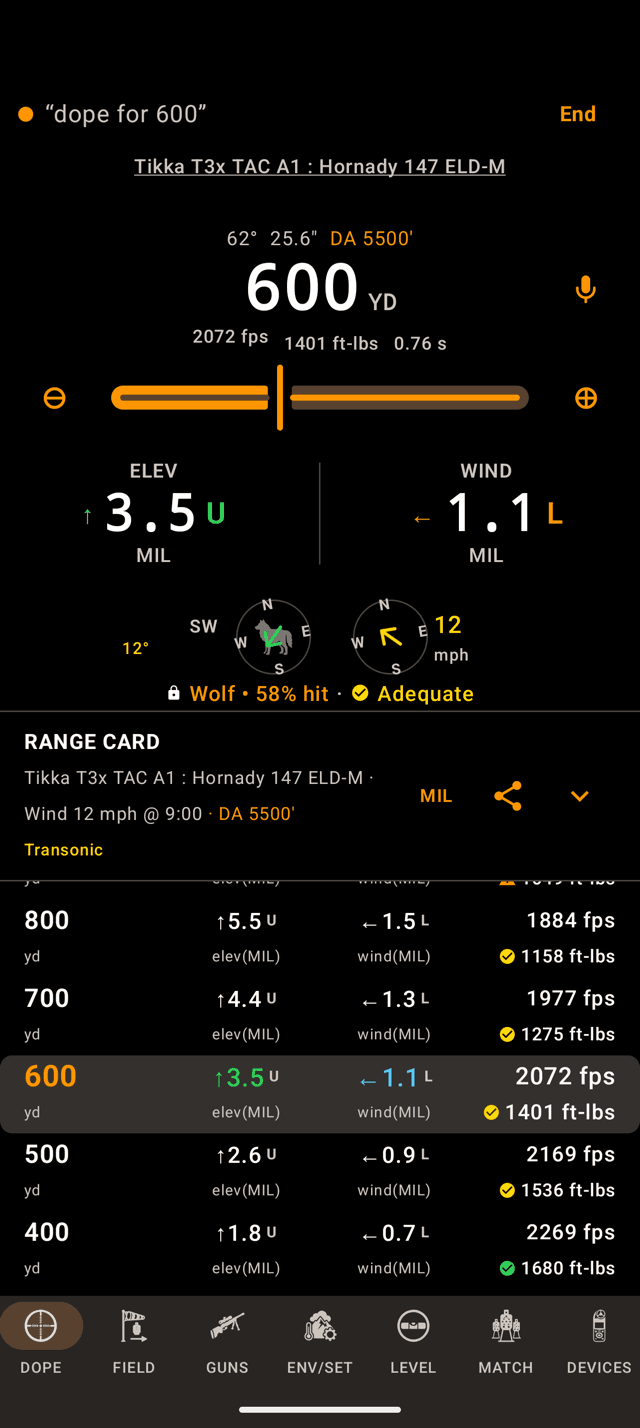
Hold, say “dope for 600”: the strip shows what it heard and Live Fire is already on 600.
Step 2
Ask for a hold
- “dope for 450”
- “holds for 250 meters”
- “450”
- “dope”
There is no preset ladder, because nothing has to be listed ahead of time. Any range works in one breath, and it reads a range the way shooters say it: “five forty” is 540, not 5. A bare “dope” asks For what range? the way Siri does and takes the next number.
The answer is the HUD. The range dials to what you asked for and the holds re-solve. On the phone, a slim strip across the top of the pane shows what it heard. On the watch, a short line beside the mic shows up only when there is no number to show, like For what range? or Didn't catch that.
The honesty rules are Siri's. No active load, a load that will not zero, a range past the solution: it says so instead of making up a number. Say something it cannot read and it tells you, with an example to try. It never fills in a number you did not say.
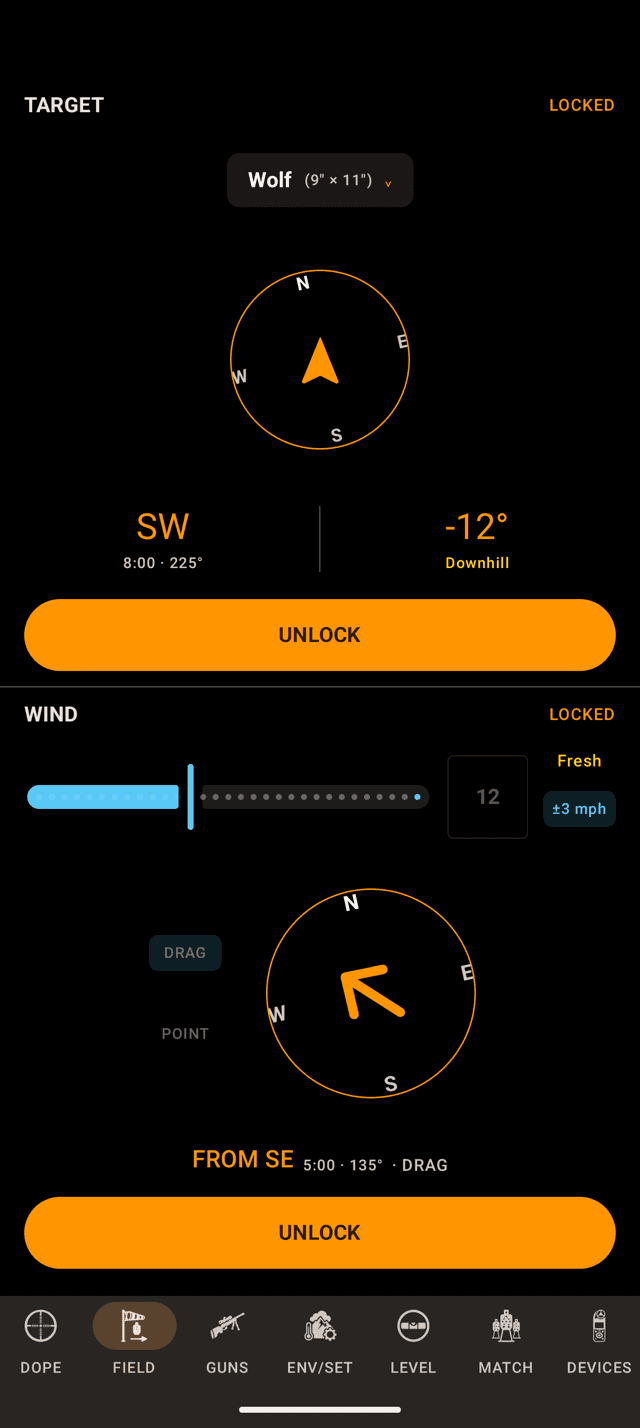
A voice call lands here locked, the same as one you tapped in.
Step 3
Call the wind, lock the target
- “wind 10 at 3 o’clock”
- “set wind speed 15”
- “set wind direction 9 o’clock”
- “set target”
The clock is the wind from your line of fire, the same convention as the range card. Speed takes mph, km/h or m/s, spelled out. Unlike Siri, speed and direction can be set one at a time.
For the target, point down your line of fire and say set target, mark target or lock target. It takes the bearing and the incline at that moment and locks them, the same call you would make on the Field page.
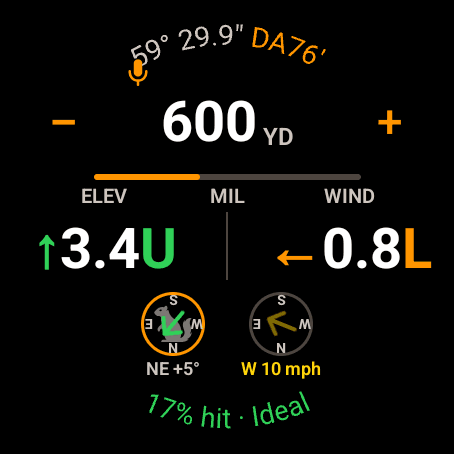
On the watch the lit mic is the sign voice is on. The holds are the answer.
Step 4
It keeps listening
Siri answers once and is done. The Android session stays open turn after turn, so you can re-dope and re-call the wind without touching anything. The screen stays awake while it listens.
Five ways out:
- Say
stop listening,stop voiceorvoice off. - Press and hold again.
- On the phone, tap
Endon the strip. - Leave it quiet for ten minutes.
- Put the app away. On the phone, leaving the DOPE page does it too.
A bare “stop” does not end it. A range line is loud, and the word turns up in the noise.
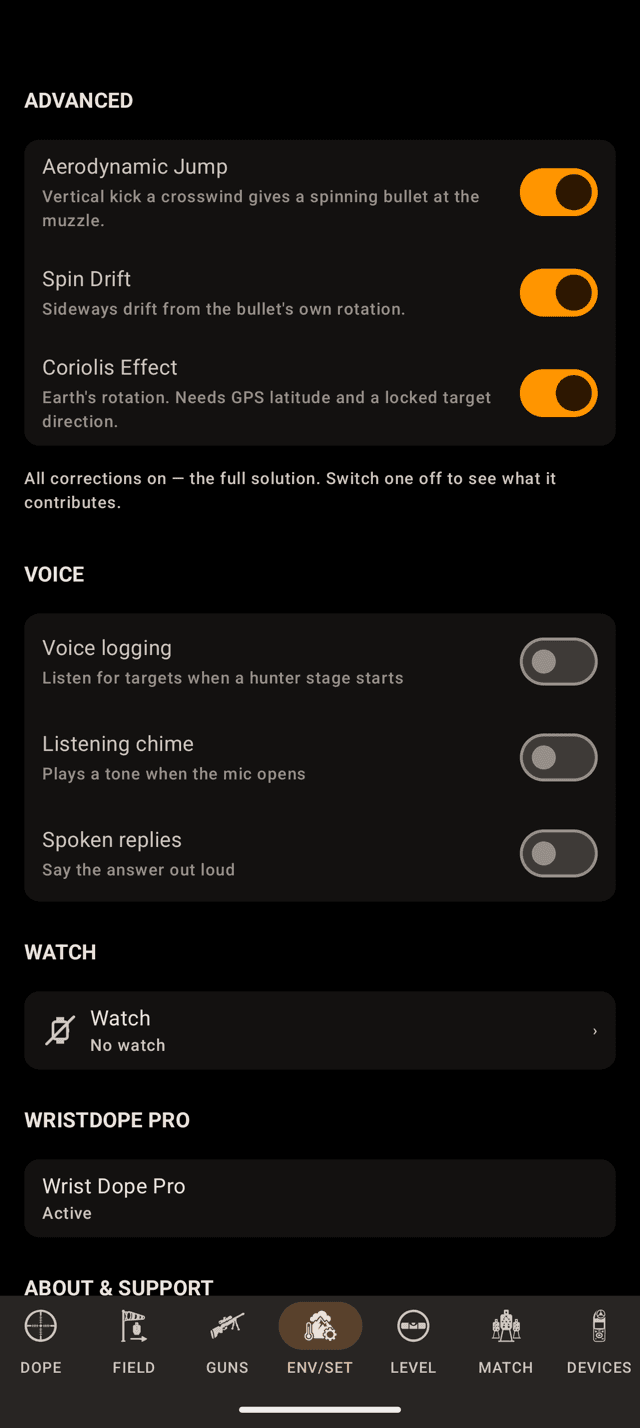
ENV/SET, VOICE. All three switches start off.
Settings
Quiet by default
Two switches, on both devices, and both start off. On the phone they are on ENV/SET under VOICE. On the watch, open Settings and scroll to Voice.
- Listening chime plays a tone when the mic opens.
- Spoken replies reads the answer out loud: holds first, range last, the same sentence Siri gives on an iPhone.
With both off, the answer is on the screen and nothing talks. Next to somebody else's string of fire, that is usually what you want.
Match
Log hunter targets by voice
In a hunter stage, voice logging takes targets as you range them. Say the range, pause, a name, pause, a note: “500, bear, under big rock” logs a bear at 500 with that note. Nothing is spoken back; each part shows on the screen as it lands.
The Voice logging switch, beside the two above, decides whether a hunter stage starts with it on. Hunter Stages covers the rest. iPhone and Apple Watch do not have hunter voice logging.
Voice not answering?
- A tap only shows “Hold to talk”. Voice starts on a hold, not a tap. Press and hold until it buzzes.
- The hold opens the upgrade offer. Voice is part of the one-time Pro upgrade.
- The mic never opens. Microphone access is off for Wrist Dope. On the phone, the card that comes up has
Open Settings. On the watch, tapMic off · tap to enable. - It answers on screen but says nothing. Spoken replies start off. Turn them on under
VOICEon the phone, orVoicein the watch's Settings. - It stopped listening on its own. Ten minutes with nothing it understood ends the session. The watch shows
Voice off · idle. Hold again to pick it back up. - “Speech recognition isn't available on this device right now.” Android found no speech service on the device to listen with. The watch shows
No voice. Voice cannot run until the device has one. - No active load. It says so plainly. Open
GUNS, tap a load, and ask again.
Related: Target and Wind covers the two calls voice writes, and why locking is the commit. Environment and Units explains the conditions a spoken answer is solved against.
Still stuck? support@wristdope.com