
Manual / Wind Meters
Wind Meters
Your Kestrel already knows the wind. Wrist Dope reads it over Bluetooth, so hold the meter up, tap capture, and ten seconds of what it measured becomes your call. You stop reading numbers off one screen and dialing them into another.
The same meter feeds pressure, temperature and humidity to the Environment page, and it works from the phone or straight from the watch.
Pro
Scanning is free. Connecting a meter is part of the one-time Pro upgrade.
A meter
A Kestrel with Bluetooth (5-series or 2000-series) or a WeatherFlow Tempest / WEATHERmeter.
Either device
Connect on the phone, or straight on the watch when the phone stays home.
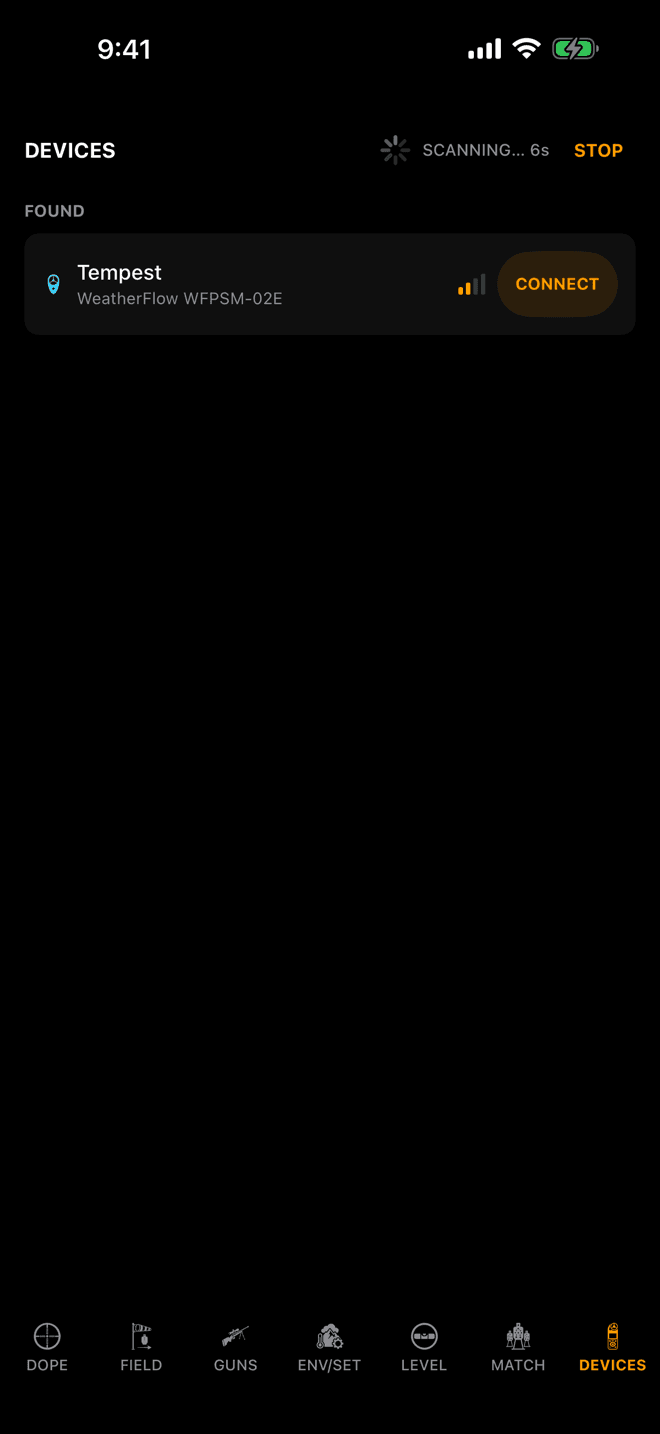
The scan runs ten seconds. Anything Wrist Dope can talk to shows up under FOUND.
Step 1
Scan, then connect
Open DEVICES, the last entry in the iPhone page bar. Turn the meter’s Bluetooth on, hold it close to the phone, and tap SCAN. Bluetooth only reaches a few feet, so do this with the meter in your hand.
The meter appears under FOUND. Tap CONNECT. Scanning is free. Connecting a meter is part of the one-time Pro upgrade.
A meter can talk to one phone or watch at a time. If it is connected to something else, it is invisible to everything else, so let go of it there first. Once you have connected a meter, Wrist Dope remembers it and reconnects on its own when it comes back in range.
Supported: Kestrel meters with Bluetooth (the 5-series and the 2000-series) and WeatherFlow Tempest / WEATHERmeter. A Kestrel DROP shows up as Not supported yet.
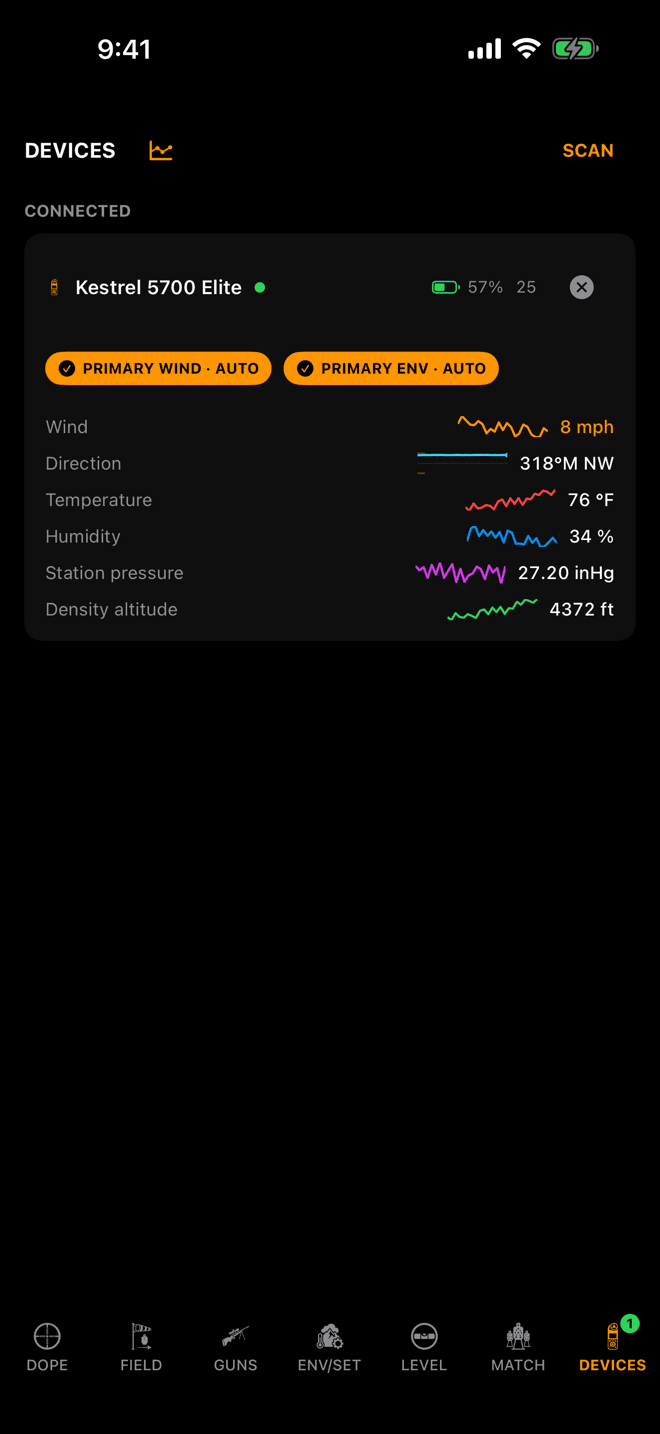
A connected Kestrel 5700 Elite. Every row the meter sends, with its trend line.
Step 2
Read the meter card
The card names the meter, shows its battery, and keeps a sparkline beside every reading. The ⓧ disconnects it.
The two chips say what the meter is doing for you. PRIMARY WIND · AUTO means it is your wind source. PRIMARY ENV · AUTO means it is feeding the Environment page. Connect two meters and the most capable one drives each source, and the next one takes over if it drops. Tap a chip to pin a meter to that job instead.
The rows are whatever the meter measures. A 5700 sends the lot. A Kestrel 2700 sends wind, direction, temperature and pressure, no humidity. A Tempest has no compass, so its card has no Direction row. A °M after a bearing means magnetic north.
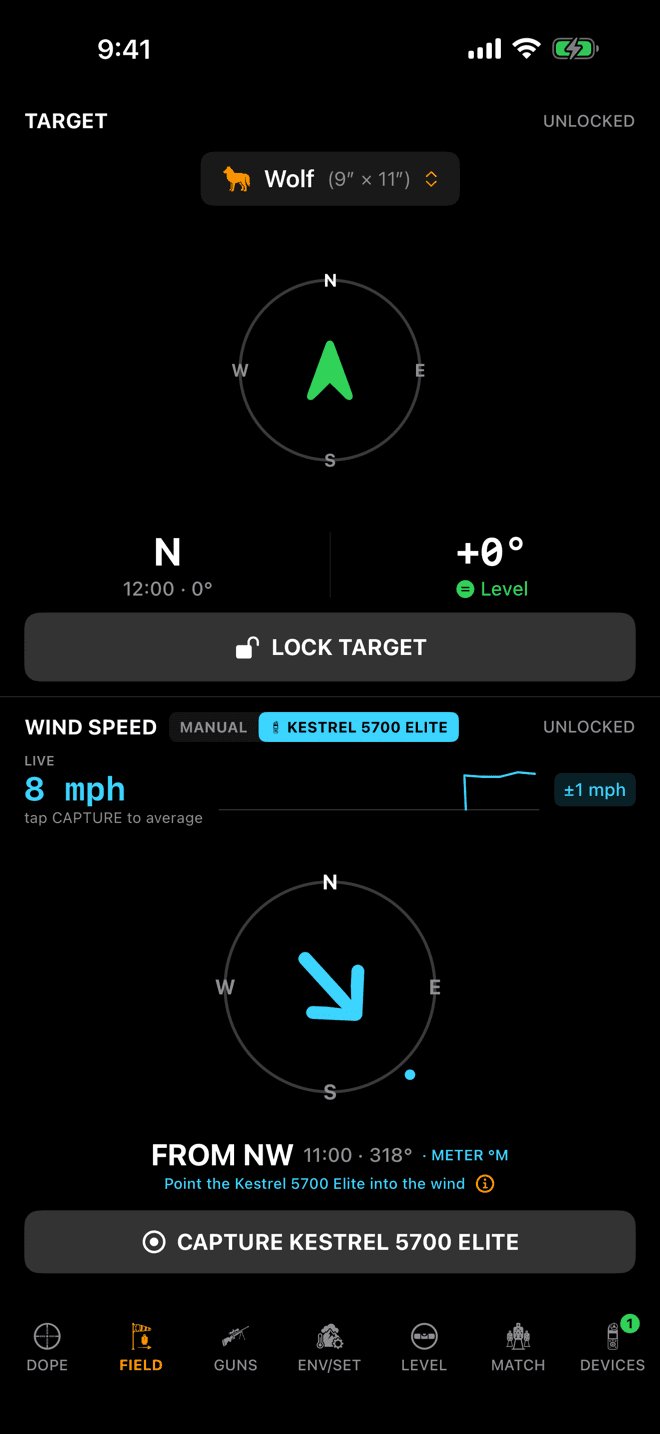
Live: what the meter reads this second. Nothing is averaged until you tap CAPTURE.
Step 3
Point it into the wind and tap CAPTURE
Go to FIELD. The WIND pane picks the meter up on its own: the source switch reads MANUAL and KESTREL 5700 ELITE, and the meter is lit. Tap MANUAL any time you want to call it yourself.
A connected meter is live: the pane shows what it reads right now and averages nothing. The average starts when you tap capture. The wind that counts is the wind you measured standing there with the meter held up, and the five minutes it spent baking on the mat stay out of it.
Hold the meter the right way. The ⓘ next to the aiming line opens a two-page picture: screen to your face, back of the meter to the wind. Then tap CAPTURE KESTREL 5700 ELITE.
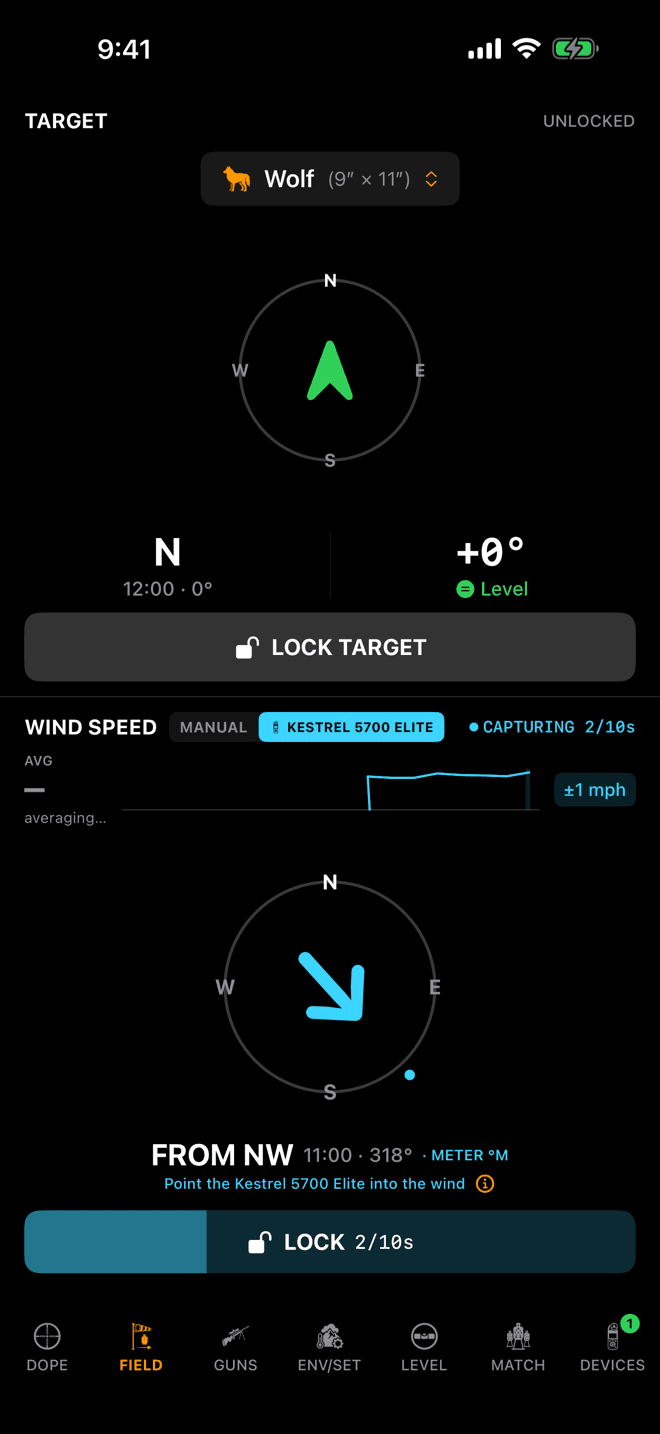
Two seconds into the capture. The bar fills toward ten.
Step 4
Lock it, or let it lock itself
The button turns into LOCK with a count: 2/10s. Tap it whenever you like once the meter has sent two readings. Forget to, and the capture locks itself at ten seconds. You still get a call.
A Kestrel sends a reading every few seconds, so ten seconds gets you a couple of readings of the wind you were standing in.
If the meter drops out partway, the capture cancels and says so, and you capture again.
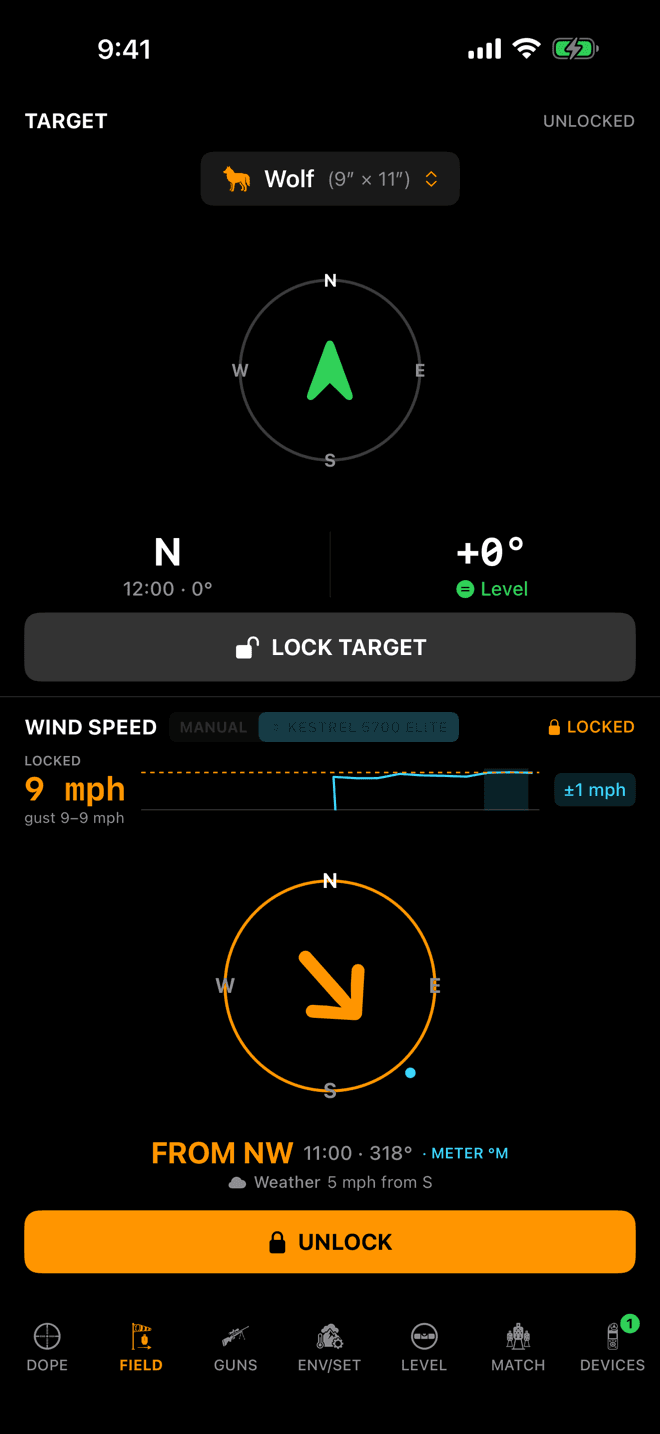
Locked. The gust spread under the number rides along into hit percentage.
Step 5
Locked is your call
LOCKED, the speed in orange, and the gust spread the meter saw under it. That spread becomes your wind-call confidence, so hit percentage stops pretending a gusty 9 is a clean 9.
The lock sticks. Walk away with the meter, let it go to sleep, disconnect it: the call stays put until you change it. To take a new one, tap UNLOCK, then capture again. Unlocking keeps the old call in the solve until the new one locks.
The Weather line under the dial is Apple Weather’s station wind. It is there for reference and never enters the solve.
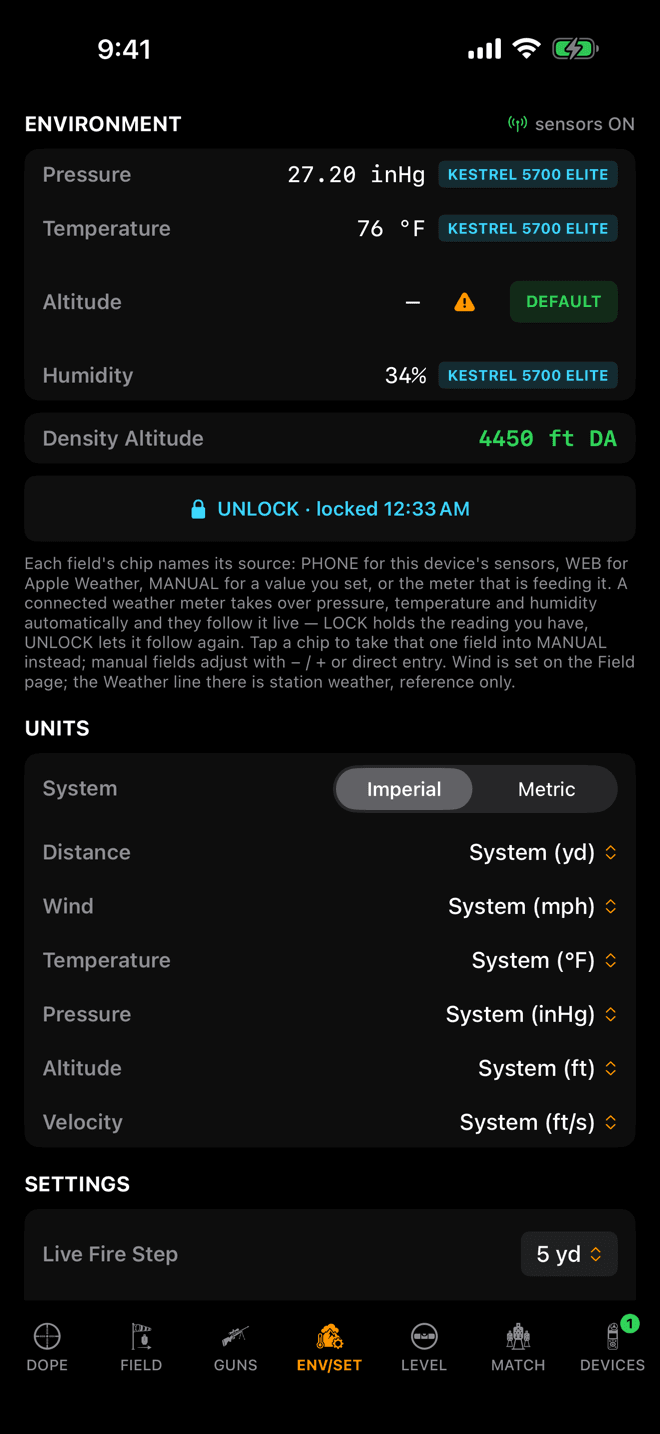
Pressure, temperature and humidity held at the meter’s reading. UNLOCK lets them follow it again.
Step 6
Pin the meter’s air
A connected weather meter takes over pressure, temperature and humidity on ENV/SET by itself. Each field’s chip names the meter, and the values follow it live.
Tap LOCK KESTREL 5700 ELITE to hold what it reads now. The button turns into UNLOCK with the time you locked. Tap a single chip to take just that field into MANUAL instead. Altitude keeps its own source.
A pin survives a relaunch, shows on the watch, and is what field trueing records when you capture conditions, named after the meter. A Kestrel 2700 has no humidity sensor, so it can’t pin that one.
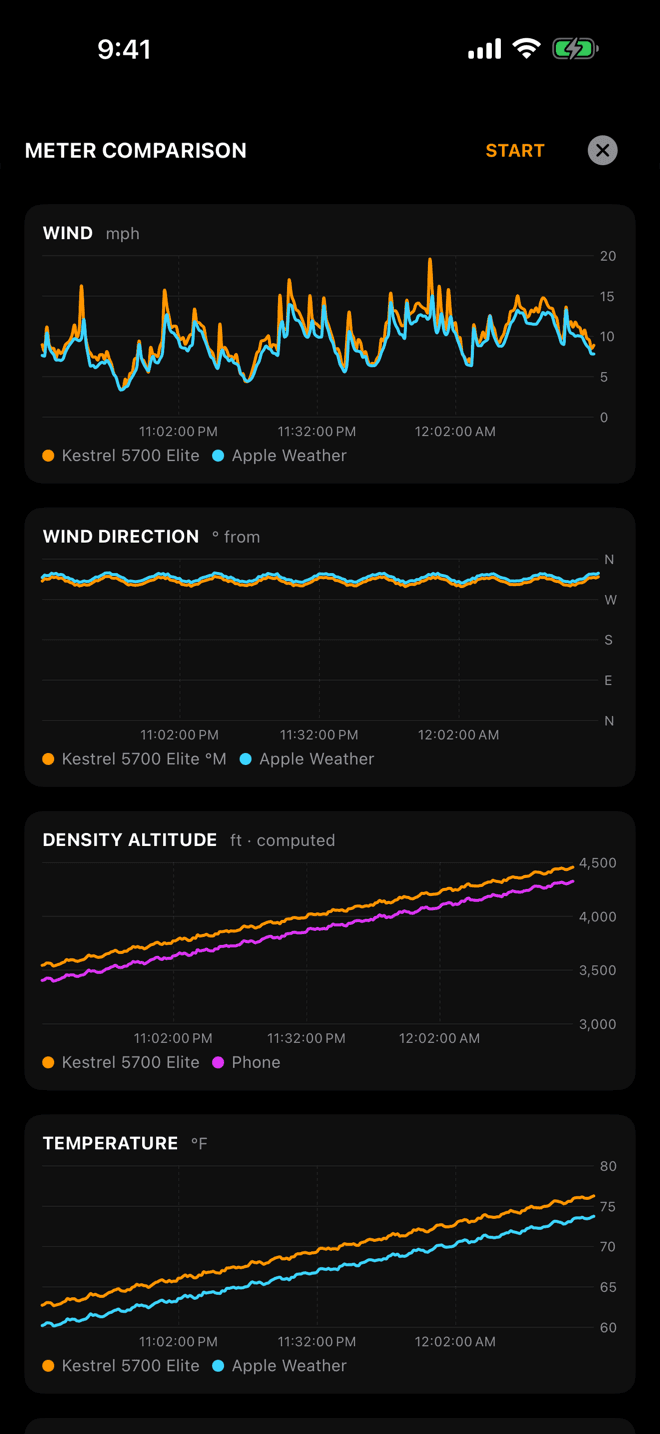
One line per meter, plus Apple Weather and the phone’s own sensors.
Step 7
Compare the meter against the phone
The chart icon next to the DEVICES title opens METER COMPARISON: wind, wind direction, density altitude, temperature, humidity and station pressure, one line per meter.
Tap START to record the phone’s own numbers beside them: Apple Weather’s wind, temperature and humidity, the phone’s barometer, and the density altitude the engine gets from the phone’s air. A paired watch adds its barometer too.
The meter lines hold two hours and survive a dropped connection. Nothing on this sheet touches your solve. It is there so you can see how far the pocket barometer was off. Charts live on the phone only.
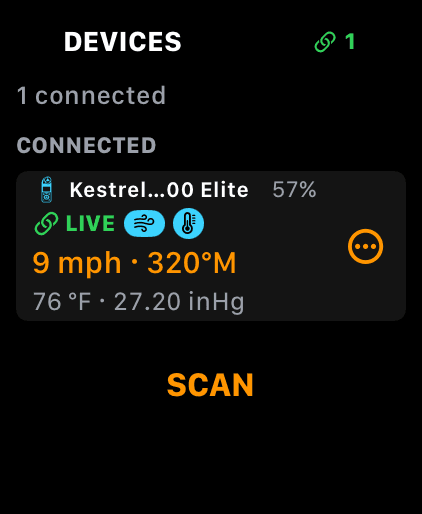
The watch’s own Devices page. Tap the card for the meter sheet.
Step 8
On the watch
Phone along? Connect the meter on the phone. Wind and weather sync to the watch, and the watch’s Wind page shows the meter as ON IPHONE.
Phone left in the truck? The watch has its own radio. Swipe to DEVICES, the last page in the loop, tap SCAN, then connect. A meter held by the watch keeps reading with the screen off.
Tap the card for METER: every reading, then SOURCE with WIND and ENV marked IN USE, BACKUP or PINNED. Tap a source row to pin it. DISCONNECT and FORGET are at the bottom.
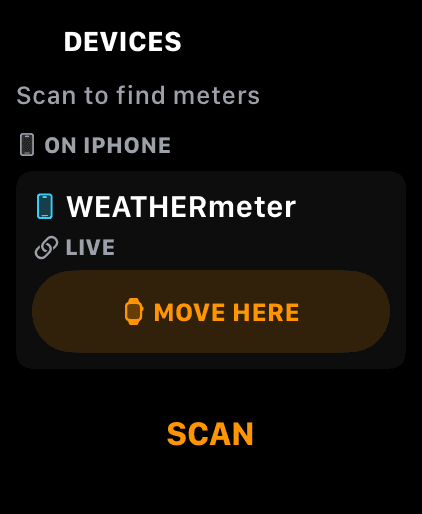
The phone is holding this meter. MOVE HERE hands it to the watch.
Step 9
Move a meter to the wrist
A meter the phone is holding shows on the watch under ON IPHONE. Tap MOVE HERE and the phone lets go and the watch picks it up, in that order, so the two radios never fight over it. The phone’s Devices page has the same button the other way round.
It takes a few seconds. If the meter is asleep or out of the watch’s range, the move fails and says so.
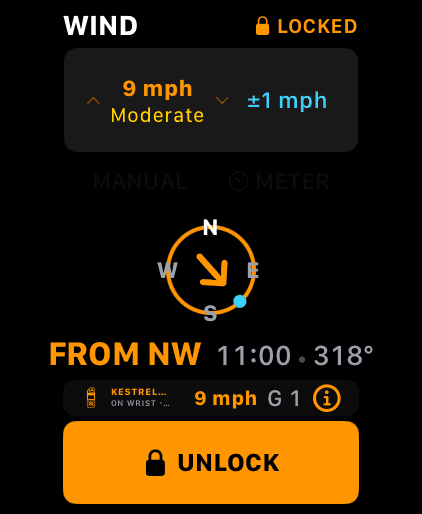
Same grammar on the watch: CAPTURE, LOCK, UNLOCK.
Step 10
Capture and lock from the wrist
The watch Wind page works the same way. With a meter connected the row reads MANUAL and METER, the meter is lit, and CAPTURE is waiting. Tap it, and LOCK counts to ten. Locked turns the dial orange.
The pill above the button says where the meter is: ON WRIST when the watch holds it, ON IPHONE when the phone does. Either way the buttons work. When the phone holds the meter, your tap on the watch runs the capture on the phone.
For a meter without a compass, the row offers DRAG and POINT beside METER so you can still set the direction.
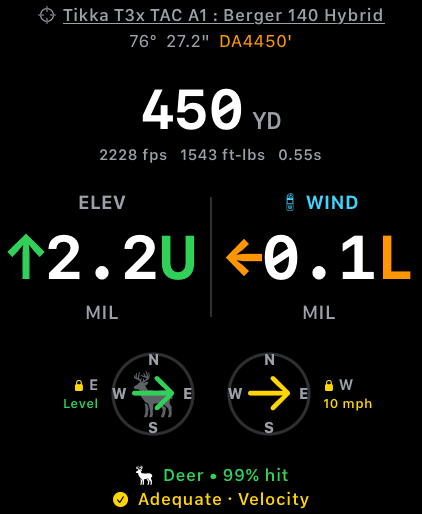
Cyan WIND with the meter’s glyph: this call came from the meter.
Step 11
Live Fire marks a meter call
On Live Fire a meter call is marked so you never mistake it for a guess. On the watch the WIND header turns cyan with the meter’s little silhouette beside it. On the phone the wind badge shows the lock, the meter’s glyph and its name in blue.
The match stage card marks it the same way.
Who sets the direction
A Kestrel has a compass, so the meter owns the bearing. Wrist Dope turns its magnetic reading into true north with the phone’s declination as soon as the phone’s compass has a fix. Until then the bearing carries °M, which can sit 20° or so off true north depending on where you are.
A Tempest has no compass. Point the impeller into the wind for the speed, then drag the wind marker on the dial to where the wind is coming from before you lock. The tip sheet for a Tempest says exactly that.
A Calypso measures its angle off your line of fire. That gets its own guide: Calypso Wind Meters.
Meter not behaving?
- A Kestrel connects, shows one reading, then nothing. That is Privacy PIN. A Kestrel with Privacy PIN on sends one reading when it connects and then goes quiet with the connection still up, so nothing errors. After a few seconds the card says
STALEand asks you to check that the Kestrel is on and Privacy PIN is off in its Bluetooth menu. Turn it off, then reconnect. A capture against a silent meter cancels because there was nothing to average. The same STALE hint shows when the Kestrel simply powered off. - The scan finds nothing. Most often the meter is still connected to another phone or watch, and a connected meter is invisible to everything else. Otherwise it is asleep or more than a few feet away. Wake it, hold it next to the phone, and scan again.
- A Tempest goes STALE. It stopped sending. Wake it and keep it near the phone or watch.
- The direction is wrong on a Tempest. It has no compass. Drag the dial to the wind before you lock.
- The bearing says °M. The phone’s compass has no fix yet, so the meter’s magnetic bearing is shown as measured. It corrects itself once the phone has a heading.
- It disconnected by itself. After 20 minutes with no lock, pin or tap, Wrist Dope drops the connection to save the meter’s battery and says so. Connect again when you are back on the gun. A watch-held meter also drops if watchOS stops the app in the background.
- The card asks you to accept a PIN prompt. That is the system’s Bluetooth pairing prompt, not Privacy PIN. Accept it.
- Bluetooth is off or blocked. The page says so. Turn Bluetooth on in Control Center, or allow Bluetooth for Wrist Dope in Settings.
Related: Target and Wind for the dial and the lock, Environment for the field chips, Calypso Wind Meters, and Field Trueing, which records a pinned meter’s air.
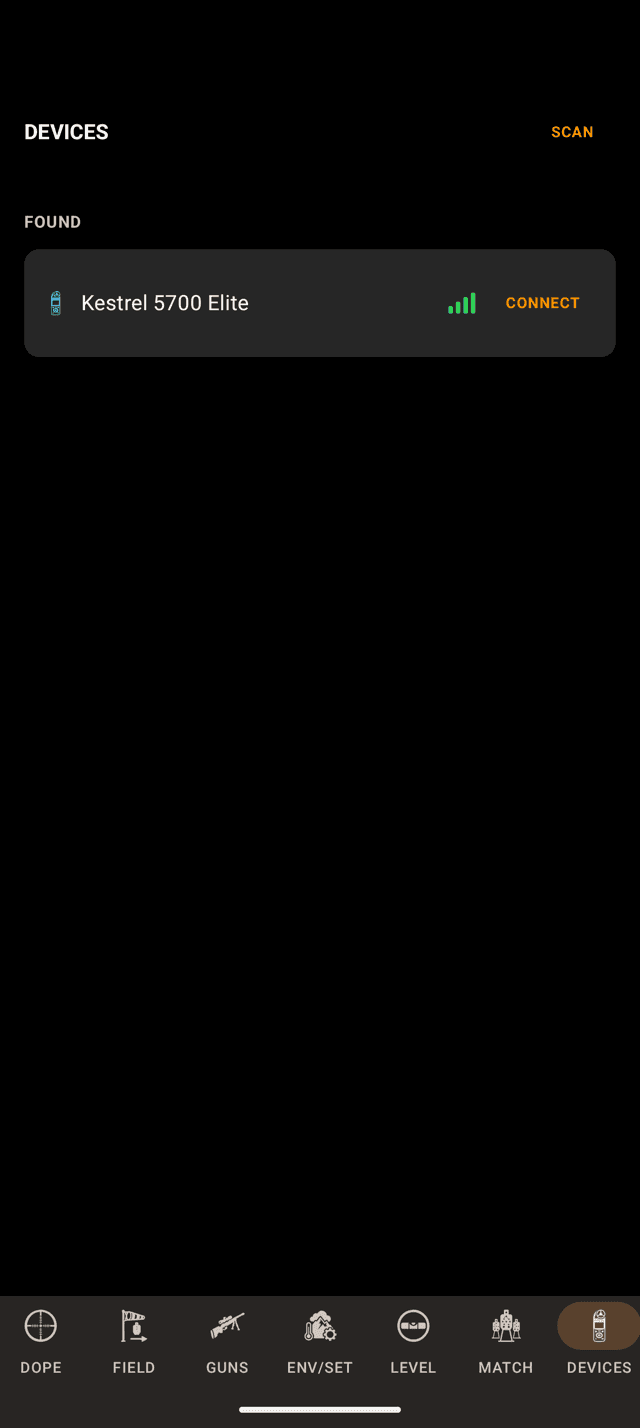
A Kestrel found by the scan, ready to connect.
Step 1
Scan, then connect
Open DEVICES, the last entry in the page bar. Turn the meter’s Bluetooth on, hold it close, and tap SCAN. Android asks for the Nearby devices permission the first time. That is Android’s name for Bluetooth access.
The meter appears under FOUND. Tap CONNECT. Scanning is free; connecting is part of the one-time Pro upgrade. Wrist Dope remembers a connected meter and reconnects it when it comes back in range.
Supported: Kestrel meters with Bluetooth (5-series and 2000-series) and WeatherFlow Tempest / WEATHERmeter. Calypso ultrasonic meters have their own guide: Calypso Wind Meters.
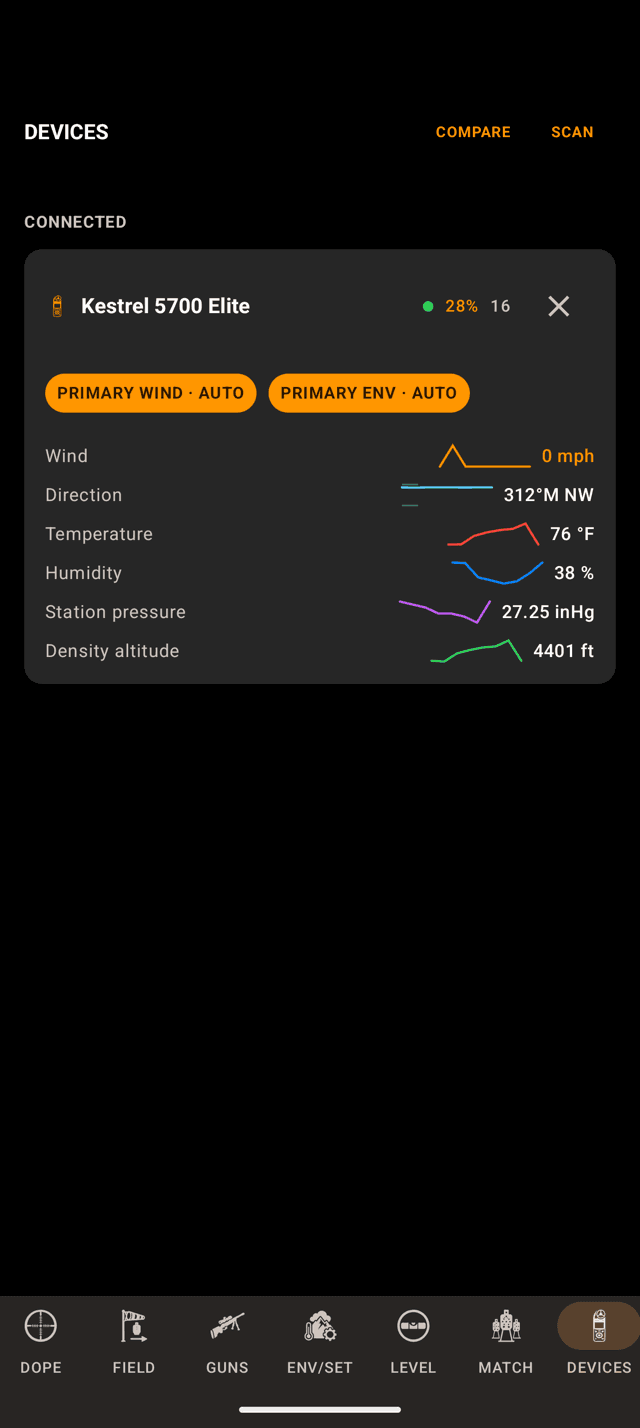
A connected Kestrel, every reading with its trend line.
Step 2
Read the meter card
The card shows the battery, a reading count and an ✕ to disconnect. The chips PRIMARY WIND · AUTO and PRIMARY ENV · AUTO say the meter is your wind source and is feeding the Environment page. Tap a chip to pin it.
The rows are what the meter measures. A Tempest has no compass, so no Direction row. A °M means magnetic north.
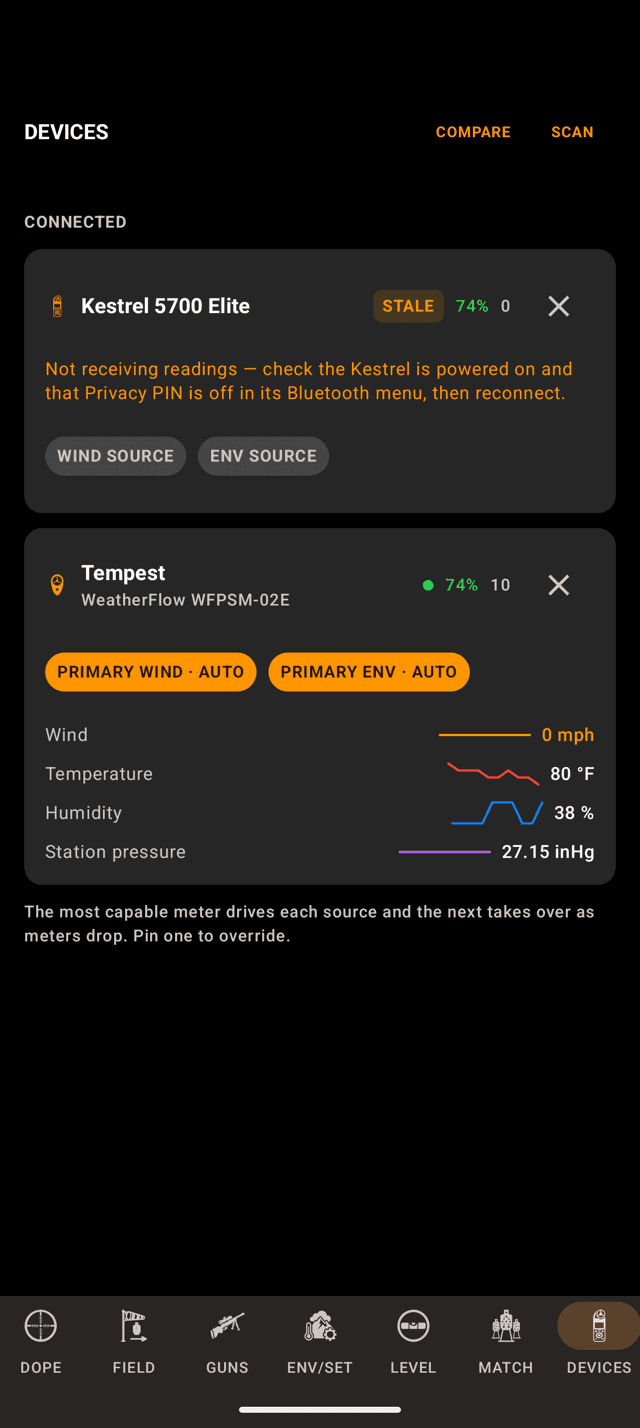
The Kestrel went quiet. The Tempest took over both jobs.
Step 3
Two meters, and the one that went quiet
Connect two meters and the most capable one drives each source. If it drops, the next one takes over, which is what happened here. Pin a chip to override that.
The Kestrel on top shows the most common problem: STALE, with a note to check the Kestrel is on and Privacy PIN is off. More on that in the troubleshooting below.
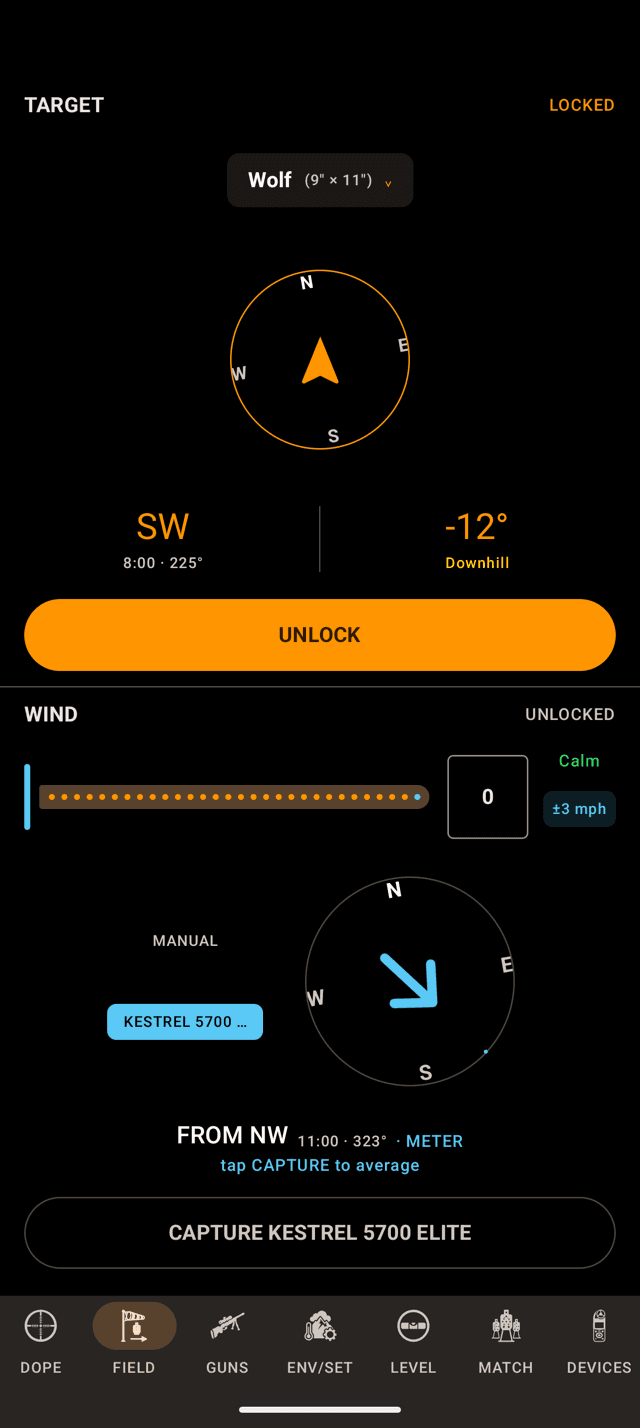
Live: the meter’s reading right now. The test meter here reads calm.
Step 4
Point it into the wind and tap CAPTURE
On FIELD the WIND pane takes the meter as its source: the switch reads MANUAL and KESTREL 5700 ELITE. Tap MANUAL to call it yourself.
A connected meter is live: the pane shows what it reads right now and averages nothing. The average starts when you tap capture. The wind that counts is the wind you measured standing there with the meter held up, and the five minutes it spent baking on the mat stay out of it.
Hold the meter screen to your face, back to the wind, and tap CAPTURE KESTREL 5700 ELITE.
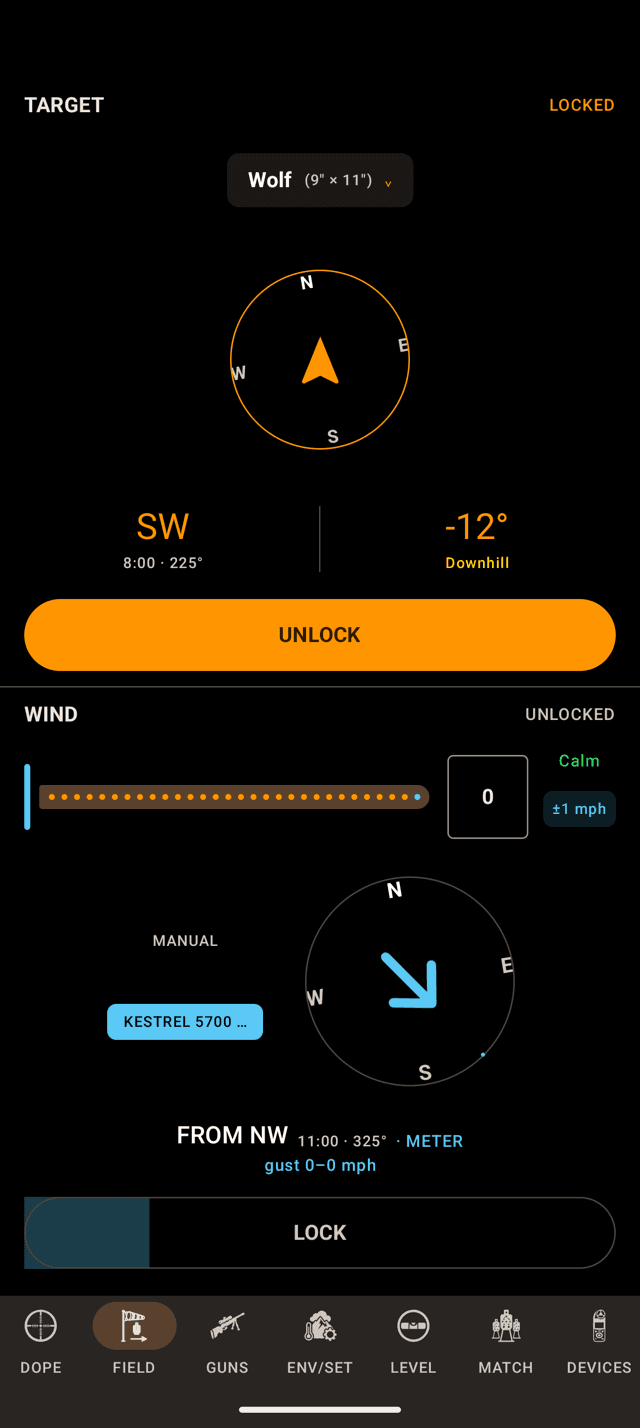
Capturing. The LOCK button fills toward ten seconds.
Step 5
Lock it, or let it lock itself
The button turns into LOCK and fills as the ten seconds run. Tap it to lock early, or let it lock itself at ten. If the meter drops out partway, the capture cancels.
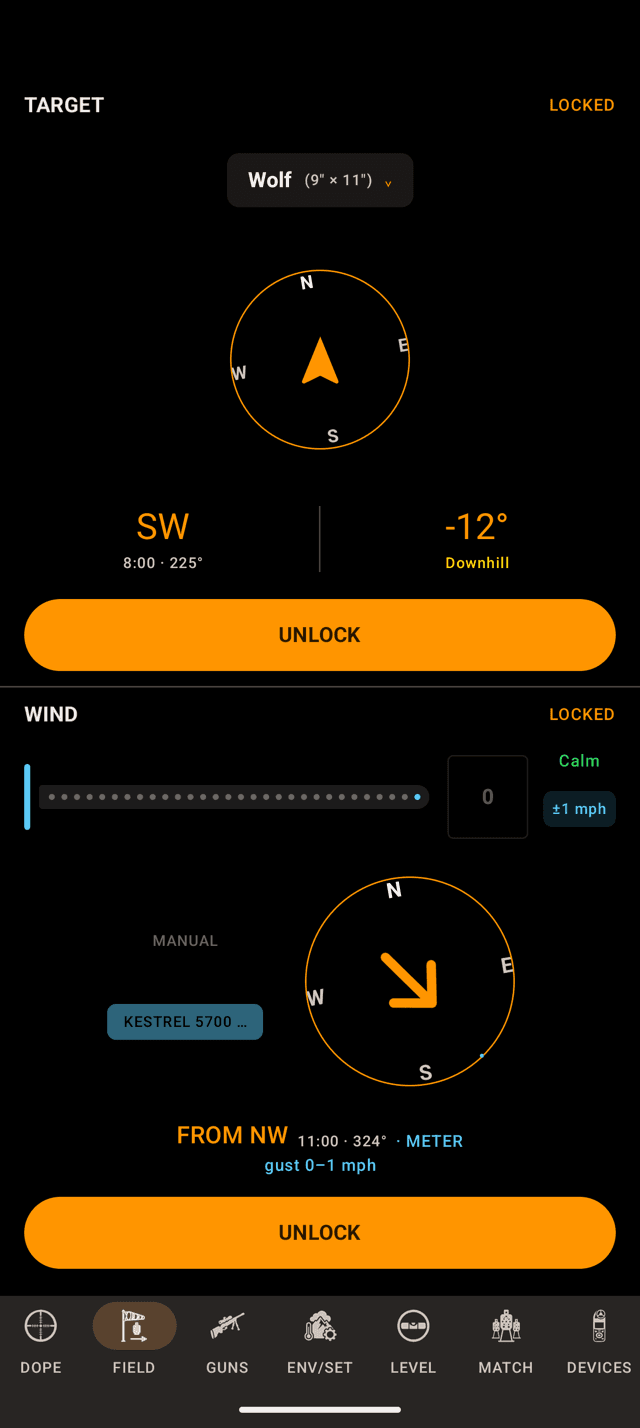
Locked. The gust spread rides along into hit percentage.
Step 6
Locked is your call
LOCKED, the dial in orange, and the gust range the meter saw. The call stays put until you change it, even if the meter walks away. UNLOCK, then capture again, for a new one.
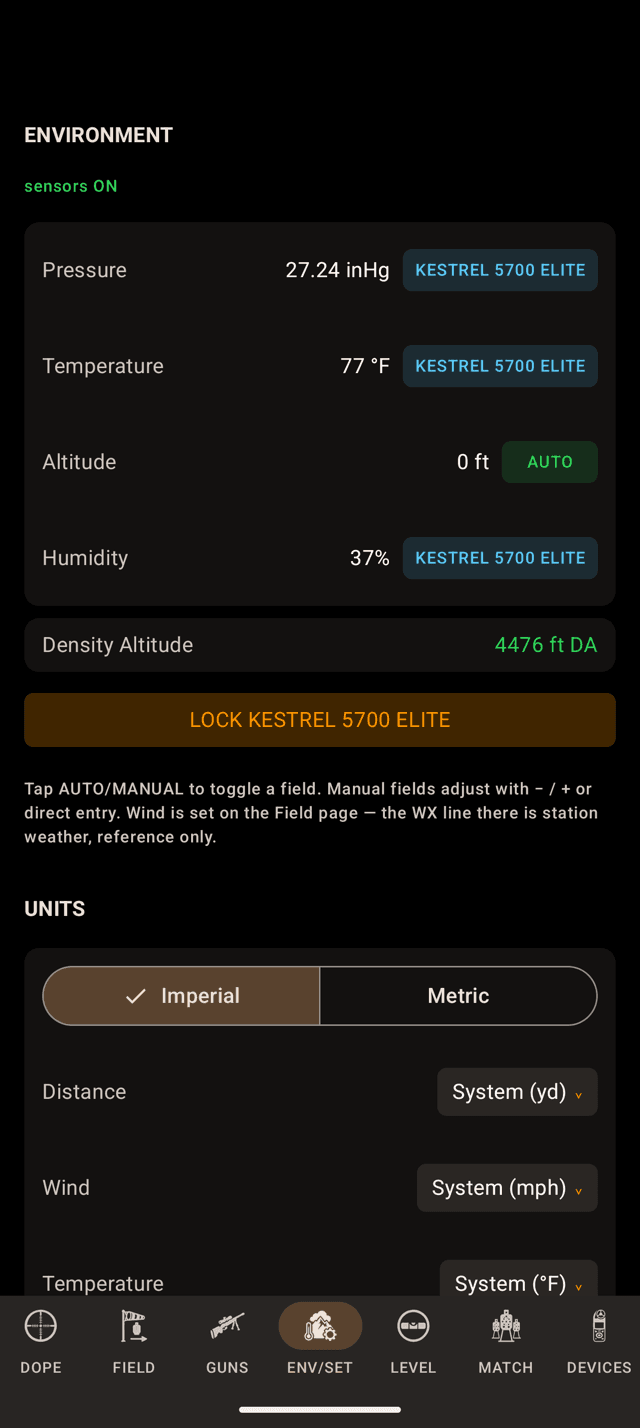
Pressure, temperature and humidity from the meter, live.
Step 7
Pin the meter’s air
A connected weather meter takes over pressure, temperature and humidity on ENV/SET, live. Tap LOCK KESTREL 5700 ELITE to hold them; the button turns into UNLOCK with the time. Altitude keeps its own source.
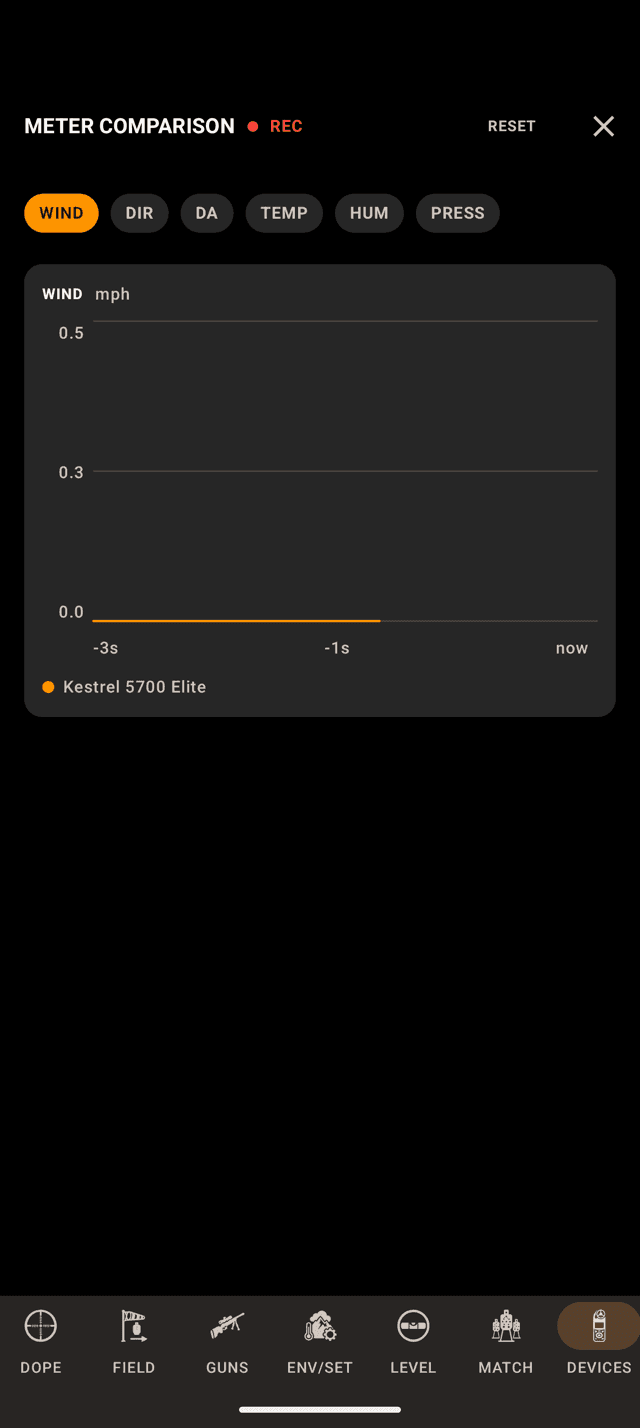
One tab per reading, one line per meter.
Step 8
Compare the meters
COMPARE next to the DEVICES title opens METER COMPARISON. Android lays it out as tabs, WIND, DIR, DA, TEMP, HUM and PRESS, with REC while it records and RESET to start over. Nothing on it changes your solve.
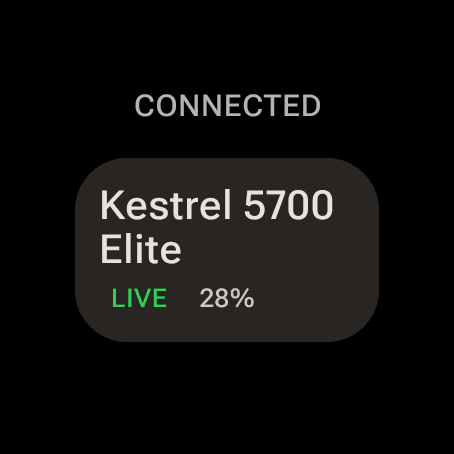
The watch’s own Devices page, with a Kestrel it is holding itself.
Step 9
On the watch
Phone along? Connect on the phone and the watch mirrors the meter: its Wind page reads KESTREL · ON PHONE · LIVE.
Watch on its own? Swipe to DEVICES, the last page, and tap SCAN. A meter the watch holds keeps reading with the screen off; Android shows a small “Reading your meter” notification while it does.
Tap the card for the meter’s readings. At the bottom: DISCONNECT, and WIND and ENV switches to pin the meter to each job. To take a meter the phone is holding, use Use on this watch on the watch. The phone has no button the other way: to bring a meter back, disconnect it on the watch and connect it on the phone. If the meter isn’t in range the move fails and says so.
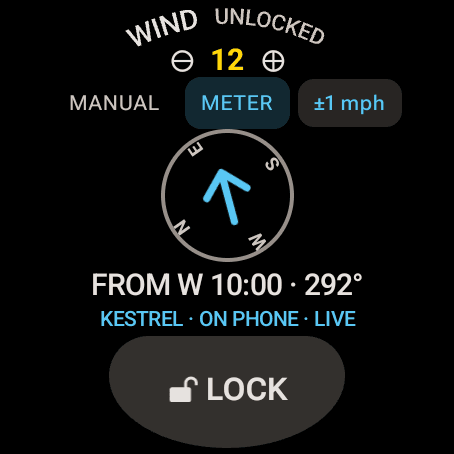
The watch Wind page following the phone’s Kestrel.
Step 10
Capture from the wrist
With METER picked, the watch runs the same capture as the phone, but its button keeps the LOCK label. The first tap starts the ten-second capture and the line above the button counts it, CAPTURING 4/10s. A second tap locks early, or it locks itself at ten. Tap again to unlock.
When the phone holds the meter, the watch’s tap runs the capture on the phone. For a meter without a compass the row keeps DRAG and POINT next to METER so you can set the direction.
Who sets the direction
A Kestrel has a compass, so the meter owns the bearing, and a magnetic bearing shows °M. A Tempest has no compass: point it into the wind for the speed and drag the dial to set where the wind comes from before you lock.
A Calypso has no compass either, but it measures its angle off your line of fire, so you never point it into the wind. That gets its own guide: Calypso Wind Meters.
Meter not behaving?
- A Kestrel connects, then goes STALE. Privacy PIN is on, or the meter powered off. A Kestrel with Privacy PIN on sends one reading when it connects, then nothing, and the connection stays up so nothing errors. Turn Privacy PIN off in the Kestrel’s Bluetooth menu, wake it, and reconnect.
- Live Fire’s wind isn’t following the meter. The wind is locked, and a locked call holds still on purpose. Unlock, then capture again.
- The scan finds nothing. Bluetooth is off, the Nearby devices permission is off for Wrist Dope, the meter is more than a few feet away, or it is still connected to another phone or watch.
- It disconnected by itself. After 20 minutes with no lock, pin or tap, Wrist Dope drops the meter to save its battery and says so. Connect again when you are back on the gun.
- The meter is on the phone and you want it on the wrist. Use
Use on this watchon the watch’s Devices page. - Connect asks for Pro. Connecting a meter is part of the one-time Pro upgrade. Scanning is free.
Related: Target and Wind for the dial and the lock, Environment for the field chips, and Calypso Wind Meters.
Still stuck? support@wristdope.com